
ShortcutPosters

4 art directions — pick one below, click to zoom & compare.
Layout
GITLABKEYBOARD SHORTCUTS · WINDOWS · 421234567890QWEEdit des…RStart wr…TShiftGo to yo…YGo to fi…UICtrlItaliciz…OPMove to …AChange a…SPut curs…DShiftToggle b…FShiftToggle f…GGo to th…HShiftGo to th…JMove to …KMove to …LChange l…ZXCCopy iss…VMark fil…BCtrlBold the…NMove to …MChange m…MORE SHORTCUTSHide tooltips…EscSearch for, a…CtrlPToggle Markdo…CtrlShiftPPut cursor in…/Focus filter …FGo to your Gr…ShiftGOpen GitLab D…DGo to the pro…GCGo to the pro…GIGo to the pro…GMGo to the CI/…GPAdd a linkCtrlKSubmit or sav…CtrlEnterShow or hide …Shift/Go to your Pr…ShiftPGo to your Is…ShiftIGo to your Me…ShiftMOpen the Web ….Go to the Pro…GOGo to the pro…GFOpen the proj…TGo to the New…Ishortcutposters.comUPDATED JAN 2026 · COMPATIBLE WITH GITLAB · WINDOWS
PROJECTGo to the project wikiGWGo to the project Com…GCGo to the project Wor…GIGo to the project Mer…GMGo to the CI/CD Pipel…GPGo to the Project ove…GOGo to the project fil…GFOpen the project file…TGo to the New Issue p…IEDITINGToggle Markdown previ…CtrlShiftPBold the selected textCtrlBItalicize the selecte…CtrlIAdd a linkCtrlKSubmit or save changesCtrlEnterGLOBALHide tooltips or popo…EscPut cursor in the sea…/Focus filter barFGo to the homepageShiftHGo to your Groups pageShiftGGo to your To-Do List…ShiftTOpen GitLab Duo ChatDShow or hide the shor…Shift/Put cursor in the sea…SGo to your Projects p…ShiftPGo to your Issues pageShiftIGo to your Merge requ…ShiftMOpen the Web IDE.REPOSITORYGo to file permalinkYISSUES & MERGE REQUESTSChange milestoneMCopy issue referenceCRMove to next open thr…NMove to previous open…PToggle file browserShiftFToggle between inline…ShiftDSearch for, and then …CtrlPChange assigneeAChange labelLStart writing a comme…RMove to next fileJMove to previous fileKMark file as viewed o…VEdit descriptionEGitLabKEYBOARD SHORTCUTS · WINDOWS · 42BOTH LAYOUTSQWERTYQWERTYAZERTYAZERTYshortcutposters.comUPDATED JAN 2026 · COMPATIBLE WITH GITLAB · WINDOWS
PROJECT09Go to the project wikiGWGo to the project Com…GCGo to the project Wor…GIGo to the project Mer…GMGo to the CI/CD Pipel…GPGo to the Project ove…GOGo to the project fil…GFOpen the project file…TGo to the New Issue p…IEDITING05Toggle Markdown previ…CtrlShiftPBold the selected textCtrlBItalicize the selecte…CtrlIAdd a linkCtrlKSubmit or save changesCtrlEnterGLOBAL13Hide tooltips or popo…EscPut cursor in the sea…/Focus filter barFGo to the homepageShiftHGo to your Groups pageShiftGGo to your To-Do List…ShiftTOpen GitLab Duo ChatDShow or hide the shor…Shift/Put cursor in the sea…SGo to your Projects p…ShiftPGo to your Issues pageShiftIGo to your Merge requ…ShiftMOpen the Web IDE.REPOSITORY01Go to file permalinkYISSUES & MERGE REQUESTS14Change milestoneMCopy issue referenceCRMove to next open thr…NMove to previous open…PToggle file browserShiftFToggle between inline…ShiftDSearch for, and then …CtrlPChange assigneeAChange labelLStart writing a comme…RMove to next fileJMove to previous fileKMark file as viewed o…VEdit descriptionEGitLabKEYBOARD SHORTCUTS · WINDOWS · 42BOTH LAYOUTSQWERTYQWERTYAZERTYAZERTYshortcutposters.comUPDATED JAN 2026 · COMPATIBLE WITH GITLAB · WINDOWS
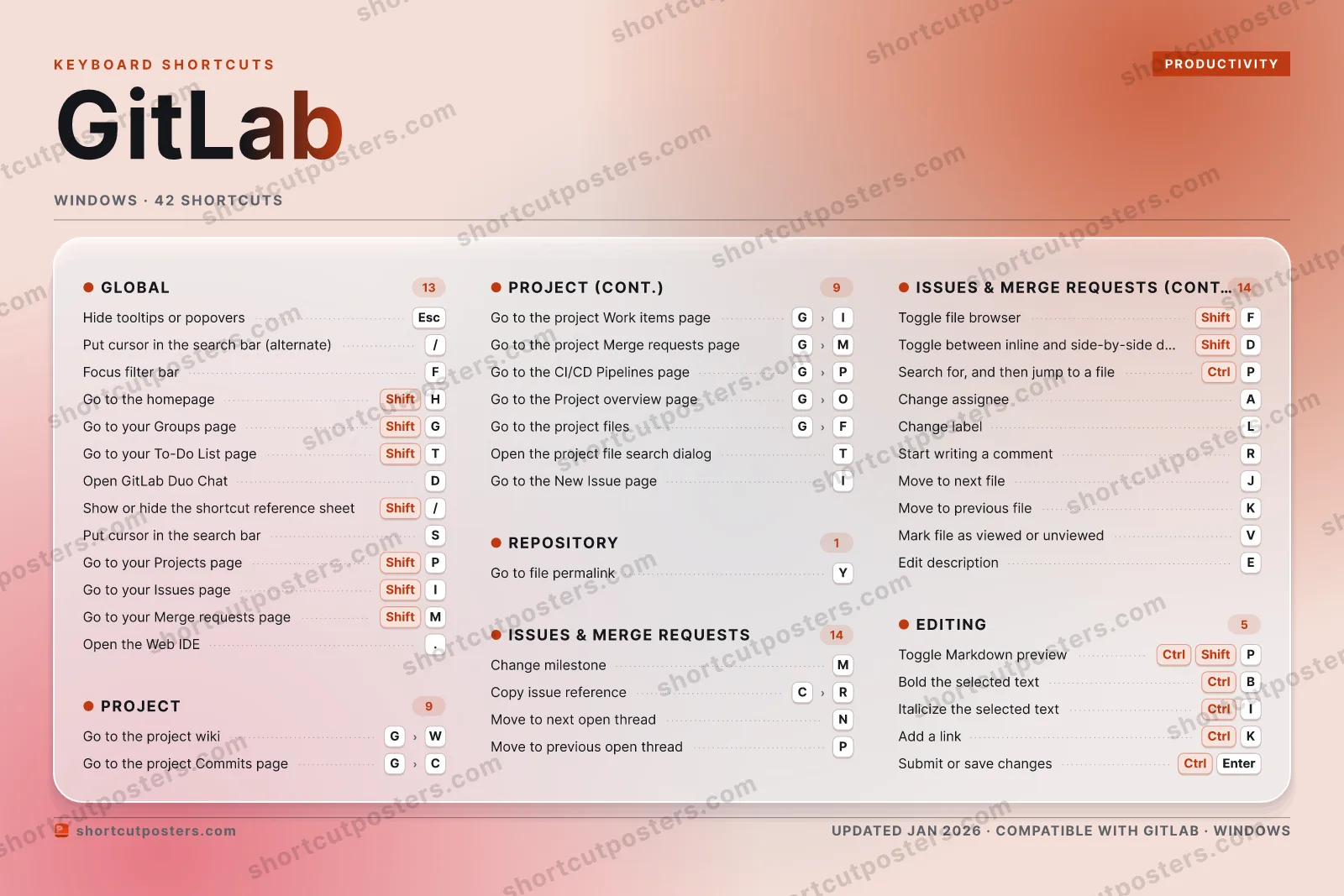
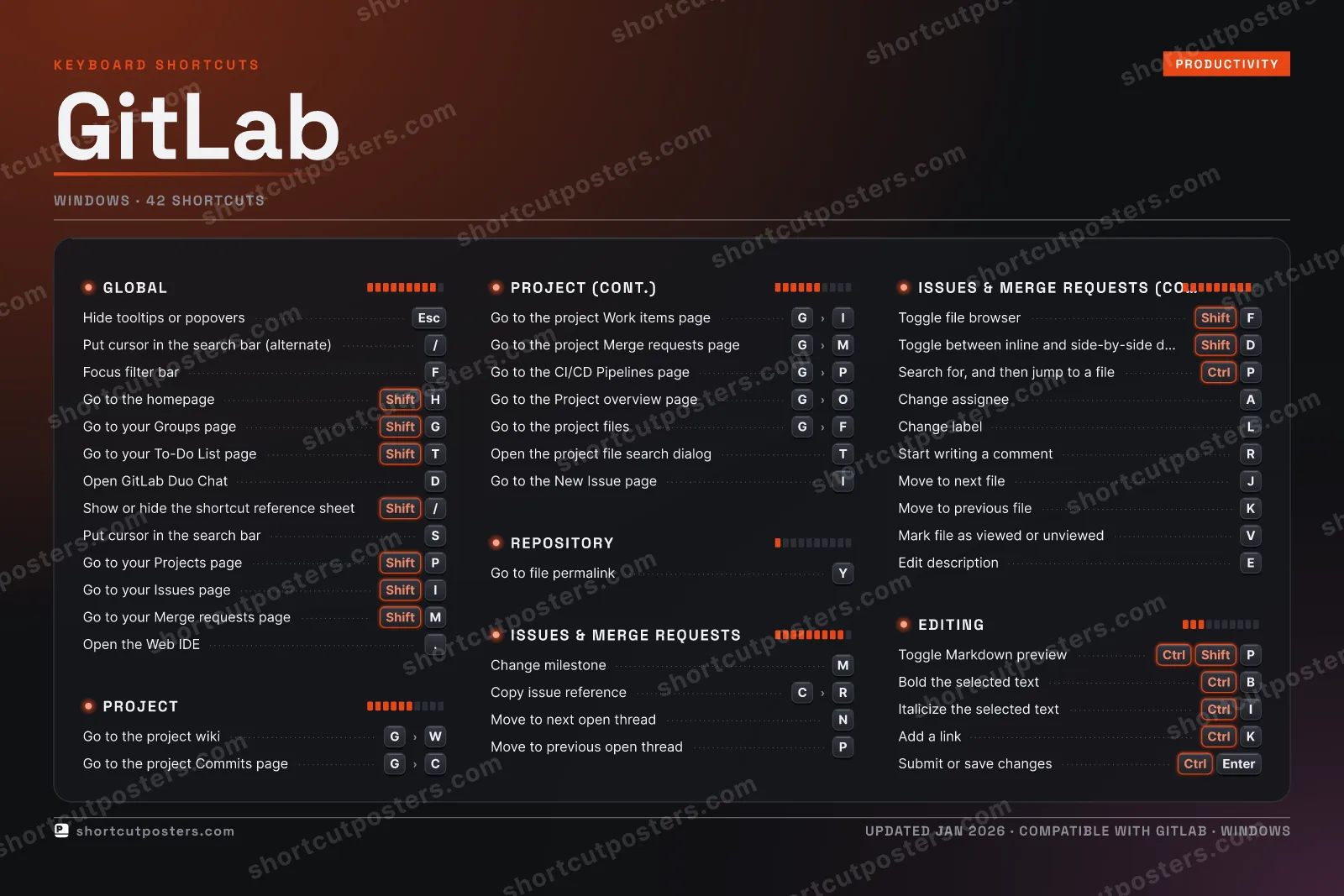
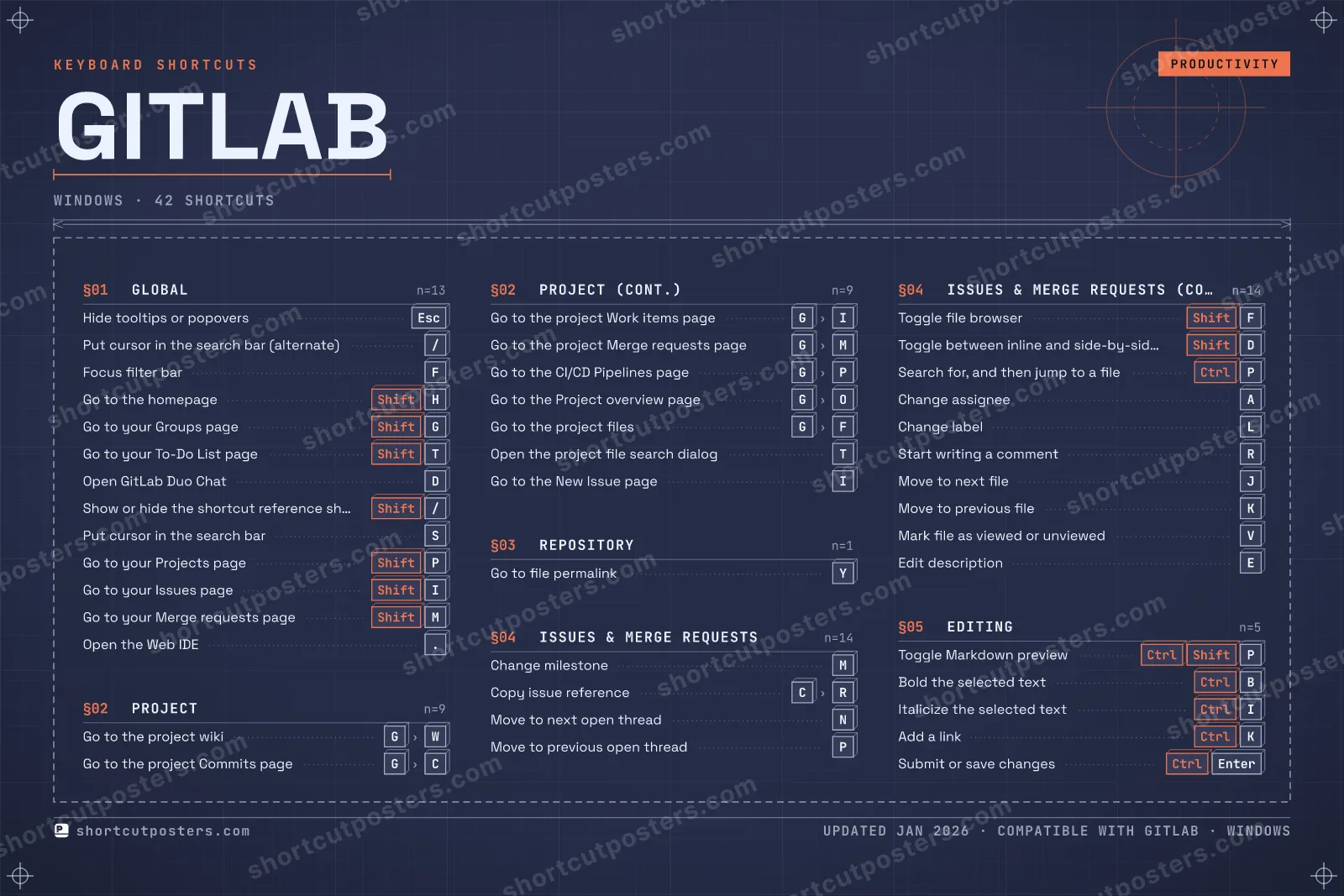
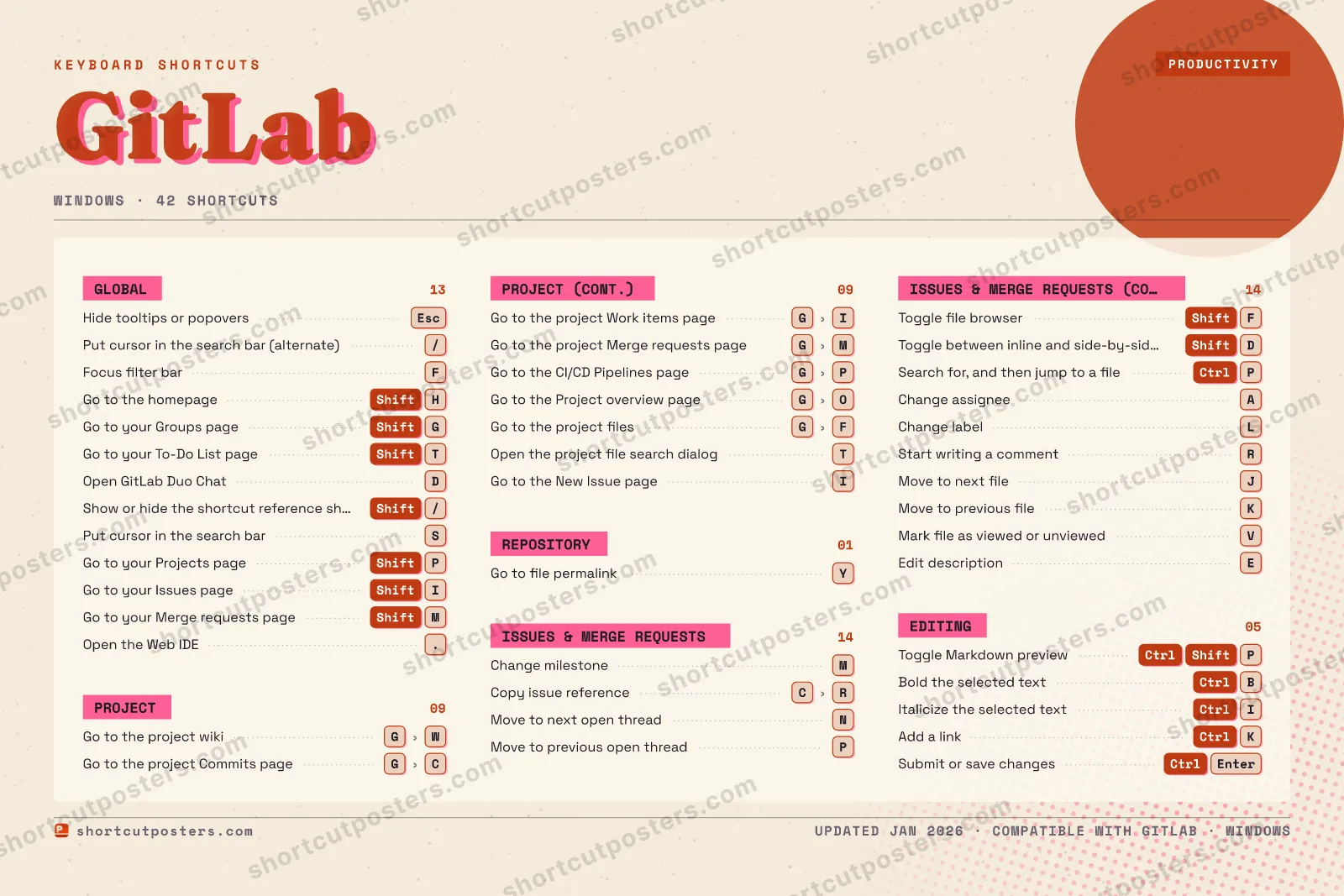
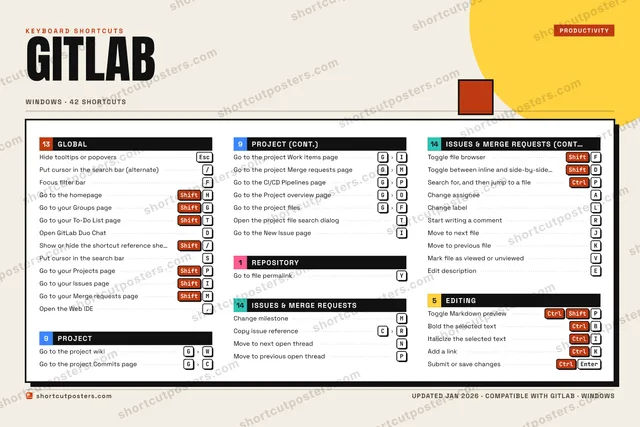
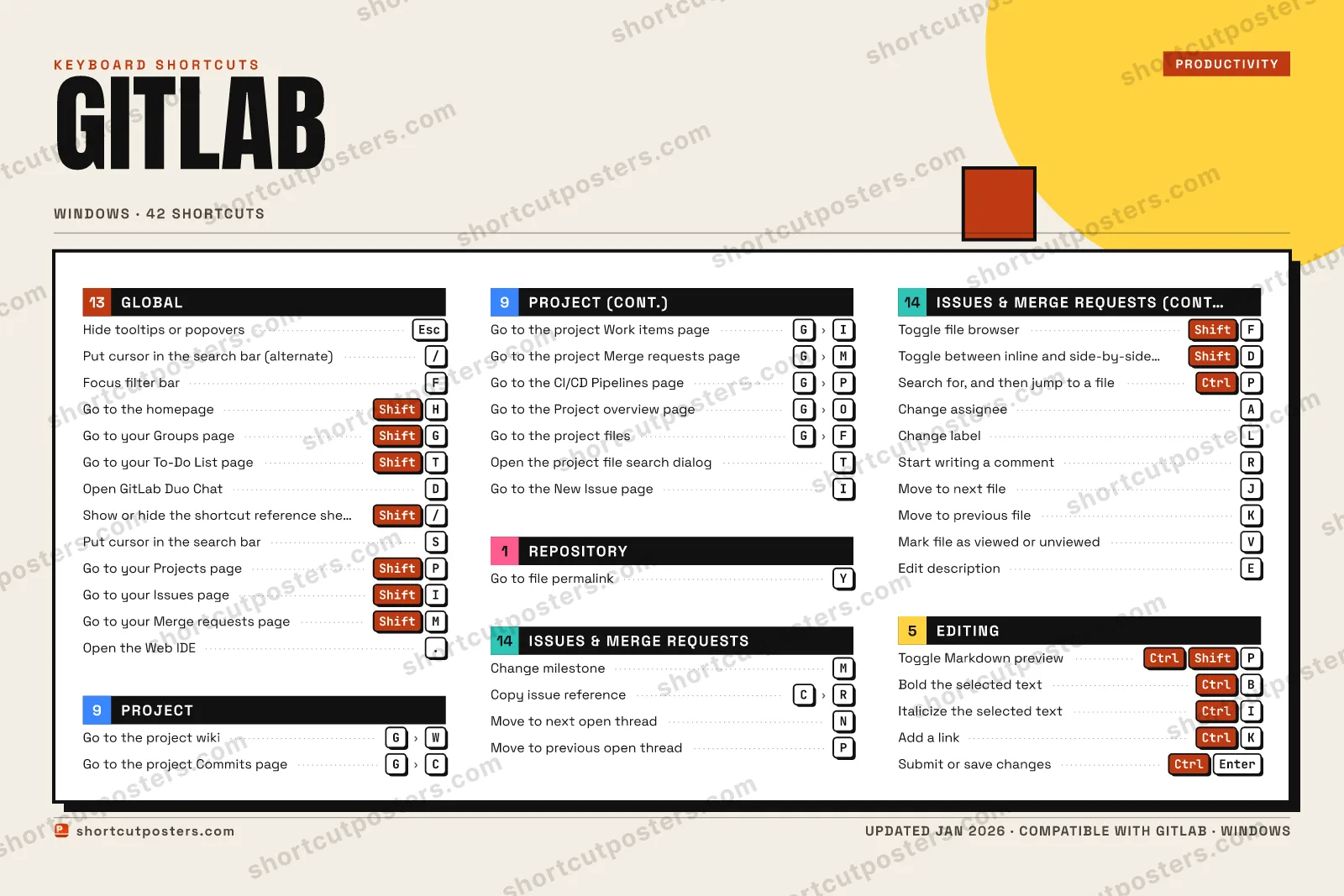
GITLAB · KEYBOARD SHORTCUTSWindows · 5 SETS · No.01GITLABTOTAL42SHORTCUTSFOR WINDOWS · SHIPPED COMBOSSETSGLOBAL13PROJECT09REPOSITORY01ISSUES & MERG14EDITING05REF. EDITION · JAN 2026shortcutposters.comHide tooltips or popoversEscPut cursor in the search bar (alternate)/Focus filter barFGo to the homepageShiftHGo to your Groups pageShiftGGo to your To-Do List pageShiftTOpen GitLab Duo ChatDShow or hide the shortcut reference sheetShift/Put cursor in the search barSGo to your Projects pageShiftPGo to your Issues pageShiftIGo to your Merge requests pageShiftMOpen the Web IDE.Go to the project wikiGWGo to the project Commits pageGCGo to the project Work items pageGIGo to the project Merge requests pageGMGo to the CI/CD Pipelines pageGPGo to the Project overview pageGOGo to the project filesGFOpen the project file search dialogTGo to the New Issue pageIGo to file permalinkYChange milestoneMCopy issue referenceCRMove to next open threadNMove to previous open threadPToggle file browserShiftFToggle between inline and side-by-side diff viewShiftDSearch for, and then jump to a fileCtrlPChange assigneeAChange labelLStart writing a commentRMove to next fileJMove to previous fileKMark file as viewed or unviewedVEdit descriptionEToggle Markdown previewCtrlShiftPBold the selected textCtrlBItalicize the selected textCtrlIAdd a linkCtrlKSubmit or save changesCtrlEnter

Windows edition · 42 shortcuts

GitLab Keyboard Shortcuts Poster

A printable, framed-quality poster of the essential GitLab shortcuts for Windows — the keys worth keeping in view, designed to stay readable on a wall.

Edition
Apple Mac Windows Windows

Free PNG is web-resolution & lightly watermarked.

Customise this poster Pick the shortcuts, restyle the colours — download free. Get the framed-quality print Full 300 DPI, print-ready — at home or shipped to your door.

GitLab is a web-based DevOps platform that combines Git repository hosting, issue tracking, merge requests, and CI/CD pipelines in one place. Its keyboard shortcuts let you jump between pages, navigate diffs, and act on issues without reaching for the mouse. Press Shift-? anywhere in the app to view the full reference sheet.

All GitLab keyboard shortcuts (Windows)

Layout
Esc
F1
F2
F3
F4
F5
F6
F7
F8
F9
F10
F11
F12
`
1
2
3
4
5
6
7
8
9
0
-
=
⌫ Back
Tab
Q
W
E
R
T
Y
U
I
O
P
[
]
\
Caps
A
S
D
F
G
H
J
K
L
;
'
Enter ⏎
Shift
Z
X
C
V
B
N
M
,
.
/
Shift
Ctrl
Win
Alt
Space
Alt
Win
Menu
Ctrl

Issues & Merge Requests 14

Action Shortcut
Change milestone M
Copy issue reference CthenR
Move to next open thread N
Move to previous open thread P
Toggle file browser ShiftF
Toggle between inline and side-by-side diff view ShiftD
Search for, and then jump to a file CtrlP
Change assignee A
Change label L
Start writing a comment R
Move to next file J
Move to previous file K
Mark file as viewed or unviewed V
Edit description E

Global 13

Action Shortcut
Hide tooltips or popovers Esc
Put cursor in the search bar (alternate) /
Focus filter bar F
Go to the homepage ShiftH
Go to your Groups page ShiftG
Go to your To-Do List page ShiftT
Open GitLab Duo Chat D
Show or hide the shortcut reference sheet Shift/
Put cursor in the search bar S
Go to your Projects page ShiftP
Go to your Issues page ShiftI
Go to your Merge requests page ShiftM
Open the Web IDE .

Project 9

Action Shortcut
Go to the project wiki GthenW
Go to the project Commits page GthenC
Go to the project Work items page GthenI
Go to the project Merge requests page GthenM
Go to the CI/CD Pipelines page GthenP
Go to the Project overview page GthenO
Go to the project files GthenF
Open the project file search dialog T
Go to the New Issue page I

Editing 5

Action Shortcut
Toggle Markdown preview CtrlShiftP
Bold the selected text CtrlB
Italicize the selected text CtrlI
Add a link CtrlK
Submit or save changes CtrlEnter

Repository 1

Action Shortcut
Go to file permalink Y

Sourced from docs.gitlab.com Last verified

Unofficial reference. ShortcutPosters is not affiliated with, endorsed by, or sponsored by GitLab. All product names, logos, and trademarks are property of their respective owners. See our licensing & trademark notice.

Frequently asked questions

Does the poster include every GitLab shortcut?
GitLab has 42 keyboard shortcuts in total — the complete list is free to read on this page. The poster features the most essential ones, curated to stay readable on a wall.
Can I print it at home?
Yes. The digital download is a high-resolution 300 DPI file you can print at home or at any print shop, in standard frame sizes.
Does it cover both Mac and Windows?
We sell separate Mac and Windows editions so every key matches your keyboard exactly. This page is the Windows edition.
Is this an official GitLab product?
No. This is an unofficial reference poster and is not affiliated with or endorsed by GitLab. All trademarks belong to their respective owners.
For app makers

Promote your app

Built an app with great keyboard shortcuts? Get it into the database — a free, searchable reference page, and an optional printable poster your power users will pin to the wall.

  • Free shortcut reference page
  • Indexed & searchable
  • Optional framed poster