ShortcutPosters

4 art directions — pick one below, click to zoom & compare.
Layout
ZOHO CLIQKEYBOARD SHORTCUTS · WINDOWS · 40 ESSENTIAL1234567890QWECtrlOpen emo…RRotate i…TYUCtrlApply un…ICtrlApply it…OPPin mess…ASCtrl ShiftSchedule…DFForward …GGo to me…HCtrl ShiftView con…JKCtrlSearchLCtrlInsert l…ZXCtrl ShiftApply st…CCopy mes…VBCtrlApply bo…NMCtrl ShiftMute/unm…MORE SHORTCUTSEdit previous…UPActivate slas…/Reply to mess…RIGHTNavigate homeGHNavigate to c…GCEdit messageEZia search (A…Ctrl/Close modalEscInsert emoji …Shift:Delete messageDelNavigate to c…GCGo to reminde…GRGo to starred…GSAccess profil…GPView particip…CtrlPAdd eventCtrlShiftESwitch chat w…AltEnterAdd user to c…Shift+Copy message …CtrlShiftLAccess more a…AltMSet reminderSRMark as unreadUAnnotate imageCtrlEPicture-in-Pi…IAdd call part…Shift+shortcutposters.comUPDATED JAN 2026 · COMPATIBLE WITH ZOHO CLIQ · WINDOWS
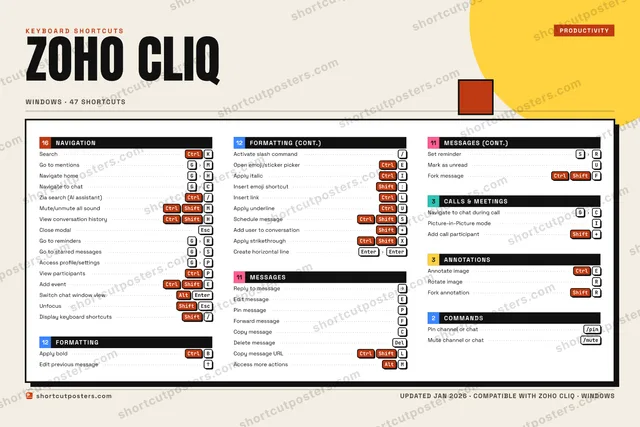
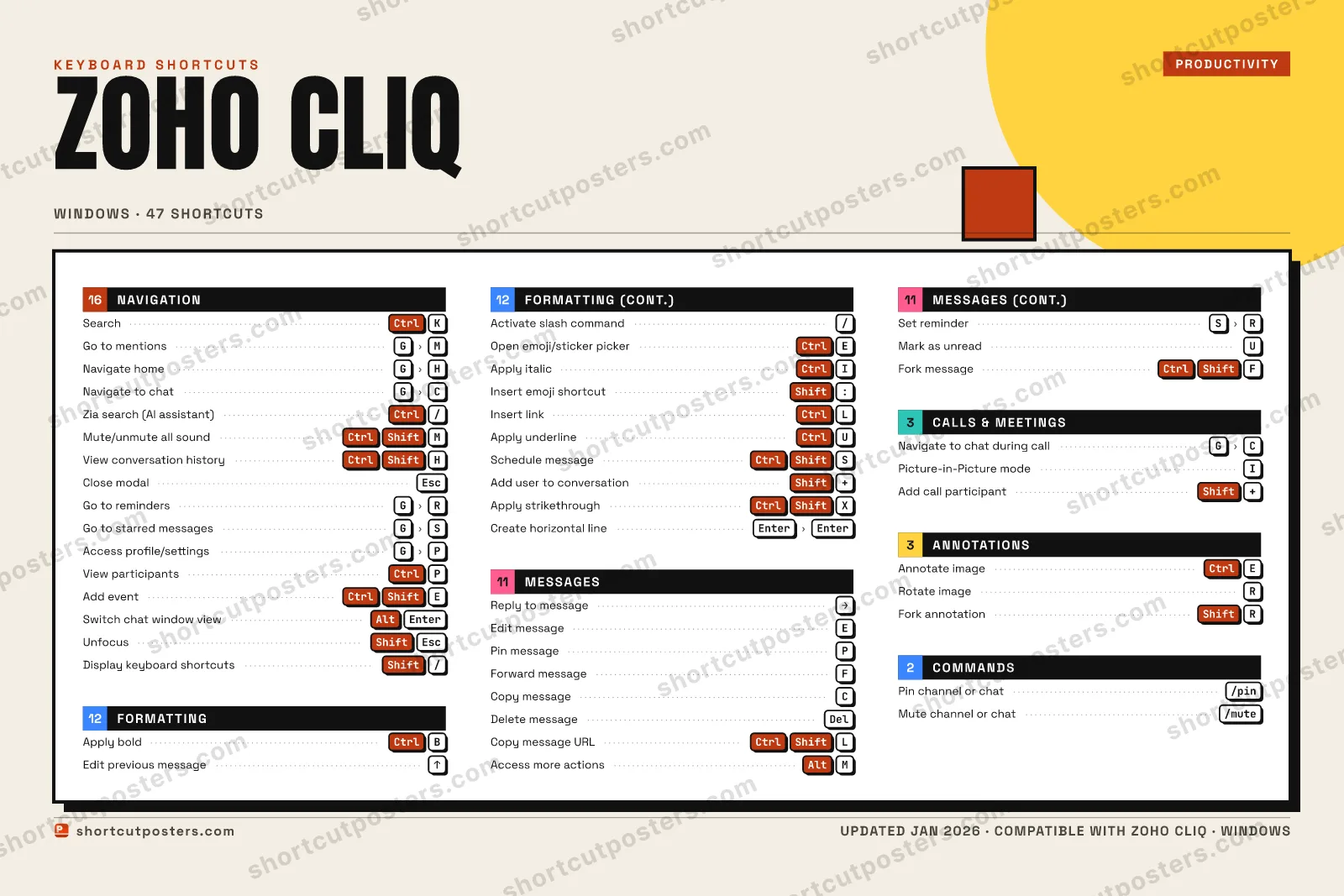
NAVIGATIONSearchCtrlKGo to mentionsGMNavigate homeGHNavigate to chatGCZia search (AI assistant)Ctrl/Mute/unmute all soundCtrlShiftMView conversation historyCtrlShiftHClose modalEscGo to remindersGRGo to starred messagesGSAccess profile/settingsGPView participantsCtrlPAdd eventCtrlShiftESwitch chat window viewAltEnterUnfocusShiftEscDisplay keyboard shortcu…Shift/COMMANDSPin channel or chat/pinMute channel or chat/muteMESSAGESReply to messageRIGHTEdit messageEPin messagePForward messageFCopy messageCDelete messageDelCopy message URLCtrlShiftLAccess more actionsAltMSet reminderSRMark as unreadUFork messageCtrlShiftFCALLS & MEETINGSNavigate to chat during …GCPicture-in-Picture modeIAdd call participantShift+FORMATTINGApply boldCtrlBEdit previous messageUPActivate slash command/Open emoji/sticker pickerCtrlEApply italicCtrlIInsert emoji shortcutShift:Insert linkCtrlLApply underlineCtrlUSchedule messageCtrlShiftSAdd user to conversationShift+Apply strikethroughCtrlShiftXCreate horizontal lineEnterEnterANNOTATIONSAnnotate imageCtrlERotate imageRFork annotationShiftRZoho CliqKEYBOARD SHORTCUTS · WINDOWS · 47BOTH LAYOUTSQWERTYQWERTYAZERTYAZERTYshortcutposters.comUPDATED JAN 2026 · COMPATIBLE WITH ZOHO CLIQ · WINDOWS
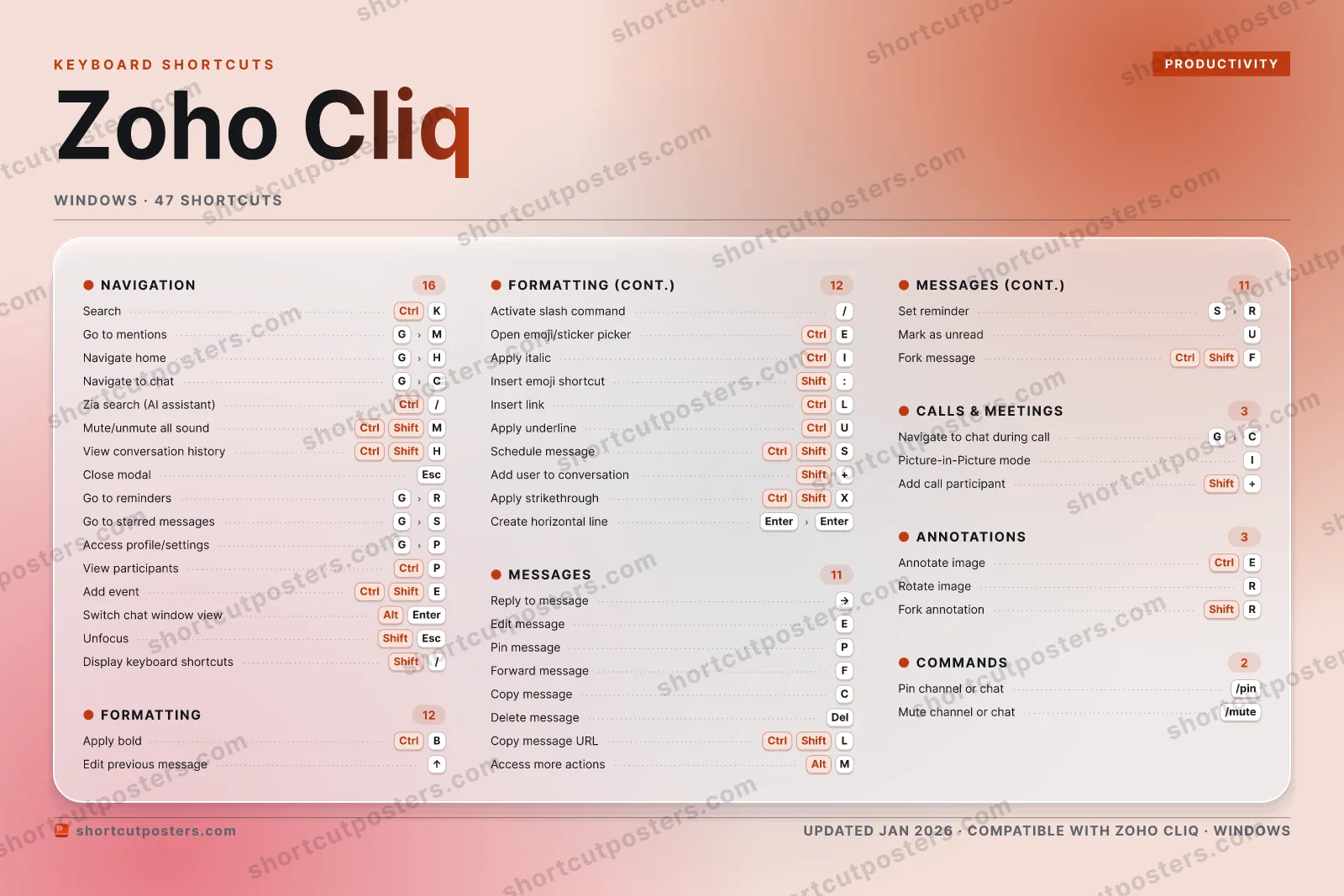
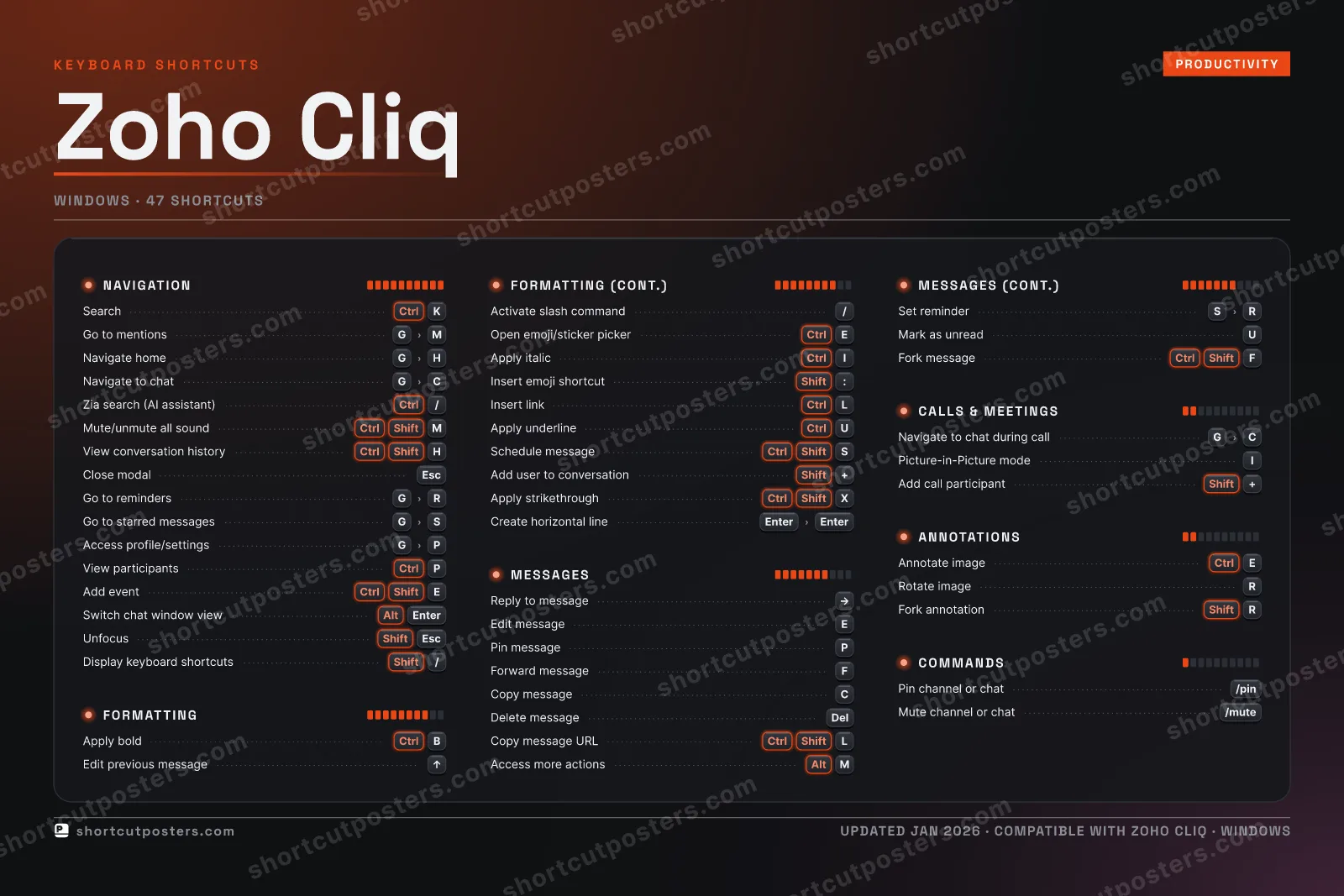
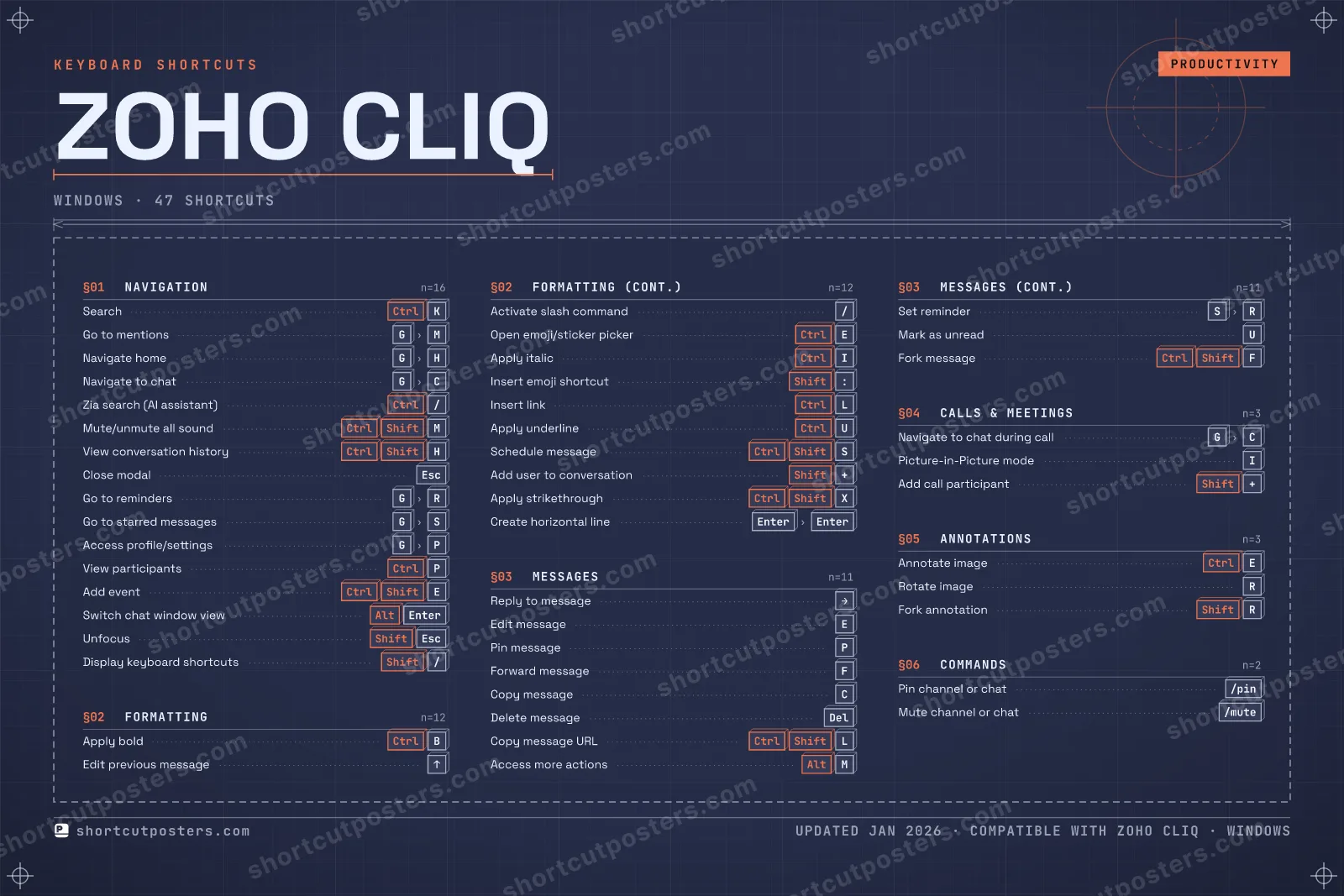
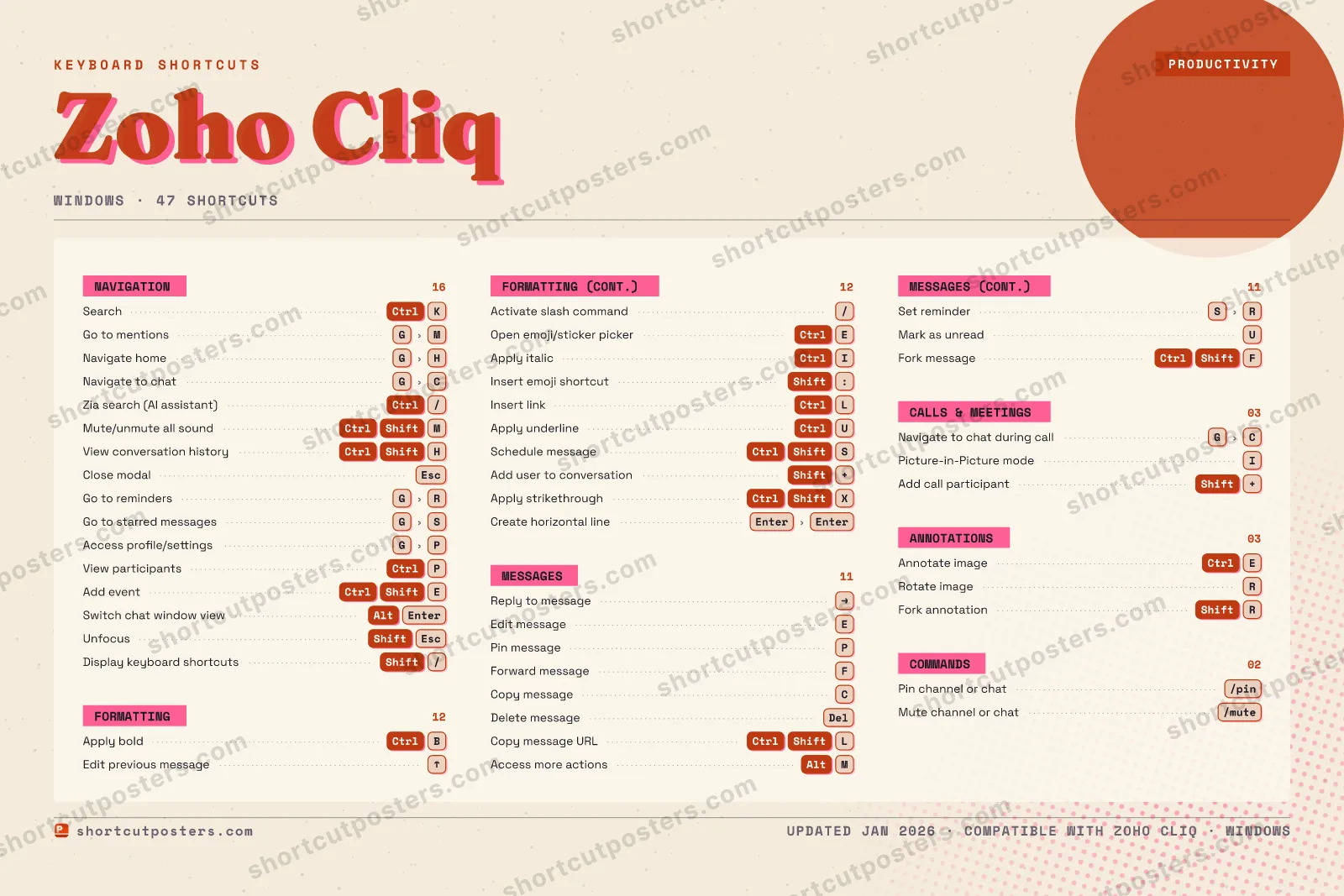
NAVIGATION16SearchCtrlKGo to mentionsGMNavigate homeGHNavigate to chatGCZia search (AI assistan…Ctrl/Mute/unmute all soundCtrlShiftMView conversation histo…CtrlShiftHClose modalEscGo to remindersGRGo to starred messagesGSAccess profile/settingsGPView participantsCtrlPAdd eventCtrlShiftESwitch chat window viewAltEnterUnfocusShiftEscDisplay keyboard shortc…Shift/COMMANDS02Pin channel or chat/pinMute channel or chat/muteMESSAGES11Reply to messageRIGHTEdit messageEPin messagePForward messageFCopy messageCDelete messageDelCopy message URLCtrlShiftLAccess more actionsAltMSet reminderSRMark as unreadUFork messageCtrlShiftFCALLS & MEETINGS03Navigate to chat during…GCPicture-in-Picture modeIAdd call participantShift+FORMATTING12Apply boldCtrlBEdit previous messageUPActivate slash command/Open emoji/sticker pick…CtrlEApply italicCtrlIInsert emoji shortcutShift:Insert linkCtrlLApply underlineCtrlUSchedule messageCtrlShiftSAdd user to conversationShift+Apply strikethroughCtrlShiftXCreate horizontal lineEnterEnterANNOTATIONS03Annotate imageCtrlERotate imageRFork annotationShiftRZoho CliqKEYBOARD SHORTCUTS · WINDOWS · 47BOTH LAYOUTSQWERTYQWERTYAZERTYAZERTYshortcutposters.comUPDATED JAN 2026 · COMPATIBLE WITH ZOHO CLIQ · WINDOWS
ZOHO CLIQ · KEYBOARD SHORTCUTSWindows · 6 SETS · No.01ZOHO CLIQTOTAL47SHORTCUTSFOR WINDOWS · SHIPPED COMBOSSETSNAVIGATION16FORMATTING12MESSAGES11CALLS & MEETI03ANNOTATIONS03COMMANDS02REF. EDITION · JAN 2026shortcutposters.comSearchCtrlKGo to mentionsGMNavigate homeGHNavigate to chatGCZia search (AI assistant)Ctrl/Mute/unmute all soundCtrlShiftMView conversation historyCtrlShiftHClose modalEscGo to remindersGRGo to starred messagesGSAccess profile/settingsGPView participantsCtrlPAdd eventCtrlShiftESwitch chat window viewAltEnterUnfocusShiftEscDisplay keyboard shortcutsShift/Apply boldCtrlBEdit previous messageUPActivate slash command/Open emoji/sticker pickerCtrlEApply italicCtrlIInsert emoji shortcutShift:Insert linkCtrlLApply underlineCtrlUSchedule messageCtrlShiftSAdd user to conversationShift+Apply strikethroughCtrlShiftXCreate horizontal lineEnterEnterReply to messageRIGHTEdit messageEPin messagePForward messageFCopy messageCDelete messageDelCopy message URLCtrlShiftLAccess more actionsAltMSet reminderSRMark as unreadUFork messageCtrlShiftFNavigate to chat during callGCPicture-in-Picture modeIAdd call participantShift+Annotate imageCtrlERotate imageRFork annotationShiftRPin channel or chat/pinMute channel or chat/mute

Windows edition · 47 shortcuts

Zoho Cliq Keyboard Shortcuts Poster

A printable, framed-quality poster of the essential Zoho Cliq shortcuts for Windows — the keys worth keeping in view, designed to stay readable on a wall.

Edition
Apple Mac Windows Windows

Free PNG is web-resolution & lightly watermarked.

Customise this poster Pick the shortcuts, restyle the colours — download free. Get the framed-quality print Full 300 DPI, print-ready — at home or shipped to your door.

Zoho Cliq is a team chat and collaboration app for messaging, voice/video calls, and workflow bots, positioned as an alternative to Slack and Microsoft Teams. Its keyboard shortcuts speed up navigating chats, formatting messages, and acting on messages without reaching for the mouse.

All Zoho Cliq keyboard shortcuts (Windows)

Layout
Esc
F1
F2
F3
F4
F5
F6
F7
F8
F9
F10
F11
F12
`
1
2
3
4
5
6
7
8
9
0
-
=
⌫ Back
Tab
Q
W
E
R
T
Y
U
I
O
P
[
]
\
Caps
A
S
D
F
G
H
J
K
L
;
'
Enter ⏎
Shift
Z
X
C
V
B
N
M
,
.
/
Shift
Ctrl
Win
Alt
Space
Alt
Win
Menu
Ctrl

+ 6 more controls in the table below

Navigation 16

Action Shortcut
Search CtrlK
Go to mentions GthenM
Navigate home GthenH
Navigate to chat GthenC
Zia search (AI assistant) Ctrl/
Mute/unmute all sound CtrlShiftM
View conversation history CtrlShiftH
Close modal Esc
Go to reminders GthenR
Go to starred messages GthenS
Access profile/settings GthenP
View participants CtrlP
Add event CtrlShiftE
Switch chat window view AltEnter
Unfocus ShiftEsc
Display keyboard shortcuts Shift/

Formatting 12

Action Shortcut
Apply bold CtrlB
Edit previous message UP
Activate slash command /
Open emoji/sticker picker CtrlE
Apply italic CtrlI
Insert emoji shortcut Shift:
Insert link CtrlL
Apply underline CtrlU
Schedule message CtrlShiftS
Add user to conversation Shift+
Apply strikethrough CtrlShiftX
Create horizontal line EnterthenEnter

Messages 11

Action Shortcut
Reply to message RIGHT
Edit message E
Pin message P
Forward message F
Copy message C
Delete message Del
Copy message URL CtrlShiftL
Access more actions AltM
Set reminder SthenR
Mark as unread U
Fork message CtrlShiftF

Annotations 3

Action Shortcut
Annotate image CtrlE
Rotate image R
Fork annotation ShiftR

Calls & Meetings 3

Action Shortcut
Navigate to chat during call GthenC
Picture-in-Picture mode I
Add call participant Shift+

Commands 2

Action Shortcut
Pin channel or chat
Mute channel or chat

Sourced from help.zoho.com , zoho.com Last verified

Unofficial reference. ShortcutPosters is not affiliated with, endorsed by, or sponsored by Zoho Cliq. All product names, logos, and trademarks are property of their respective owners. See our licensing & trademark notice.

Frequently asked questions

Does the poster include every Zoho Cliq shortcut?
Zoho Cliq has 47 keyboard shortcuts in total — the complete list is free to read on this page. The poster features the most essential ones, curated to stay readable on a wall.
Can I print it at home?
Yes. The digital download is a high-resolution 300 DPI file you can print at home or at any print shop, in standard frame sizes.
Does it cover both Mac and Windows?
We sell separate Mac and Windows editions so every key matches your keyboard exactly. This page is the Windows edition.
Is this an official Zoho Cliq product?
No. This is an unofficial reference poster and is not affiliated with or endorsed by Zoho Cliq. All trademarks belong to their respective owners.
For app makers

Promote your app

Built an app with great keyboard shortcuts? Get it into the database — a free, searchable reference page, and an optional printable poster your power users will pin to the wall.

  • Free shortcut reference page
  • Indexed & searchable
  • Optional framed poster