
ShortcutPosters

4 art directions — pick one below, click to zoom & compare.
Layout
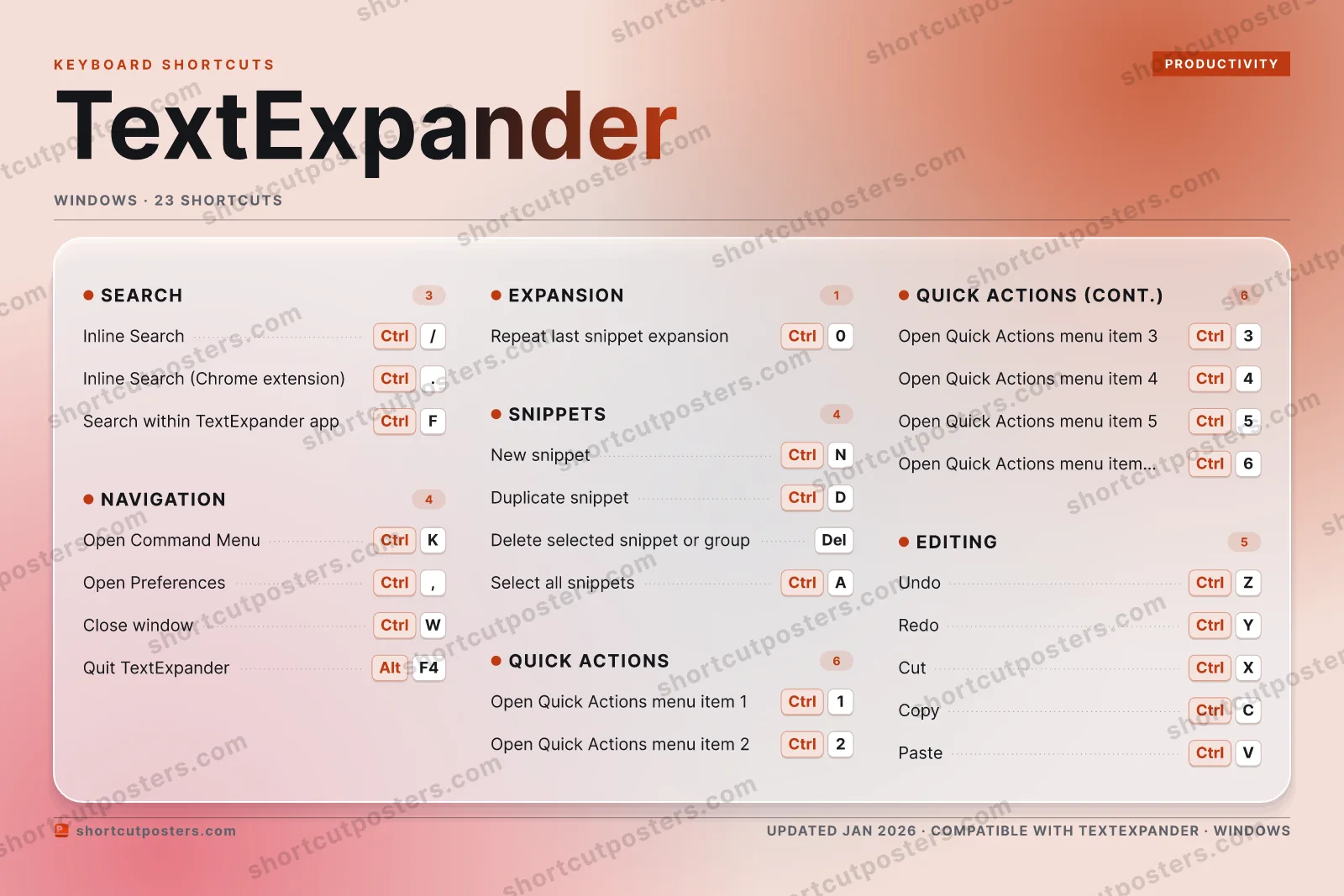
TEXTEXPANDERKEYBOARD SHORTCUTS · WINDOWS · 231CtrlOpen Qui…2CtrlOpen Qui…3CtrlOpen Qui…4CtrlOpen Qui…5CtrlOpen Qui…6CtrlOpen Qui…7890CtrlRepeat l…QWCtrlClose wi…ERTYCtrlRedoUIOPACtrlSelect a…SDCtrlDuplicat…FCtrlSearch w…GHJKCtrlOpen Com…LZCtrlUndoXCtrlCutCCtrlCopyVCtrlPasteBNCtrlNew snip…MMORE SHORTCUTSInline Search (se…Ctrl/Inline Search (Ch…Ctrl.Delete selected s…DelOpen PreferencesCtrl,Quit TextExpanderAltF4shortcutposters.comUPDATED JAN 2026 · COMPATIBLE WITH TEXTEXPANDER · WINDOWS
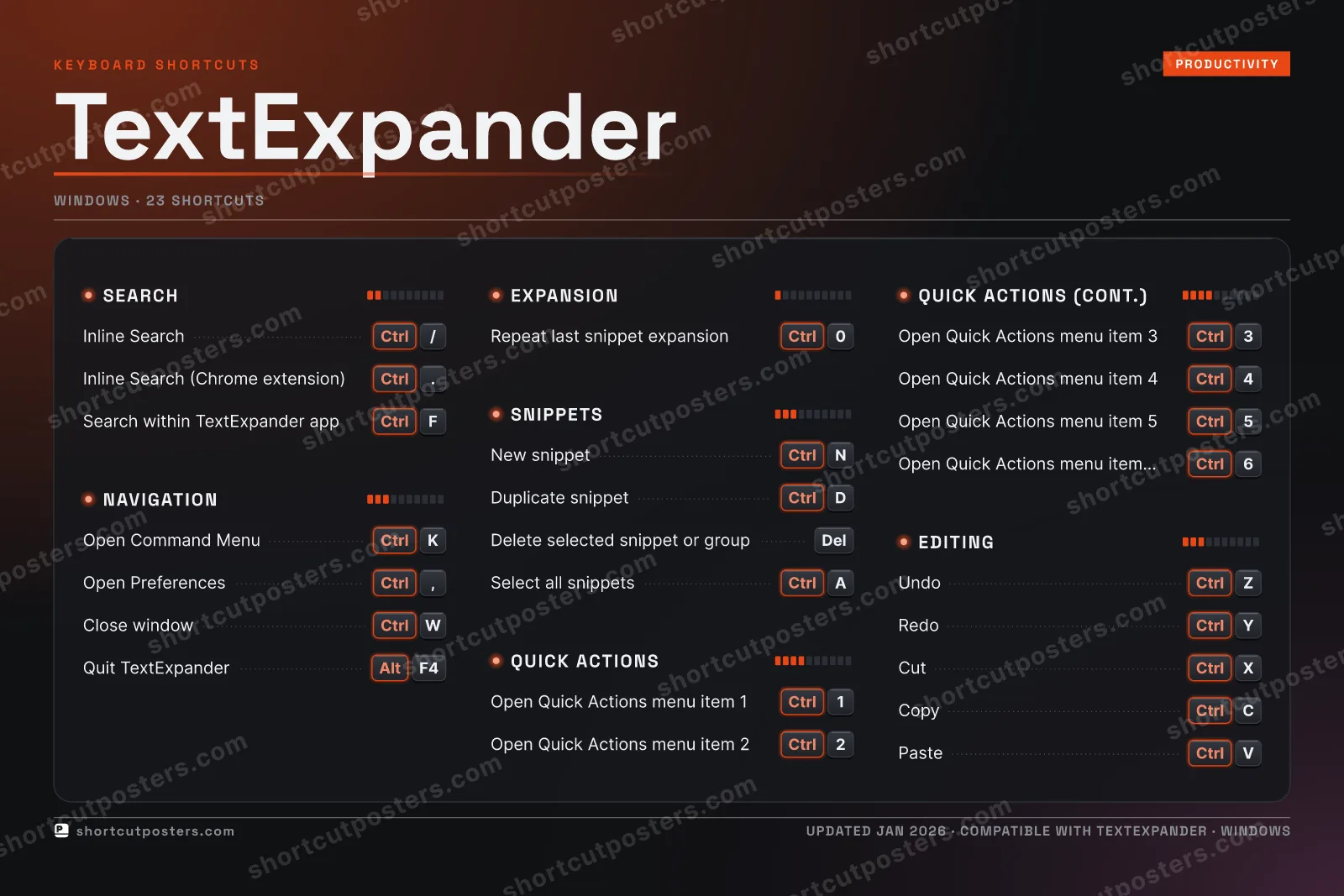
NAVIGATIONOpen Command MenuCtrlKOpen PreferencesCtrl,Close windowCtrlWQuit TextExpanderAltF4SNIPPETSNew snippetCtrlNDuplicate snippetCtrlDDelete selected snippet or groupDelSelect all snippetsCtrlAEDITINGUndoCtrlZRedoCtrlYCutCtrlXCopyCtrlCPasteCtrlVSEARCHInline Search (search snippet library a…Ctrl/Inline Search (Chrome extension)Ctrl.Search within TextExpander appCtrlFEXPANSIONRepeat last snippet expansionCtrl0QUICK ACTIONSOpen Quick Actions menu item 1Ctrl1Open Quick Actions menu item 2Ctrl2Open Quick Actions menu item 3Ctrl3Open Quick Actions menu item 4Ctrl4Open Quick Actions menu item 5Ctrl5Open Quick Actions menu item 6–9Ctrl6TextExpanderKEYBOARD SHORTCUTS · WINDOWS · 23BOTH LAYOUTSQWERTYQWERTYAZERTYAZERTYshortcutposters.comUPDATED JAN 2026 · COMPATIBLE WITH TEXTEXPANDER · WINDOWS
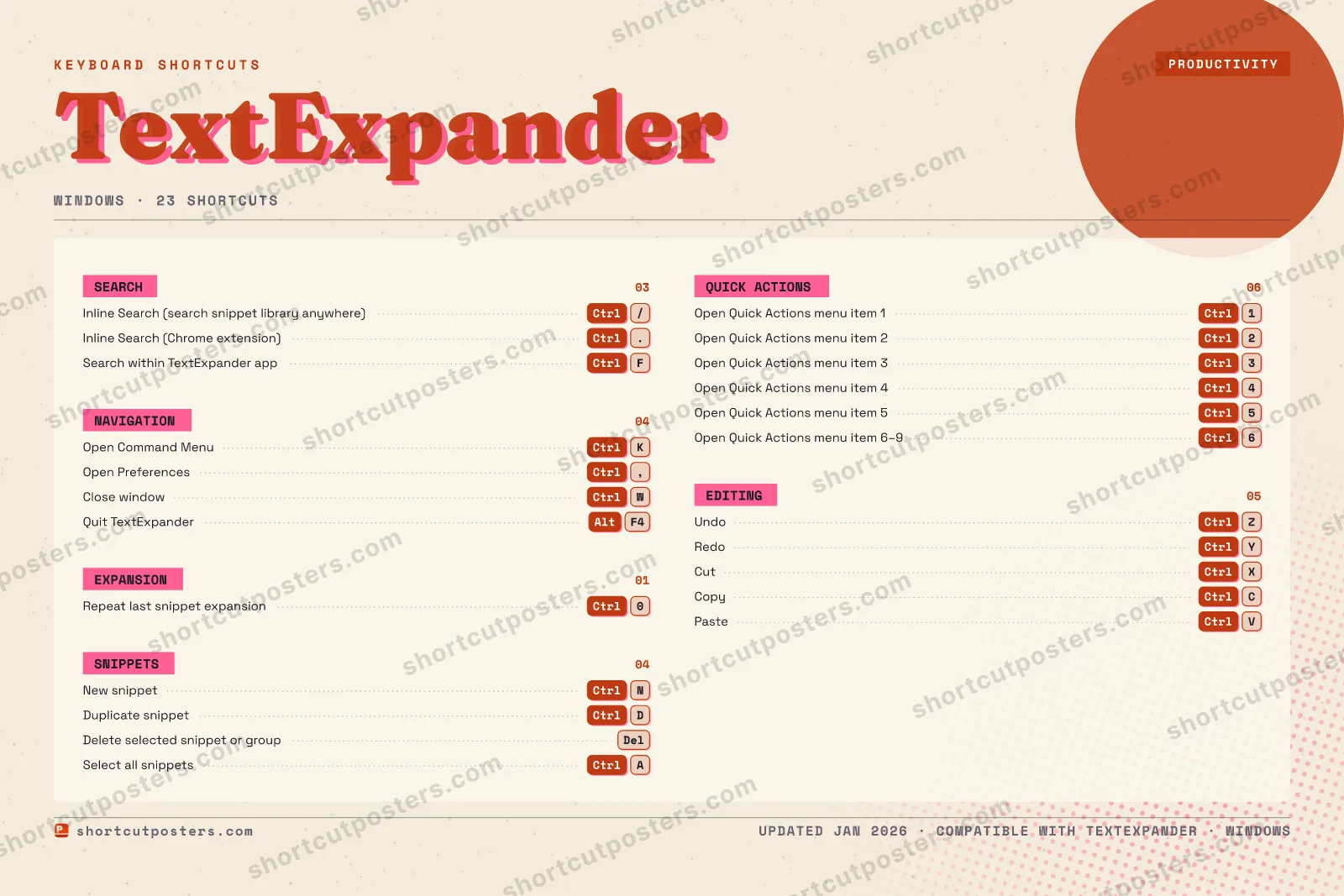
NAVIGATION04Open Command MenuCtrlKOpen PreferencesCtrl,Close windowCtrlWQuit TextExpanderAltF4SNIPPETS04New snippetCtrlNDuplicate snippetCtrlDDelete selected snippet or groupDelSelect all snippetsCtrlAEDITING05UndoCtrlZRedoCtrlYCutCtrlXCopyCtrlCPasteCtrlVSEARCH03Inline Search (search snippet libr…Ctrl/Inline Search (Chrome extension)Ctrl.Search within TextExpander appCtrlFEXPANSION01Repeat last snippet expansionCtrl0QUICK ACTIONS06Open Quick Actions menu item 1Ctrl1Open Quick Actions menu item 2Ctrl2Open Quick Actions menu item 3Ctrl3Open Quick Actions menu item 4Ctrl4Open Quick Actions menu item 5Ctrl5Open Quick Actions menu item 6–9Ctrl6TextExpanderKEYBOARD SHORTCUTS · WINDOWS · 23BOTH LAYOUTSQWERTYQWERTYAZERTYAZERTYshortcutposters.comUPDATED JAN 2026 · COMPATIBLE WITH TEXTEXPANDER · WINDOWS
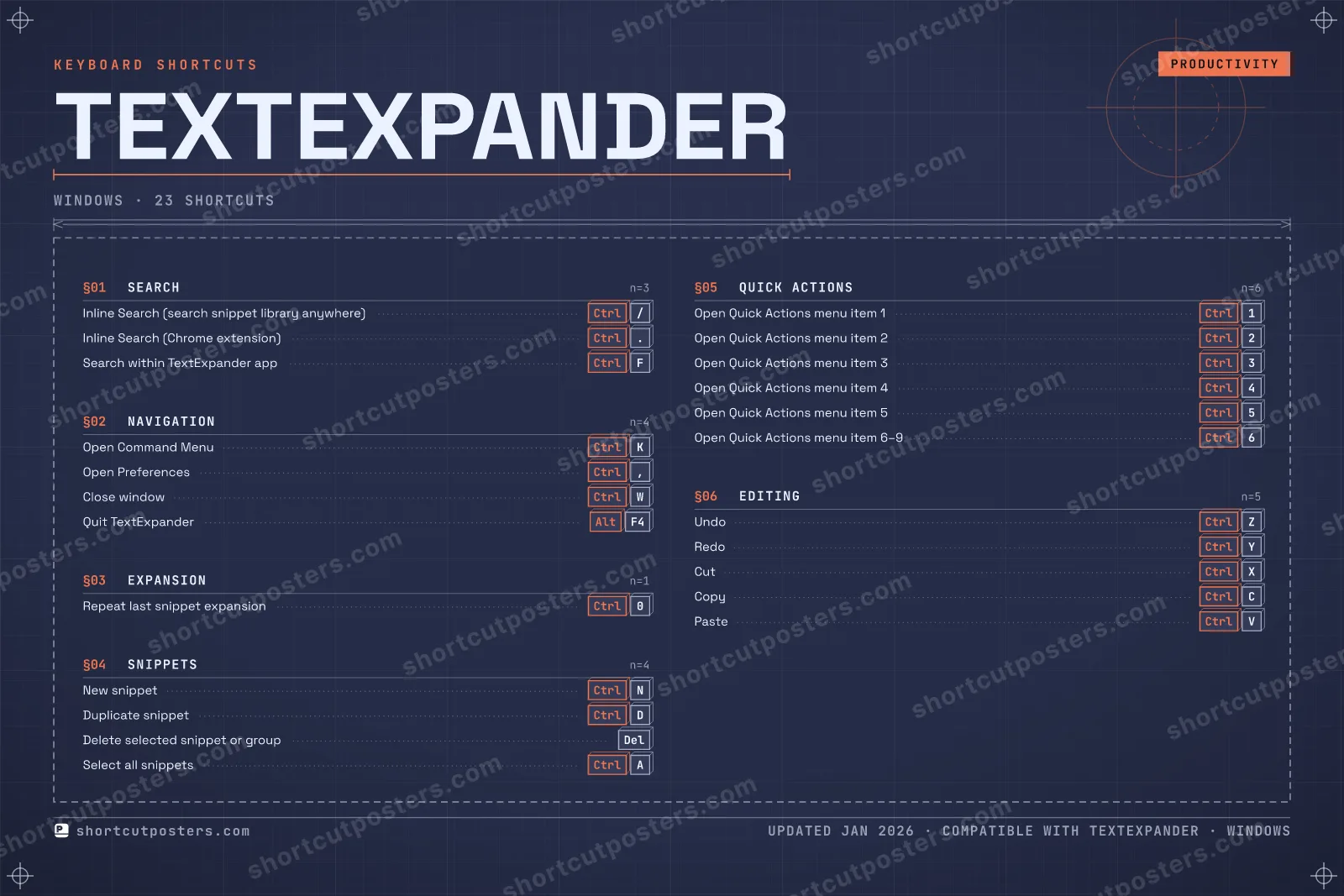
TEXTEXPANDER · KEYBOARD SHORTCUTSWindows · 6 SETS · No.01TEXTEXPANDERTOTAL23SHORTCUTSFOR WINDOWS · SHIPPED COMBOSSETSSEARCH03NAVIGATION04EXPANSION01SNIPPETS04QUICK ACTIONS06EDITING05REF. EDITION · JAN 2026shortcutposters.comInline Search (search snippet library anywhere)Ctrl/Inline Search (Chrome extension)Ctrl.Search within TextExpander appCtrlFOpen Command MenuCtrlKOpen PreferencesCtrl,Close windowCtrlWQuit TextExpanderAltF4Repeat last snippet expansionCtrl0New snippetCtrlNDuplicate snippetCtrlDDelete selected snippet or groupDelSelect all snippetsCtrlAOpen Quick Actions menu item 1Ctrl1Open Quick Actions menu item 2Ctrl2Open Quick Actions menu item 3Ctrl3Open Quick Actions menu item 4Ctrl4Open Quick Actions menu item 5Ctrl5Open Quick Actions menu item 6–9Ctrl6UndoCtrlZRedoCtrlYCutCtrlXCopyCtrlCPasteCtrlV

Windows edition · 25 shortcuts

TextExpander Keyboard Shortcuts Poster

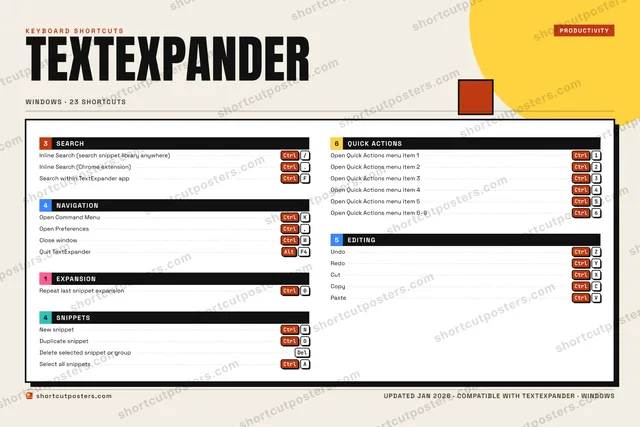
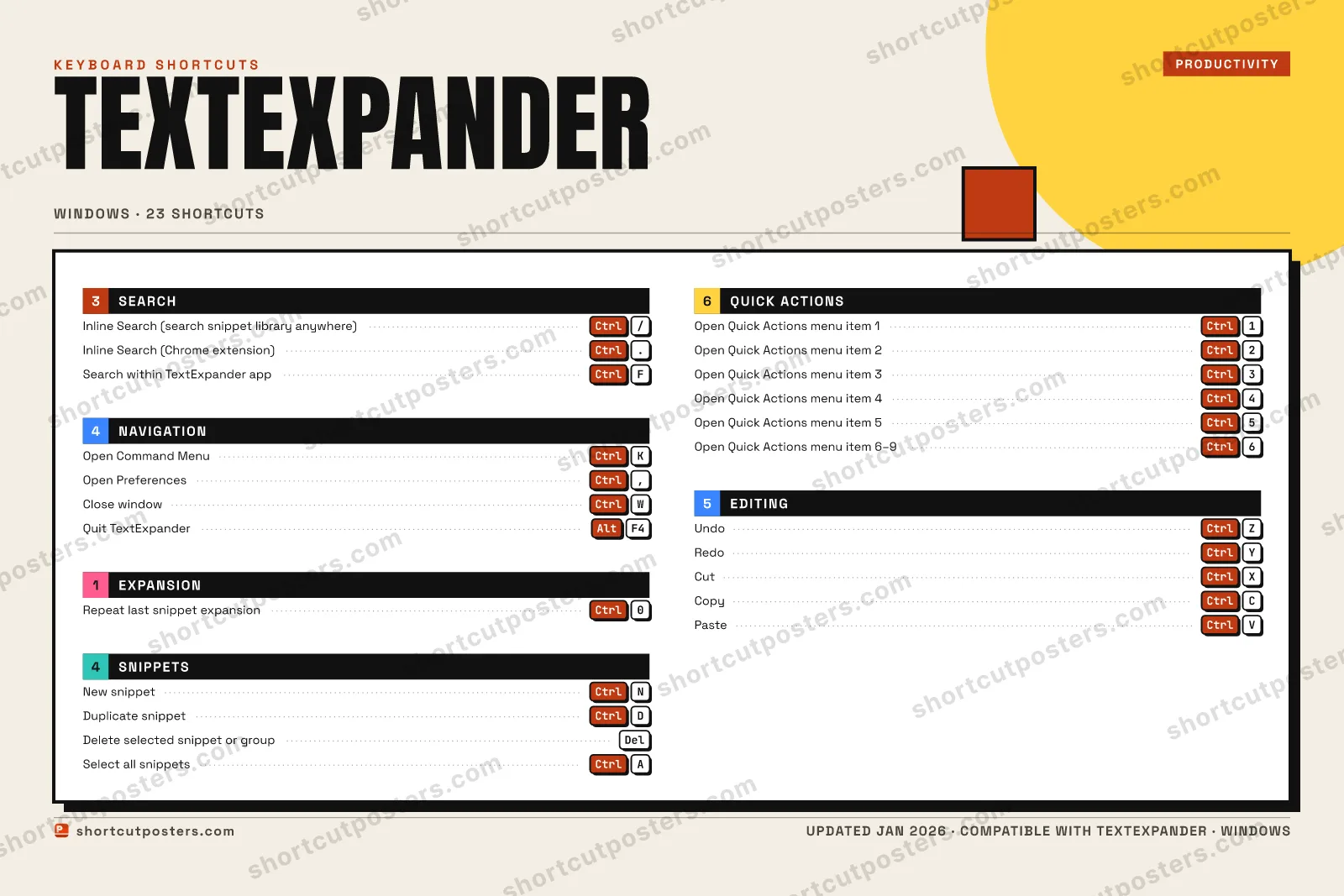
A printable, framed-quality poster of the essential TextExpander shortcuts for Windows — the keys worth keeping in view, designed to stay readable on a wall.

Edition
Apple Mac Windows Windows

Free PNG is web-resolution & lightly watermarked.

Customise this poster Pick the shortcuts, restyle the colours — download free. Get the framed-quality print Full 300 DPI, print-ready — at home or shipped to your door.

TextExpander is a text expansion and snippet management tool that replaces abbreviations with full phrases, templates, and form fields as you type. Its keyboard shortcuts let you search your snippet library inline, create snippets from the clipboard, and control expansion without leaving your keyboard.

All TextExpander keyboard shortcuts (Windows)

Layout
Esc
F1
F2
F3
F4
F5
F6
F7
F8
F9
F10
F11
F12
`
1
2
3
4
5
6
7
8
9
0
-
=
⌫ Back
Tab
Q
W
E
R
T
Y
U
I
O
P
[
]
\
Caps
A
S
D
F
G
H
J
K
L
;
'
Enter ⏎
Shift
Z
X
C
V
B
N
M
,
.
/
Shift
Ctrl
Win
Alt
Space
Alt
Win
Menu
Ctrl

+ 1 more control in the table below

Quick Actions 6

Action Shortcut
Open Quick Actions menu item 1 Ctrl1
Open Quick Actions menu item 2 Ctrl2
Open Quick Actions menu item 3 Ctrl3
Open Quick Actions menu item 4 Ctrl4
Open Quick Actions menu item 5 Ctrl5
Open Quick Actions menu item 6–9 Ctrl6

Navigation 5

Action Shortcut
Open Command Menu CtrlK
Open Preferences Ctrl,
Close window CtrlW
Quit TextExpander AltF4
Open TextExpander Help

Snippets 5

Action Shortcut
New snippet CtrlN
Duplicate snippet CtrlD
Delete selected snippet or group Del
Preview snippet expansion
Select all snippets CtrlA

Editing 5

Action Shortcut
Undo CtrlZ
Redo CtrlY
Cut CtrlX
Copy CtrlC
Paste CtrlV

Search 3

Action Shortcut
Inline Search (search snippet library anywhere) Ctrl/
Inline Search (Chrome extension) Ctrl.
Search within TextExpander app CtrlF

Expansion 1

Action Shortcut
Repeat last snippet expansion Ctrl0

Sourced from textexpander.com , textexpander.com , textexpander.com , textexpander.com Last verified

Unofficial reference. ShortcutPosters is not affiliated with, endorsed by, or sponsored by TextExpander. All product names, logos, and trademarks are property of their respective owners. See our licensing & trademark notice.

Frequently asked questions

Does the poster include every TextExpander shortcut?
TextExpander has 25 keyboard shortcuts in total — the complete list is free to read on this page. The poster features the most essential ones, curated to stay readable on a wall.
Can I print it at home?
Yes. The digital download is a high-resolution 300 DPI file you can print at home or at any print shop, in standard frame sizes.
Does it cover both Mac and Windows?
We sell separate Mac and Windows editions so every key matches your keyboard exactly. This page is the Windows edition.
Is this an official TextExpander product?
No. This is an unofficial reference poster and is not affiliated with or endorsed by TextExpander. All trademarks belong to their respective owners.
For app makers

Promote your app

Built an app with great keyboard shortcuts? Get it into the database — a free, searchable reference page, and an optional printable poster your power users will pin to the wall.

  • Free shortcut reference page
  • Indexed & searchable
  • Optional framed poster