
ShortcutPosters

4 art directions — pick one below, click to zoom & compare.
Layout
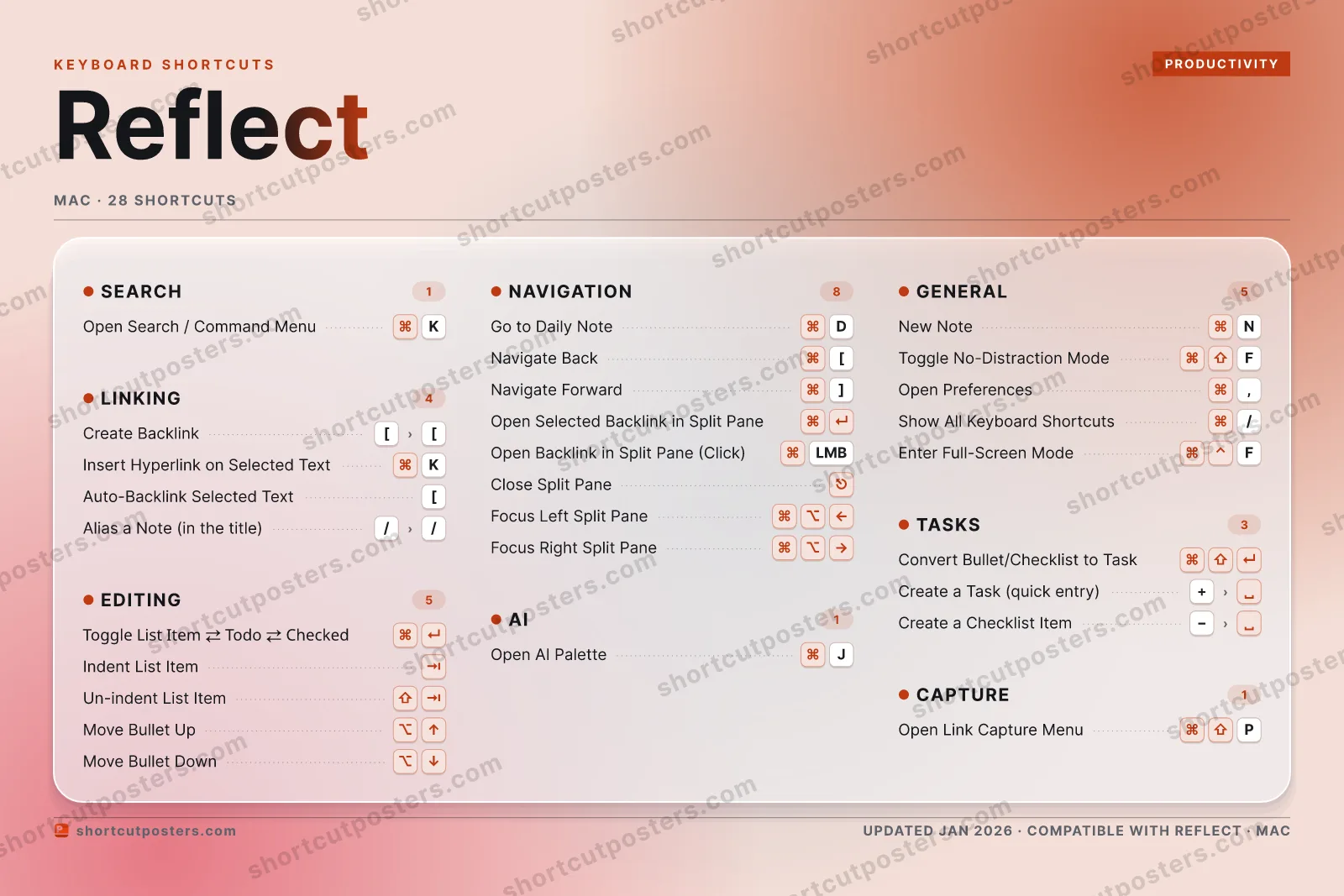
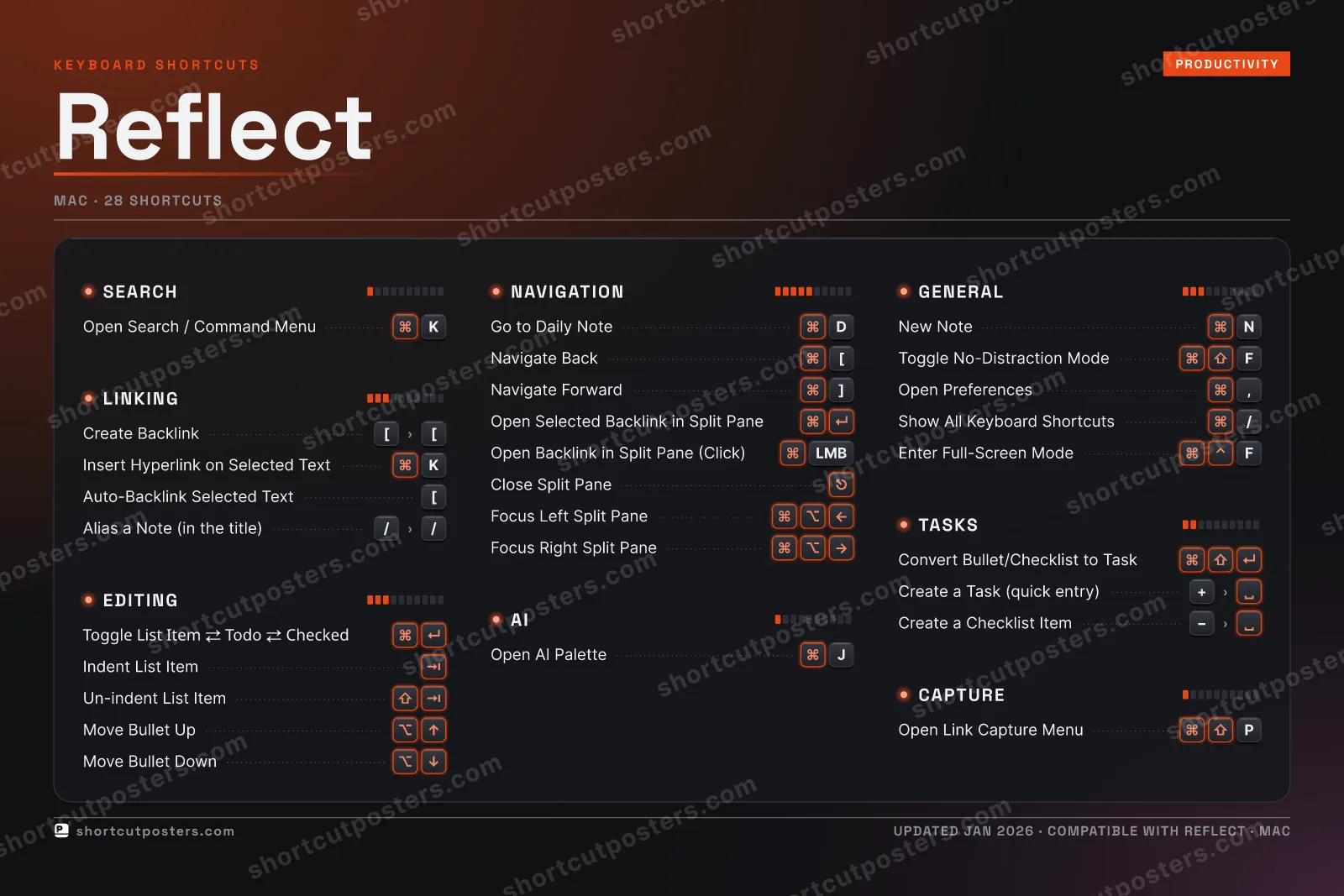
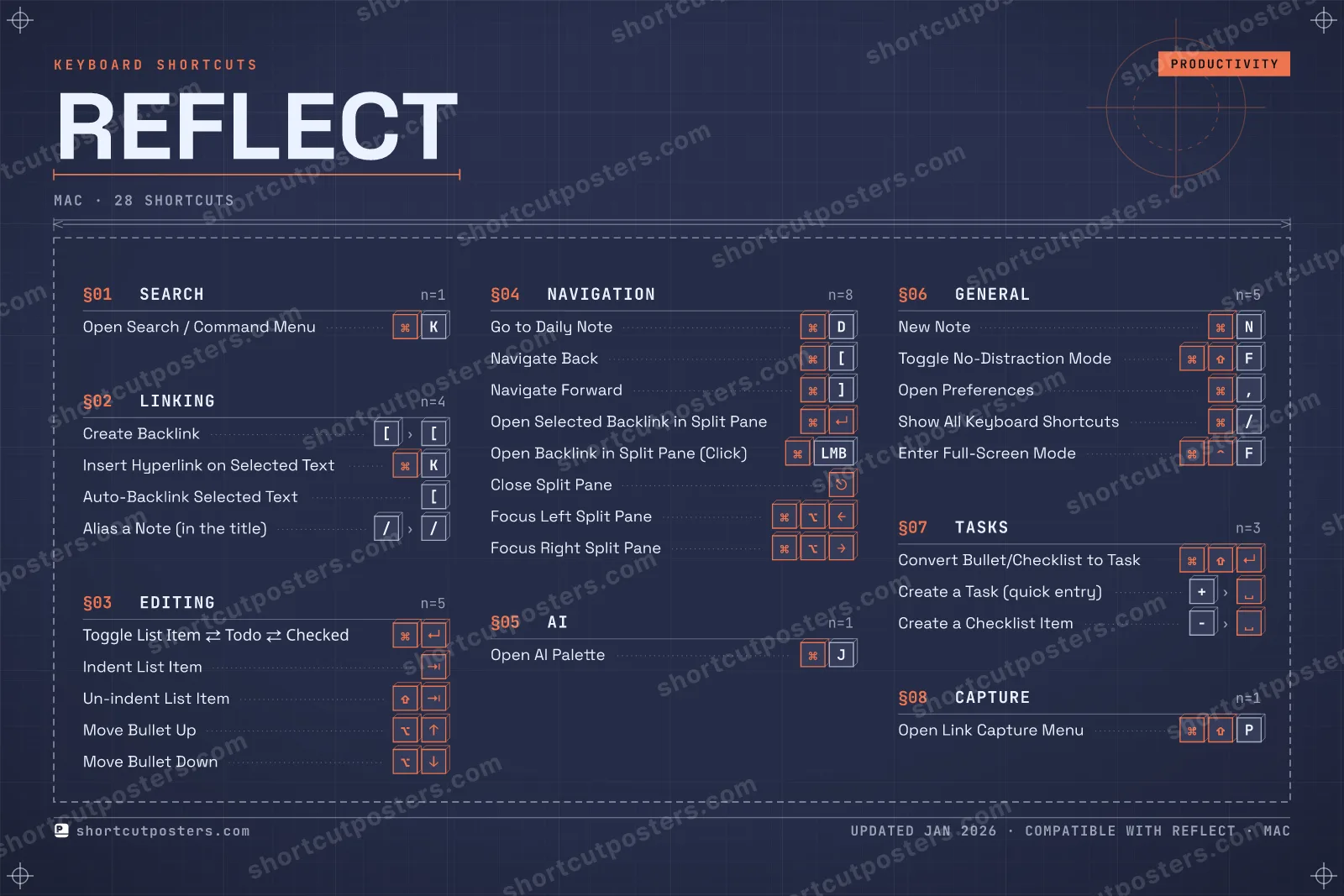
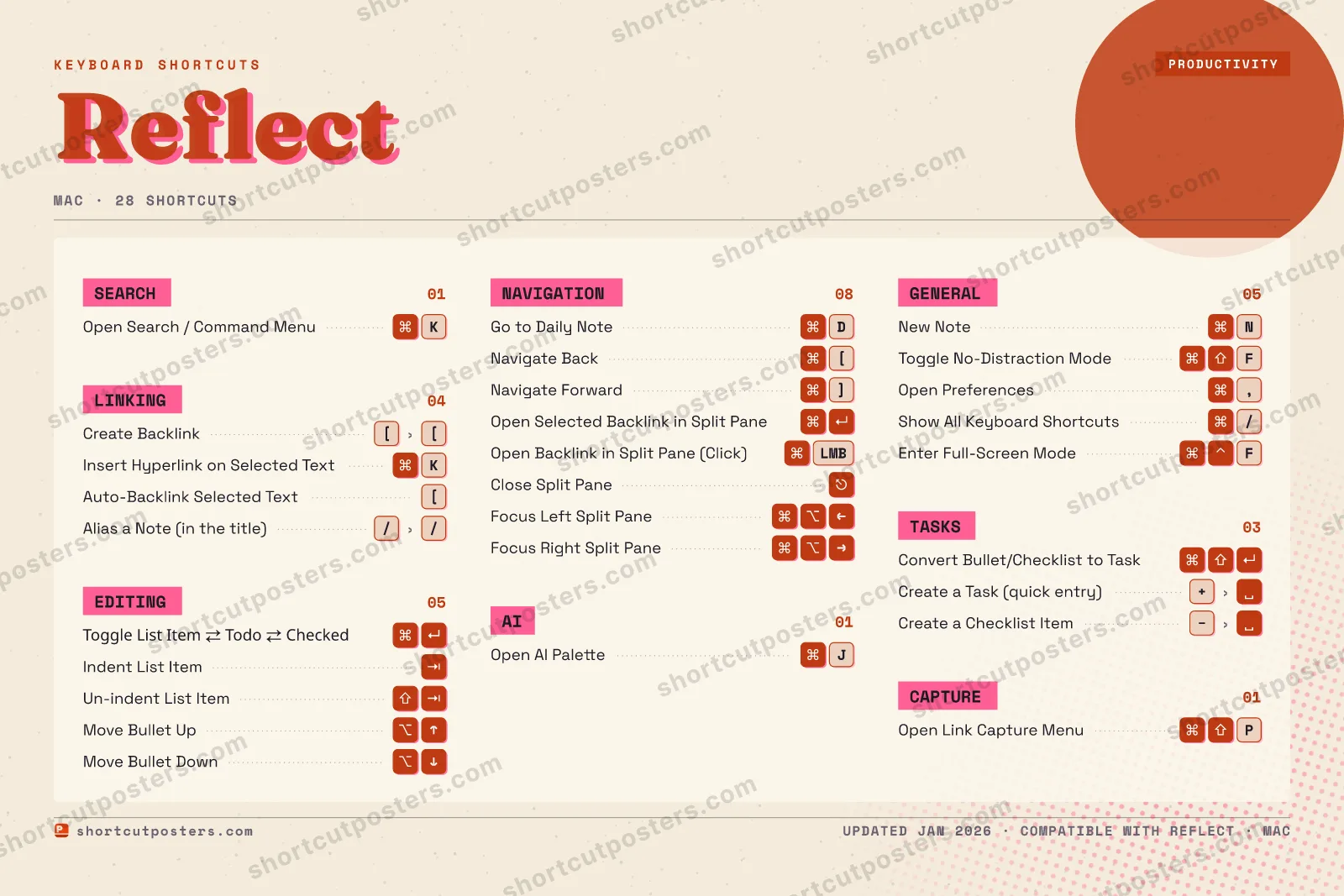
REFLECTKEYBOARD SHORTCUTS · MAC · 281234567890QWERTYUIOP⌘ ⇧Open Lin…ASDGo to Da…F⌘ ⇧Toggle N…GHJOpen AI …KOpen Sea…LZXCVBNNew NoteMMORE SHORTCUTSCreate Backli…[[Toggle List I…Insert Hyperl…KNavigate Back[Auto-Backlink…[Indent List I…Un-indent Lis…Move Bullet UpMove Bullet D…Navigate Forw…]Open Selected…Convert Bulle…Open Backlink…LMBClose Split P…Create a Task…+Open Preferen…,Show All Keyb…/Alias a Note …//Focus Left Sp…Focus Right S…Create a Chec…Enter Full-Sc…Fshortcutposters.comUPDATED JAN 2026 · COMPATIBLE WITH REFLECT · MAC
LINKINGCreate Backlink[[Insert Hyperlink on Selected TextKAuto-Backlink Selected Text[Alias a Note (in the title)//NAVIGATIONGo to Daily NoteDNavigate Back[Navigate Forward]Open Selected Backlink in Split PaneOpen Backlink in Split Pane (Click)LMBClose Split PaneFocus Left Split PaneFocus Right Split PaneTASKSConvert Bullet/Checklist to TaskCreate a Task (quick entry)+Create a Checklist Item (quick entry)CAPTUREOpen Link Capture Menu (Browser Extension)PSEARCHOpen Search / Command MenuKEDITINGToggle List Item ⇄ Todo ⇄ CheckedIndent List ItemUn-indent List ItemMove Bullet UpMove Bullet DownAIOpen AI PaletteJGENERALNew NoteNToggle No-Distraction ModeFOpen Preferences,Show All Keyboard Shortcuts/Enter Full-Screen ModeFReflectKEYBOARD SHORTCUTS · MAC · 28BOTH LAYOUTSQWERTYQWERTYAZERTYAZERTYshortcutposters.comUPDATED JAN 2026 · COMPATIBLE WITH REFLECT · MAC
SEARCH01Open Search / Command MenuKEDITING05Toggle List Item ⇄ Todo ⇄ CheckedIndent List ItemUn-indent List ItemMove Bullet UpMove Bullet DownAI01Open AI PaletteJGENERAL05New NoteNToggle No-Distraction ModeFOpen Preferences,Show All Keyboard Shortcuts/Enter Full-Screen ModeFCAPTURE01Open Link Capture Menu (Browser Extension)PLINKING04Create Backlink[[Insert Hyperlink on Selected TextKAuto-Backlink Selected Text[Alias a Note (in the title)//NAVIGATION08Go to Daily NoteDNavigate Back[Navigate Forward]Open Selected Backlink in Split PaneOpen Backlink in Split Pane (Click)LMBClose Split PaneFocus Left Split PaneFocus Right Split PaneTASKS03Convert Bullet/Checklist to TaskCreate a Task (quick entry)+Create a Checklist Item (quick entry)ReflectKEYBOARD SHORTCUTS · MAC · 28BOTH LAYOUTSQWERTYQWERTYAZERTYAZERTYshortcutposters.comUPDATED JAN 2026 · COMPATIBLE WITH REFLECT · MAC
REFLECT · KEYBOARD SHORTCUTSMac · 8 SETS · No.01REFLECTTOTAL28SHORTCUTSFOR MAC · SHIPPED COMBOSSETSSEARCH01LINKING04EDITING05NAVIGATION08AI01GENERAL05TASKS03CAPTURE01REF. EDITION · JAN 2026shortcutposters.comOpen Search / Command MenuKCreate Backlink[[Insert Hyperlink on Selected TextKAuto-Backlink Selected Text[Alias a Note (in the title)//Toggle List Item ⇄ Todo ⇄ CheckedIndent List ItemUn-indent List ItemMove Bullet UpMove Bullet DownGo to Daily NoteDNavigate Back[Navigate Forward]Open Selected Backlink in Split PaneOpen Backlink in Split Pane (Click)LMBClose Split PaneFocus Left Split PaneFocus Right Split PaneOpen AI PaletteJNew NoteNToggle No-Distraction ModeFOpen Preferences,Show All Keyboard Shortcuts/Enter Full-Screen ModeFConvert Bullet/Checklist to TaskCreate a Task (quick entry)+Create a Checklist Item (quick entry)Open Link Capture Menu (Browser Extension)P

Mac edition · 28 shortcuts

Reflect Keyboard Shortcuts Poster

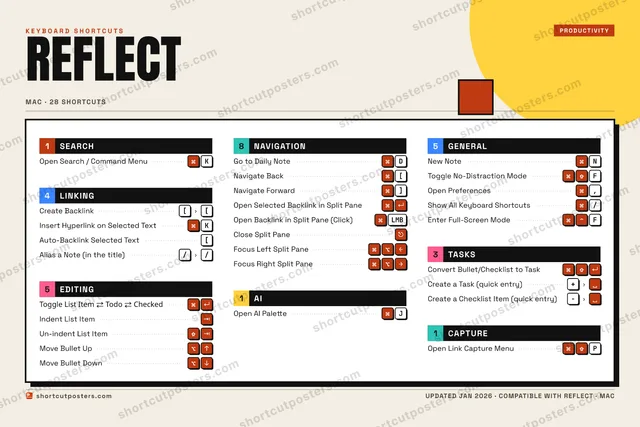
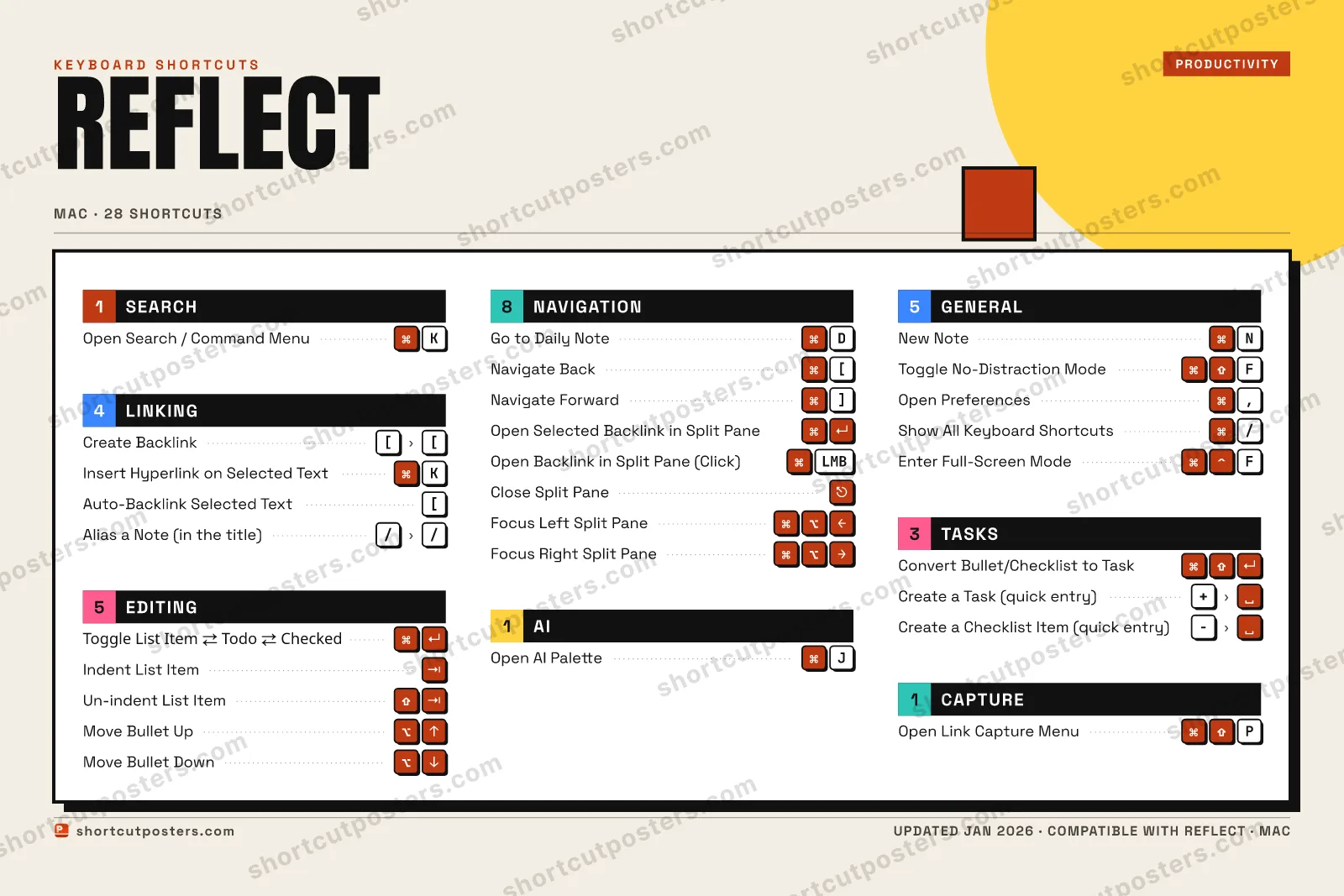
A printable, framed-quality poster of the essential Reflect shortcuts for Mac — the keys worth keeping in view, designed to stay readable on a wall.

Edition

Free PNG is web-resolution & lightly watermarked.

Customise this poster Pick the shortcuts, restyle the colours — download free. Get the framed-quality print Full 300 DPI, print-ready — at home or shipped to your door.

Reflect is a networked note-taking app built around daily notes and backlinks, designed so your notes mirror the associative way memory actually works. It's built to be operated almost entirely from the keyboard, from firing up its command menu to weaving backlinks between notes.

All Reflect keyboard shortcuts (Mac)

Layout
Esc
F1
F2
F3
F4
F5
F6
F7
F8
F9
F10
F11
F12
`
1
2
3
4
5
6
7
8
9
0
-
=
⌫ Back
Tab
Q
W
E
R
T
Y
U
I
O
P
[
]
\
Caps
A
S
D
F
G
H
J
K
L
;
'
Enter ⏎
Shift
Z
X
C
V
B
N
M
,
.
/
Shift
Ctrl
Win
Alt
Space
Alt
Win
Menu
Ctrl

+ 5 more controls in the table below

Navigation 8

Action Shortcut
Go to Daily Note D
Navigate Back [
Navigate Forward ]
Open Selected Backlink in Split Pane
Open Backlink in Split Pane (Click) LMB
Close Split Pane
Focus Left Split Pane
Focus Right Split Pane

Editing 5

Action Shortcut
Toggle List Item ⇄ Todo ⇄ Checked
Indent List Item
Un-indent List Item
Move Bullet Up
Move Bullet Down

General 5

Action Shortcut
New Note N
Toggle No-Distraction Mode F
Open Preferences ,
Show All Keyboard Shortcuts /
Enter Full-Screen Mode F

Linking 4

Action Shortcut
Create Backlink [then[
Insert Hyperlink on Selected Text K
Auto-Backlink Selected Text [
Alias a Note (in the title) /then/

Tasks 3

Action Shortcut
Convert Bullet/Checklist to Task
Create a Task (quick entry) +then
Create a Checklist Item (quick entry) then

Search 1

Action Shortcut
Open Search / Command Menu K

AI 1

Action Shortcut
Open AI Palette J

Capture 1

Action Shortcut
Open Link Capture Menu (Browser Extension) P

Sourced from reflect.academy , reflect.academy , reflect.academy , reflect.academy , reflect.academy , reflect.academy , reflect.academy , reflect.academy , reflect.academy , reflect.academy , reflect.academy , reflect.app Last verified

Unofficial reference. ShortcutPosters is not affiliated with, endorsed by, or sponsored by Reflect. All product names, logos, and trademarks are property of their respective owners. See our licensing & trademark notice.

Frequently asked questions

Does the poster include every Reflect shortcut?
Reflect has 28 keyboard shortcuts in total — the complete list is free to read on this page. The poster features the most essential ones, curated to stay readable on a wall.
Can I print it at home?
Yes. The digital download is a high-resolution 300 DPI file you can print at home or at any print shop, in standard frame sizes.
Does it cover both Mac and Windows?
We sell separate Mac and Windows editions so every key matches your keyboard exactly. This page is the macOS edition.
Is this an official Reflect product?
No. This is an unofficial reference poster and is not affiliated with or endorsed by Reflect. All trademarks belong to their respective owners.
For app makers

Promote your app

Built an app with great keyboard shortcuts? Get it into the database — a free, searchable reference page, and an optional printable poster your power users will pin to the wall.

  • Free shortcut reference page
  • Indexed & searchable
  • Optional framed poster