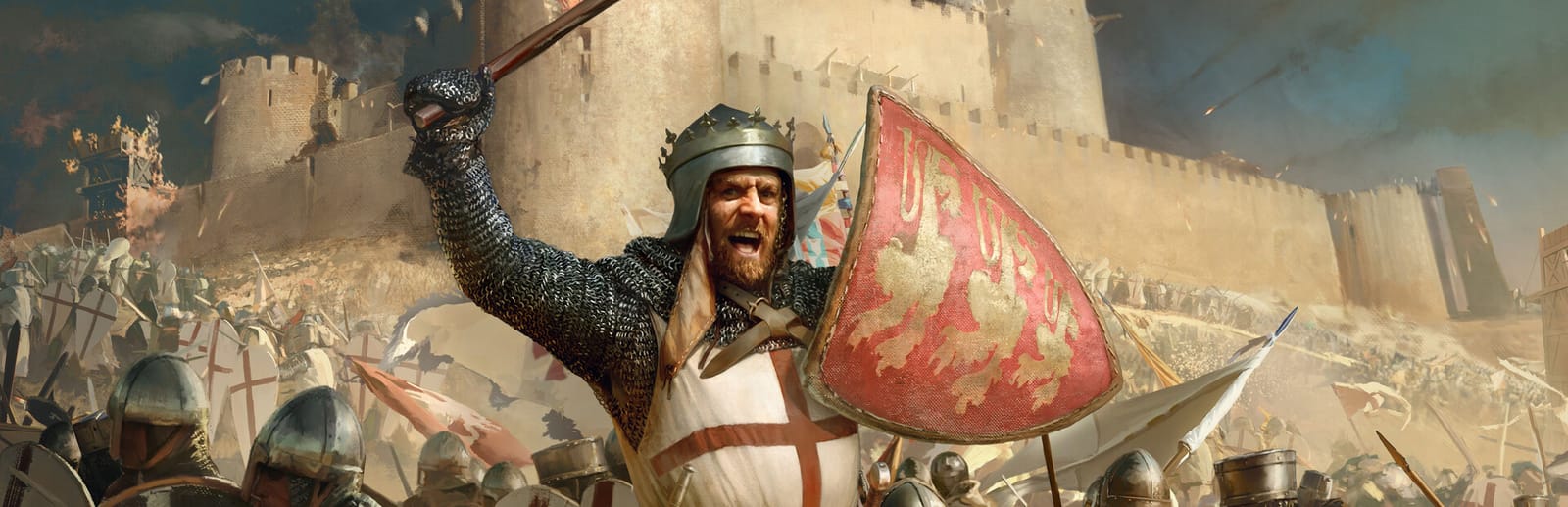
 Cover art © its publisher — for identification only. Details
Windows · 48 default keybinds
Stronghold Crusader: Definitive Edition Keyboard Controls
FireFly's 2025 remake of Stronghold Crusader ships two hotkey presets: Modern, which moves troops with the right mouse button and puts the camera on WASD, and Classic, which keeps the 2002 game's left-click orders and Z / X / C camera keys. The table follows the Modern column of the manual's keyboard chapter, and the keys Classic changes are listed at the end.
Stronghold Crusader: Definitive Edition controls poster
A generative poster unique to Stronghold Crusader: Definitive Edition — styled by its genre and signature colour. Pure design, zero spoilers. Free to download for your battlestation.
Free PNG is web-resolution & lightly watermarked.
Want it print-ready?
Framed-quality 300 DPI, no watermark — $2.99 (PC / keyboard edition). Drop your email and we'll send the checkout link.
All Stronghold Crusader: Definitive Edition keyboard controls
48 default keybinds across 6 categories. Most can be reassigned in Stronghold Crusader: Definitive Edition's control settings.
+ 3 more controls in the table below
+ 3 more controls in the table below
48 shortcuts
Jump To 12
| Action | Shortcut |
|---|---|
| Centre on Keep | H |
| Centre on Granary | G |
| Centre on Your Lord | L |
| Centre on Marketplace | M |
| Centre on Barracks | B |
| Centre on Mercenary Post | N |
| Centre on Bedouin Stockade | V |
| Centre on Armoury | U |
| Centre on Engineer's Guild | I |
| Centre on Tunneller's Guild | AltG |
| Centre on Signpost | O |
| Cycle Through Lords | ShiftL |
Troops 11
| Action | Shortcut |
|---|---|
| Move / Attack | RMB |
| Assign Troop Group (0–9) | Ctrl1 |
| Select Troop Group (press again to go to it) | 1 |
| Add / Remove Units from Selection | ShiftLMB |
| Select All Visible Units of a Type | LMBthenLMB |
| Stop Troops | Bksp |
| Set Waypoints | ShiftRMB |
| Stand Ground | R |
| Defensive Stance | T |
| Aggressive Stance | Y |
| Patrol Mode | ShiftF7 |
Classic Preset 9
| Action | Shortcut |
|---|---|
| Scroll Map (Classic) | UPthen/thenDOWNthen/thenLEFTthen/thenRIGHT |
| Zoom In / Out (Classic) | Z |
| Rotate Screen Left / Right (Classic) | Xthen/thenC |
| Move / Attack (Classic) | LMB |
| Stand Ground / Defensive / Aggressive (Classic) | Qthen/thenWthen/thenE |
| Cycle Through Bookmarks (Classic) | Wheel ↑then/thenWheel ↓ |
| Set Waypoints (Classic) | ShiftLMB |
| Centre on Tunneller's Guild (Classic) | T |
| Increase / Decrease Game Speed (Classic) | Num +then/thenNum − |
Game 8
| Action | Shortcut |
|---|---|
| Pause | P |
| Increase / Decrease Game Speed | +then/then− |
| Quicksave | Home |
| Toggle Objectives Panel | J |
| Toggle Goods Summary Panel | K |
| Free Build Events Panel | F1 |
| Open Chat (Multiplayer) | Enter |
| Ping Location (Multiplayer) | AltP |
Camera 7
| Action | Shortcut |
|---|---|
| Scroll Map | WthenAthenSthenD |
| Zoom In / Out | Xthen/thenZ |
| Rotate Screen Left / Right | Qthen/thenE |
| Flatten Landscape and Buildings | Space |
| Go to Bookmark (0–9) | Alt1 |
| Bookmark Location (0–9) | CtrlAlt1 |
| Toggle Interface Panel | AltZ |
Building 1
| Action | Shortcut |
|---|---|
| Rotate Gatehouse | Tabthen/thenMMB |
Sourced from store.steampowered.com, shared.fastly.steamstatic.com Last verified
Unofficial reference. ShortcutPosters is not affiliated with, endorsed by, or sponsored by Stronghold Crusader: Definitive Edition. All product names, logos, and trademarks are property of their respective owners. See our licensing & trademark notice.
Stronghold Crusader: Definitive Edition controls — FAQ
- What are the default controls for Stronghold Crusader: Definitive Edition?
- Stronghold Crusader: Definitive Edition, a strategy game, uses 48 default keybinds across 6 categories. The complete, up-to-date list is free to read on this page.
- Can you remap Stronghold Crusader: Definitive Edition controls?
- Yes. These are the game's default bindings — nearly all of them can be reassigned from Stronghold Crusader: Definitive Edition's in-game control or key-binding settings.
- Which platforms do these Stronghold Crusader: Definitive Edition controls cover?
- These keyboard controls apply on Windows. Most bindings are identical across platforms unless noted.
- Is this an official Stronghold Crusader: Definitive Edition resource?
- No. This is an unofficial reference and is not affiliated with or endorsed by Stronghold Crusader: Definitive Edition or its publisher. All trademarks belong to their respective owners.
Thanks — your feedback helps us improve.
Stronghold collection
6 Stronghold games in the catalogue, every control scheme free to read.
See all 6 Stronghold games →