
Aider is an open-source AI pair-programming tool that runs in your terminal, editing real files in your local git repo through a chat interface. Its slash commands and prompt-toolkit keybindings drive everything from adding files to the chat to committing, diffing, and undoing the AI's edits.
Official:Official site
All Aider keyboard shortcuts (Mac)
+ 22 more controls in the table below
+ 22 more controls in the table below
31 shortcuts
Input 9
| Action | Shortcut |
|---|---|
| Interrupt Generation | ⌃C |
| Insert Newline (Multiline) | ⌥↵ |
| Open External Editor | ⌃Xthen⌃E |
| Previous Sent Message | ⌃↑ |
| Reverse Search History | ⌃R |
| Next Sent Message | ⌃↓ |
| Autocomplete File / Command | ⇥ |
| Cursor to Line Start | ⌃A |
| Cursor to Line End | ⌃E |
Session 8
| Action | Shortcut |
|---|---|
| Switch Main Model | |
| Clear Chat History | |
| Show Help | |
| Show Token Usage | |
| Open Editor for Message | |
| Run Shell Command | |
| Reset Files & History | |
| Voice Input |
Git & Review 6
| Action | Shortcut |
|---|---|
| Show Diff | |
| Undo Last Commit | |
| Commit Outside Changes | |
| Run Git Command | |
| Lint and Fix | |
| Run Tests |
File Management 5
| Action | Shortcut |
|---|---|
| Add File to Chat | |
| Remove File from Chat | |
| Add Read-Only Reference File | |
| List Files & Chat Status | |
| Show Repo Map |
Chat Modes 3
| Action | Shortcut |
|---|---|
| Ask Mode (No Edits) | |
| Code Mode | |
| Architect Mode |
Sourced from aider.chat Last verified (re-checked every 6 weeks)
Unofficial reference. ShortcutPosters is not affiliated with, endorsed by, or sponsored by Aider. All product names, logos, and trademarks are property of their respective owners. See our licensing & trademark notice.
Get the Aider poster
5 art directions — pick one below, click to zoom & compare.
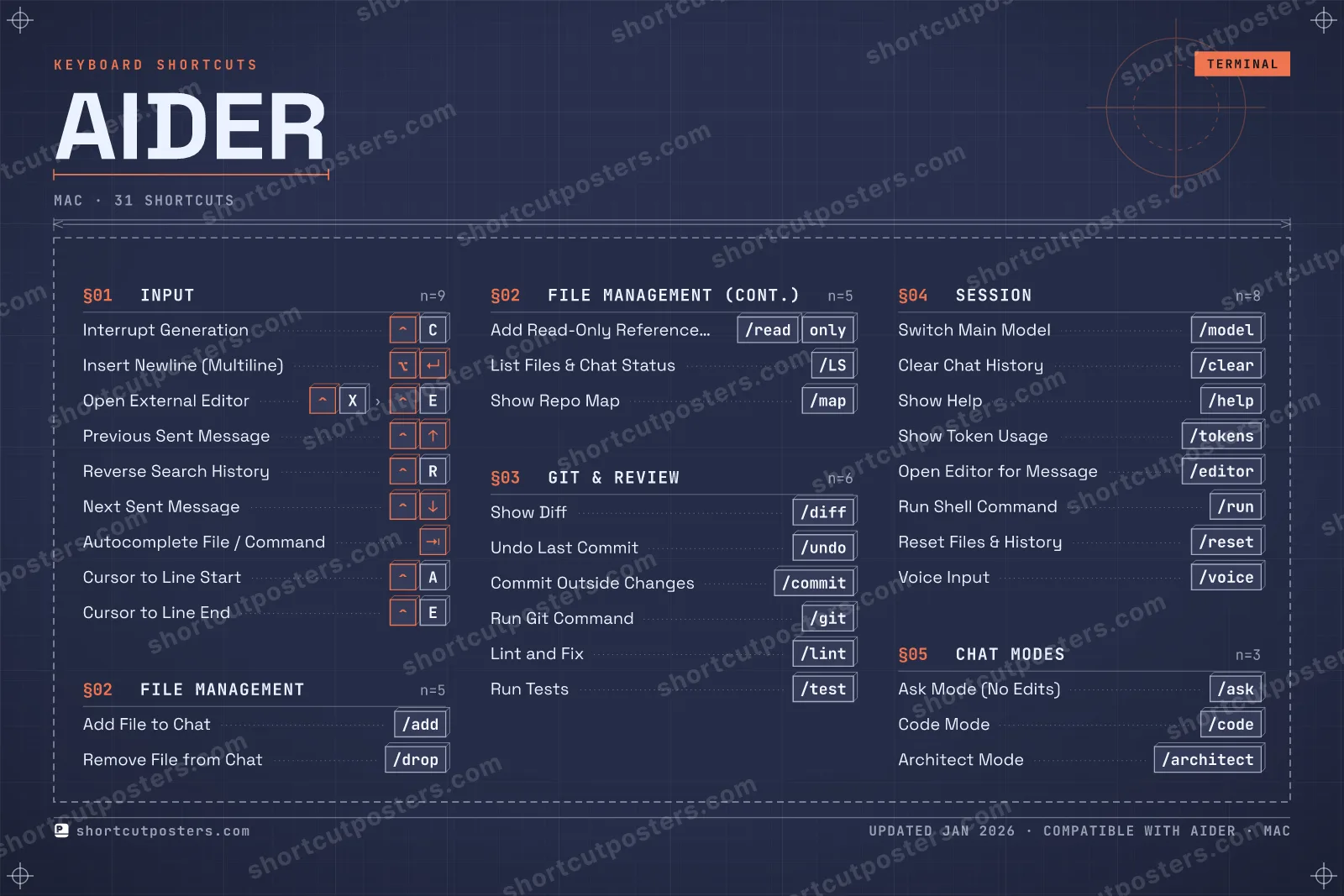
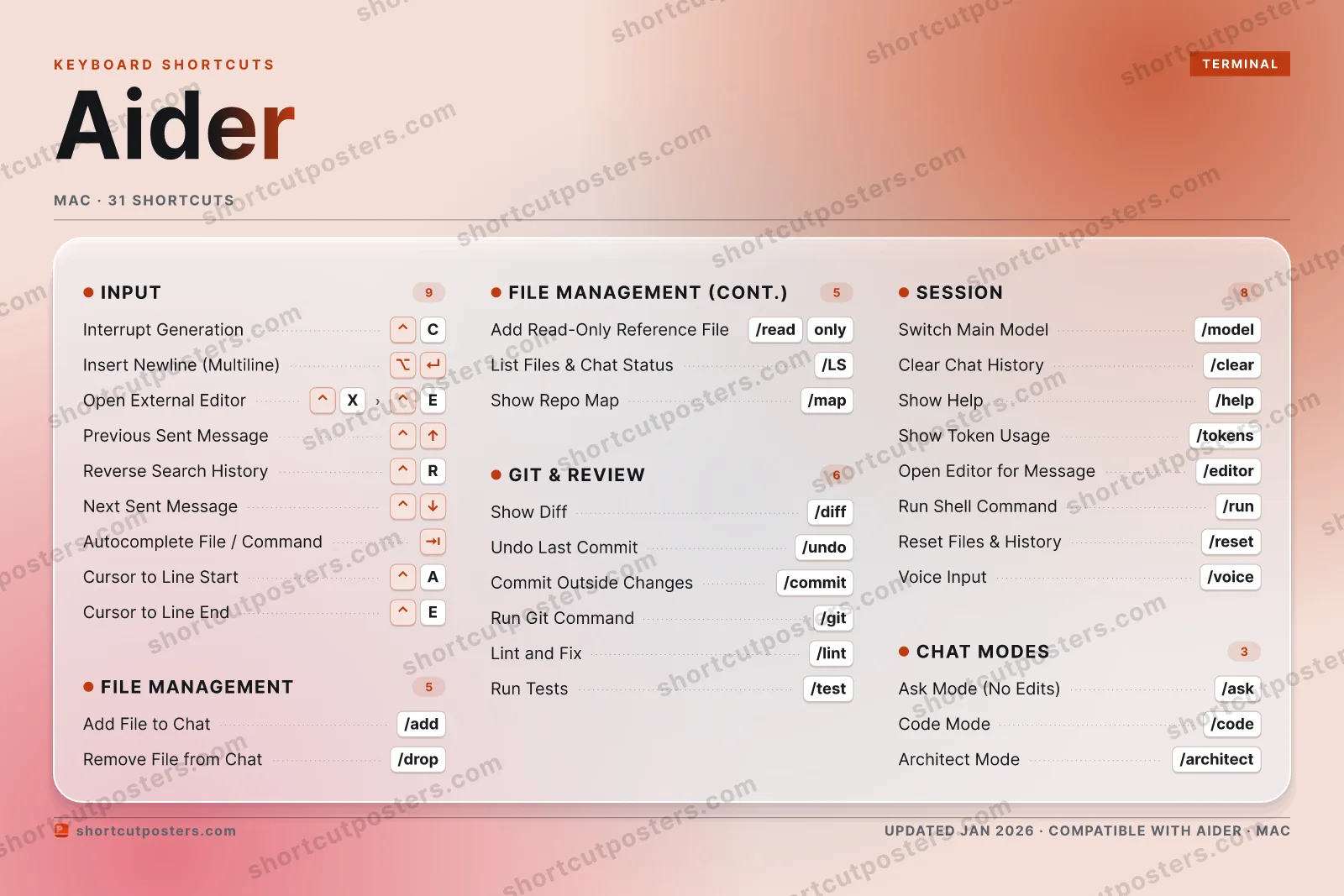
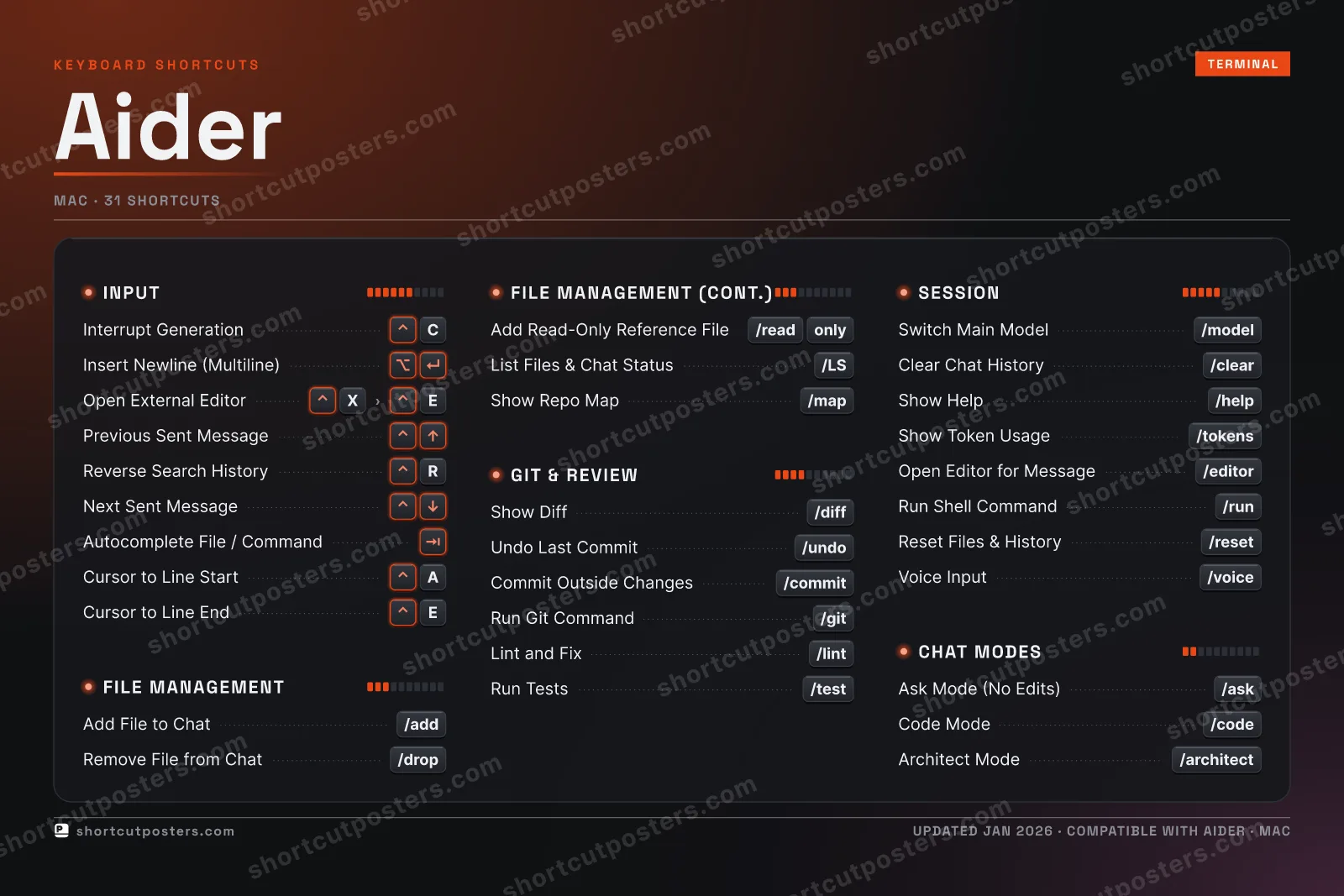
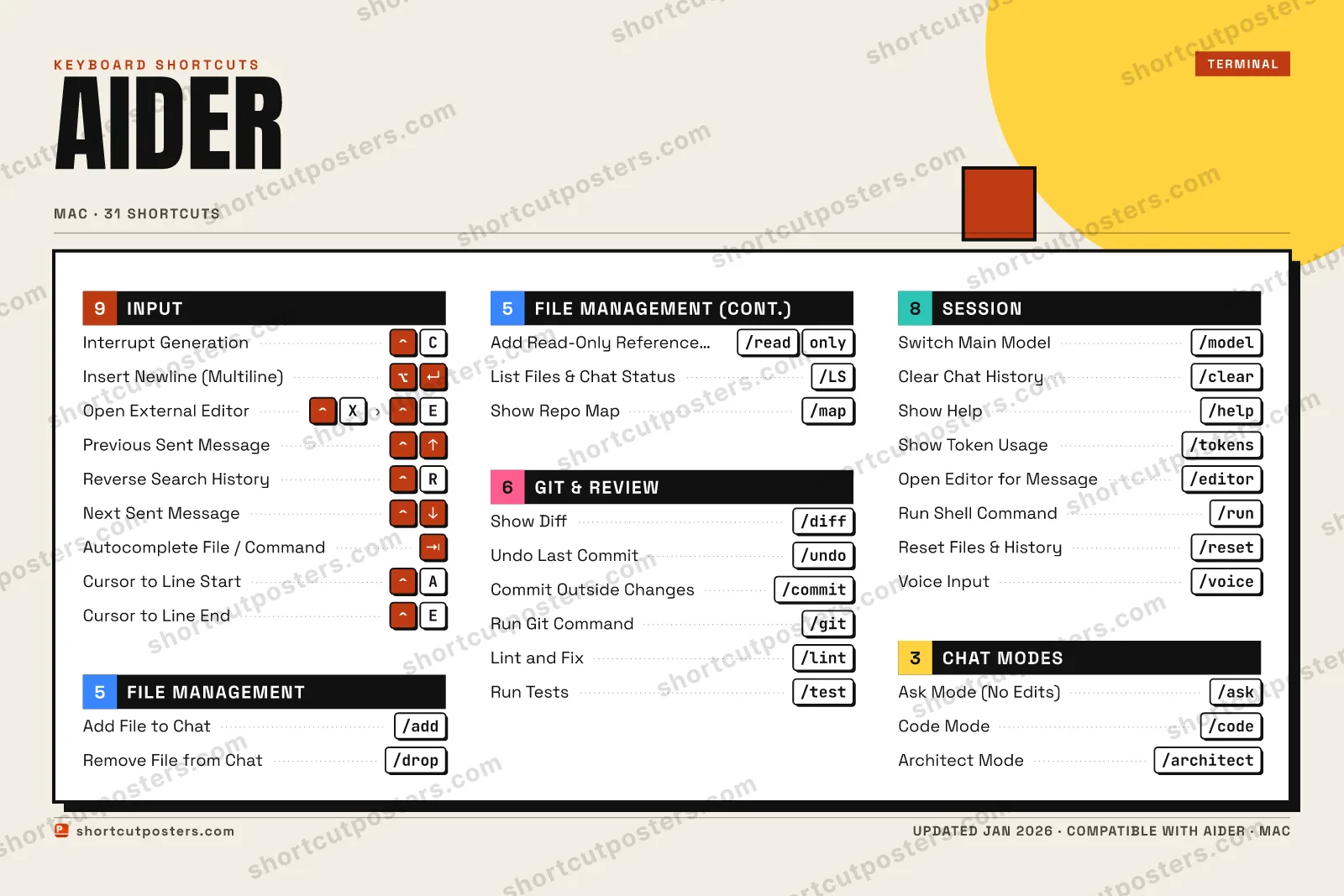
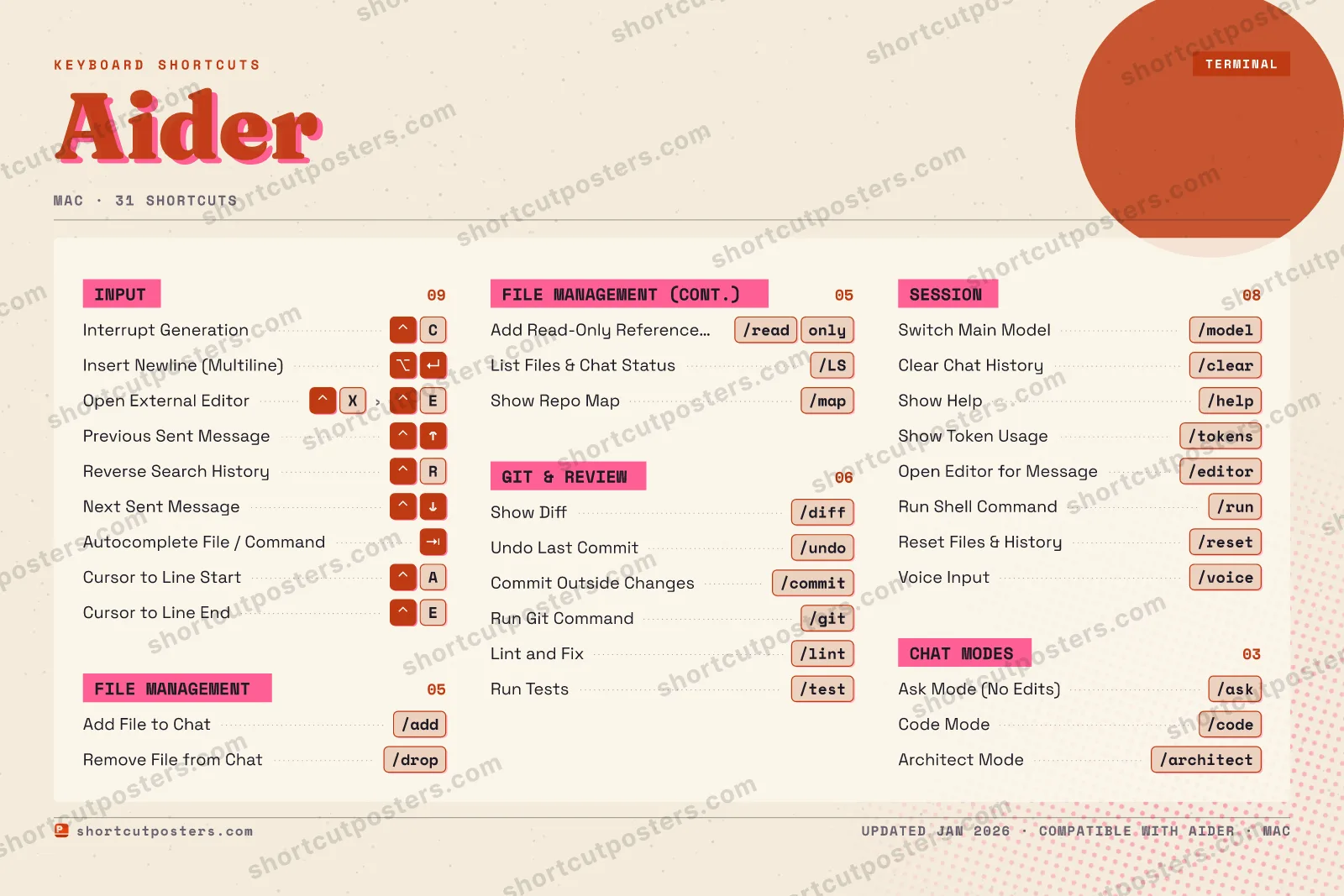
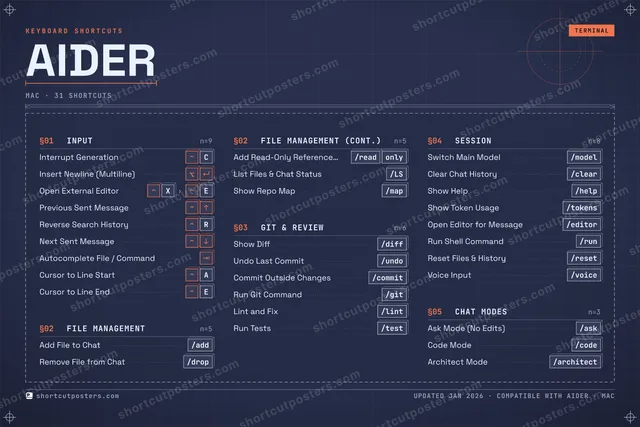
A printable, framed-quality poster of the essential Aider shortcuts for Mac — the keys worth keeping in view, designed to stay readable on a wall.
Free PNG is web-resolution & watermarked.
These shortcuts, on physical keys
There is a Stream Deck profile for Aider AI — 49 shortcuts laid out across the keys, each one labelled, installed by double-clicking a file. It fits every current Stream Deck model.
Frequently asked questions
- Does the poster include every Aider shortcut?
- Aider has 31 keyboard shortcuts on macOS — the complete list is free to read on this page. The poster features the most essential ones, curated to stay readable on a wall.
- Can I print it at home?
- Yes. The digital download is a high-resolution 300 DPI file you can print at home or at any print shop, in standard frame sizes.
- Does it cover both Mac and Windows?
- We sell a separate edition per platform so every key matches your keyboard exactly. This page is the macOS edition.
- Is this an official Aider product?
- No. This is an unofficial reference poster and is not affiliated with or endorsed by Aider. All trademarks belong to their respective owners.
Related posters





Thanks — your feedback helps us improve.
Promote your app
Built an app with great keyboard shortcuts? Get it into the database — a free, searchable reference page, and an optional printable poster your power users will pin to the wall.
- Free shortcut reference page
- Indexed & searchable
- Optional framed poster