
ShortcutPosters

4 art directions — pick one below, click to zoom & compare.
Layout
WEBFLOWKEYBOARD SHORTCUTS · MAC · 321Switch t…2Switch t…3Switch t…4Switch t…567890QWEQuick fi…RTYUIOPOpen Pag…AOpen Add…S⇧ ⌘Save bac…DDuplicat…FG⇧ ⌘Toggle g…HJKLZOpen Nav…XCut elem…CCopy ele…V⌘ ⌥ ⇧Paste wi…BNMMORE SHORTCUTSMove element befo…Move element afte…Move element befo…Move element afte…Edit selected tex…Deselect / exit e…Open Selector fie…Select previous s…Select next sibli…Move element befo…Move element afte…Show all keyboard…/Toggle Preview mo…PPaste elementVUndoZRedoZSelect parent ele…Select child elem…shortcutposters.comUPDATED JAN 2026 · COMPATIBLE WITH WEBFLOW · MAC
PREVIEWToggle guide overlayGToggle Preview modePGENERALSave backup point (sn…SShow all keyboard sho…/Quick findESTYLEOpen Selector fieldCANVASSwitch to first break…1Switch to second brea…2Switch to third break…3Switch to fourth brea…4NAVIGATION/PANELSOpen Pages panelPSelect previous sibli…Select next sibling e…Open Add panelAOpen NavigatorZSelect parent elementSelect child elementELEMENTSMove element before s…Move element after si…Move element before p…Move element after pa…Move element before p…Move element after pr…EDITINGPaste without formatt…VEdit selected text el…Deselect / exit editi…Cut elementXCopy elementCPaste elementVDuplicate elementDUndoZRedoZWebflowKEYBOARD SHORTCUTS · MAC · 32BOTH LAYOUTSQWERTYQWERTYAZERTYAZERTYshortcutposters.comUPDATED JAN 2026 · COMPATIBLE WITH WEBFLOW · MAC
PREVIEW02Toggle guide overlayGToggle Preview modePCANVAS04Switch to first breakpoint1Switch to second breakpoint2Switch to third breakpoint3Switch to fourth breakpoint4NAVIGATION/PANELS07Open Pages panelPSelect previous sibling elementSelect next sibling elementOpen Add panelAOpen NavigatorZSelect parent elementSelect child elementSTYLE01Open Selector fieldELEMENTS06Move element before sibling (within parent)Move element after sibling (within parent)Move element before parent elementMove element after parent elementMove element before previous elementMove element after previous elementGENERAL03Save backup point (snapshot)SShow all keyboard shortcuts/Quick findEEDITING09Paste without formattingVEdit selected text elementDeselect / exit editingCut elementXCopy elementCPaste elementVDuplicate elementDUndoZRedoZWebflowKEYBOARD SHORTCUTS · MAC · 32BOTH LAYOUTSQWERTYQWERTYAZERTYAZERTYshortcutposters.comUPDATED JAN 2026 · COMPATIBLE WITH WEBFLOW · MAC
WEBFLOW · KEYBOARD SHORTCUTSMac · 7 SETS · No.01WEBFLOWTOTAL32SHORTCUTSFOR MAC · SHIPPED COMBOSSETSPREVIEW02ELEMENTS06CANVAS04GENERAL03NAVIGATION/PA07EDITING09STYLE01REF. EDITION · JAN 2026shortcutposters.comToggle guide overlayGToggle Preview modePMove element before sibling (within parent)Move element after sibling (within parent)Move element before parent elementMove element after parent elementMove element before previous elementMove element after previous elementSwitch to first breakpoint1Switch to second breakpoint2Switch to third breakpoint3Switch to fourth breakpoint4Save backup point (snapshot)SShow all keyboard shortcuts/Quick findEOpen Pages panelPSelect previous sibling elementSelect next sibling elementOpen Add panelAOpen NavigatorZSelect parent elementSelect child elementPaste without formattingVEdit selected text elementDeselect / exit editingCut elementXCopy elementCPaste elementVDuplicate elementDUndoZRedoZOpen Selector field

Mac edition · 32 shortcuts

Webflow Keyboard Shortcuts Poster

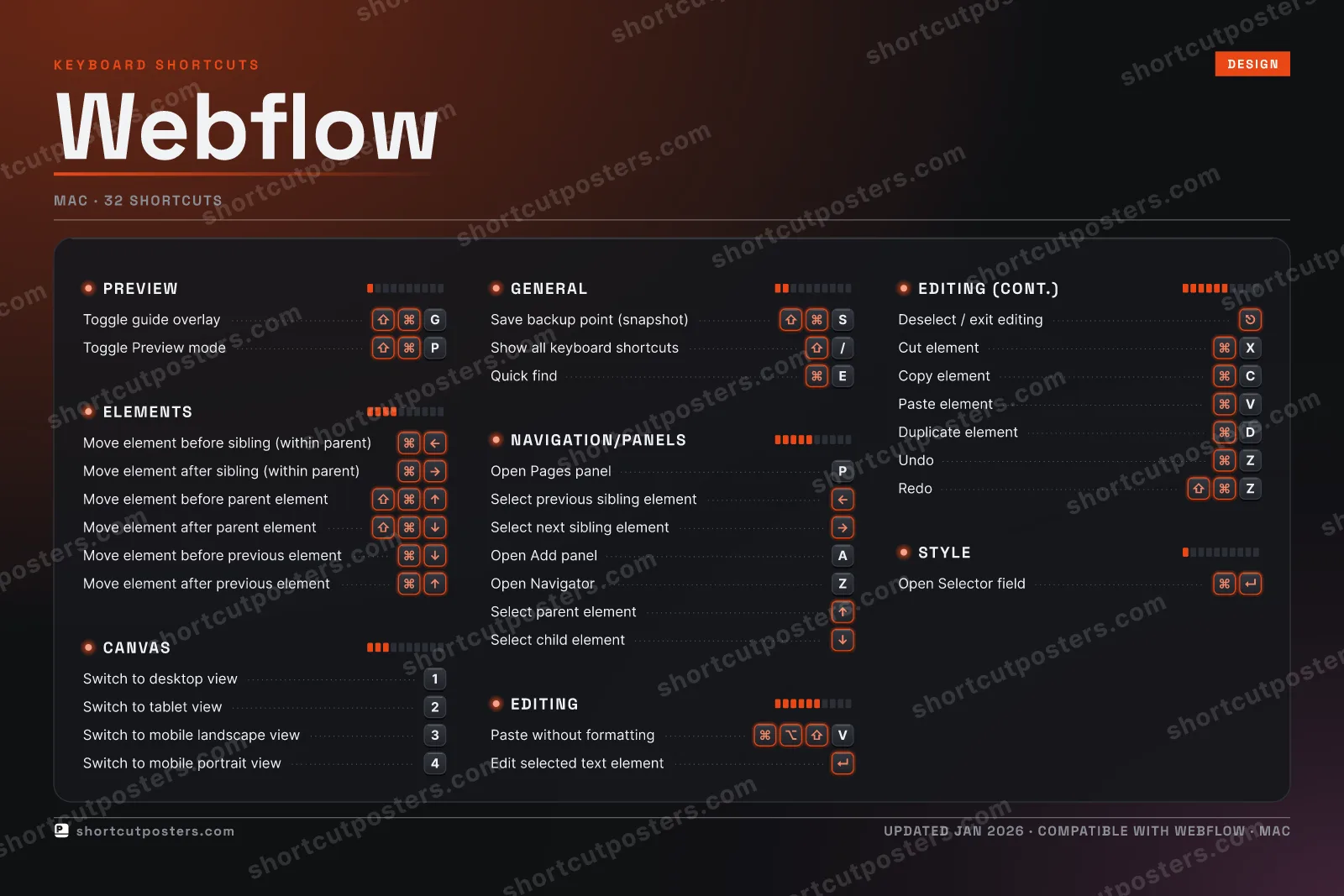
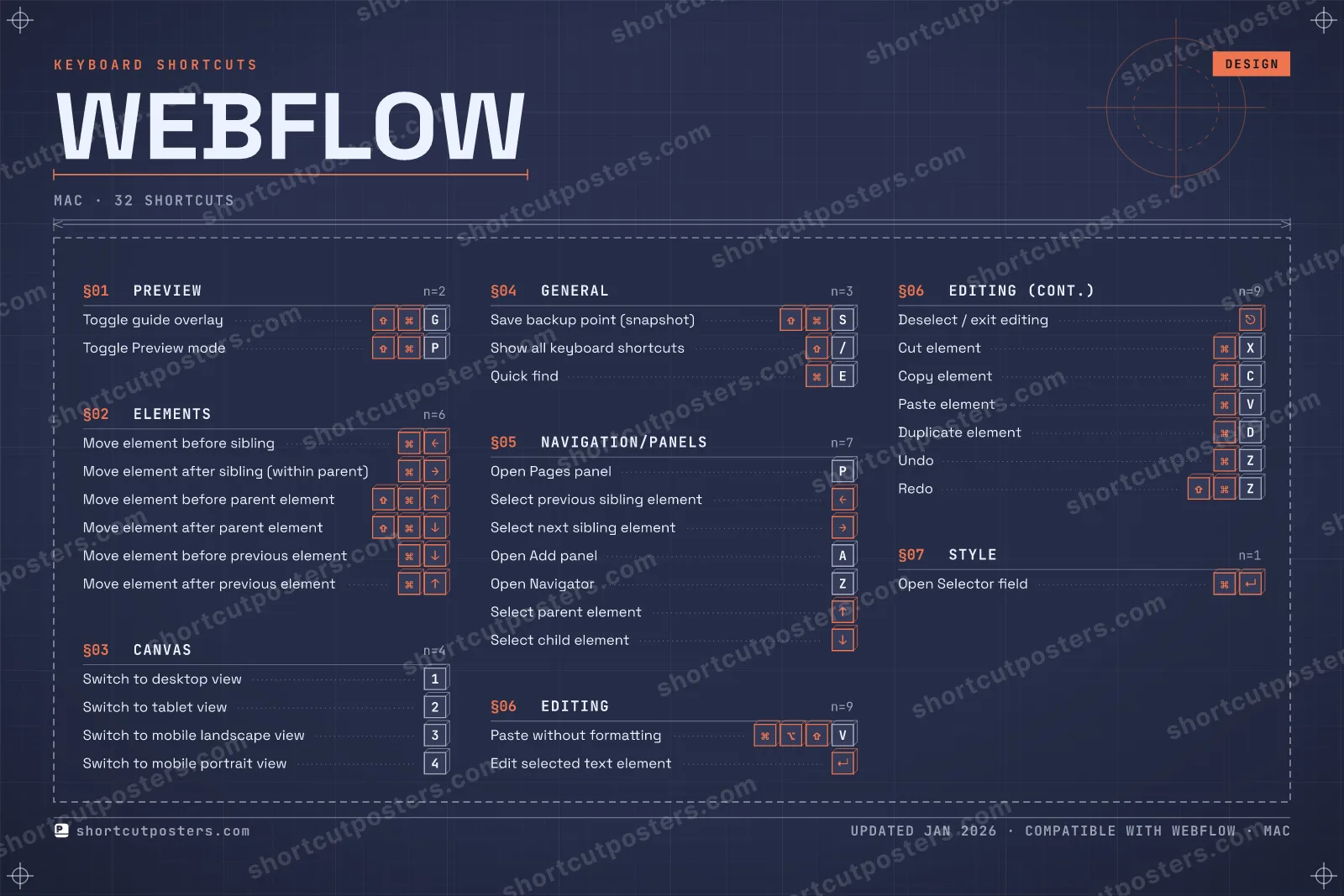
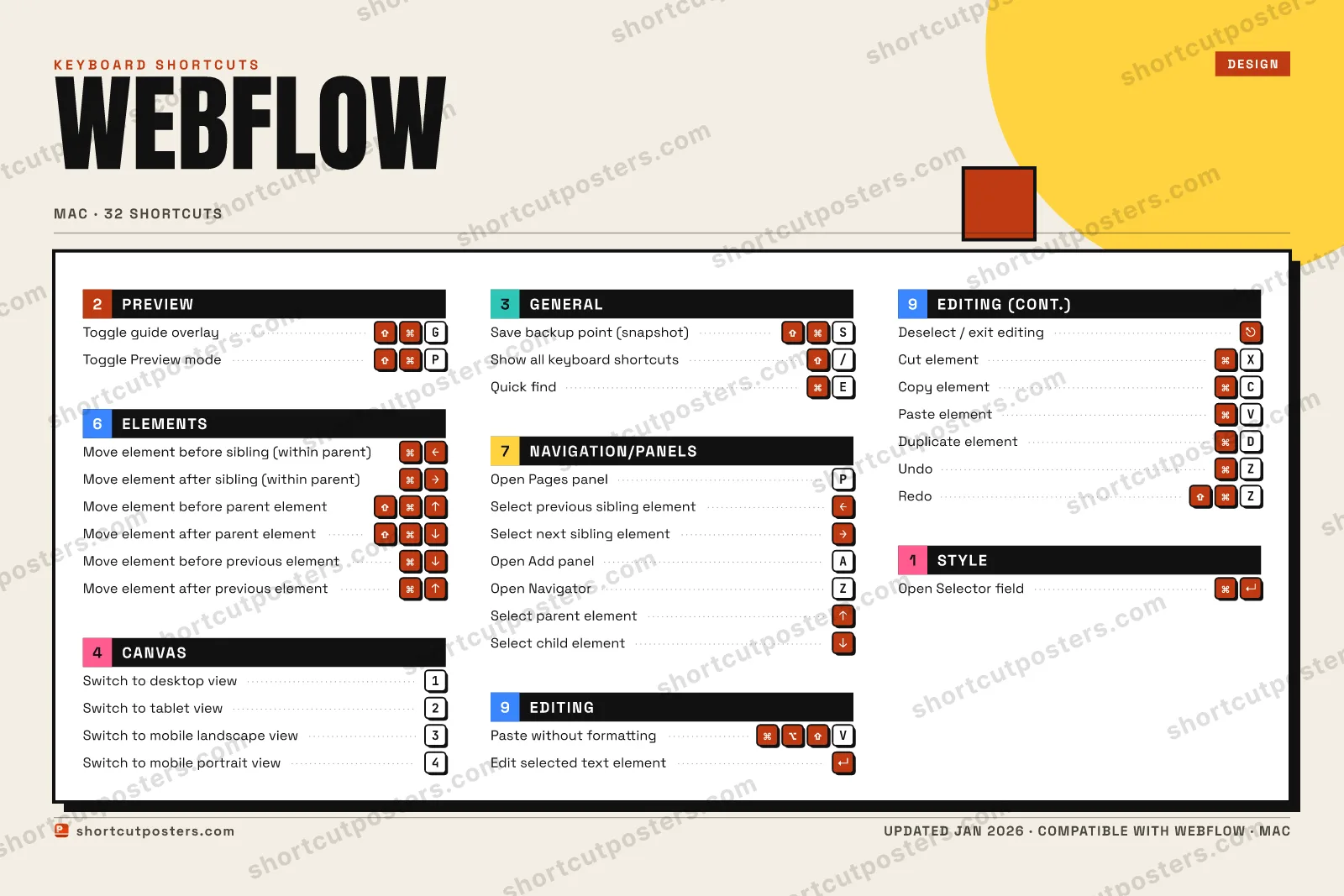
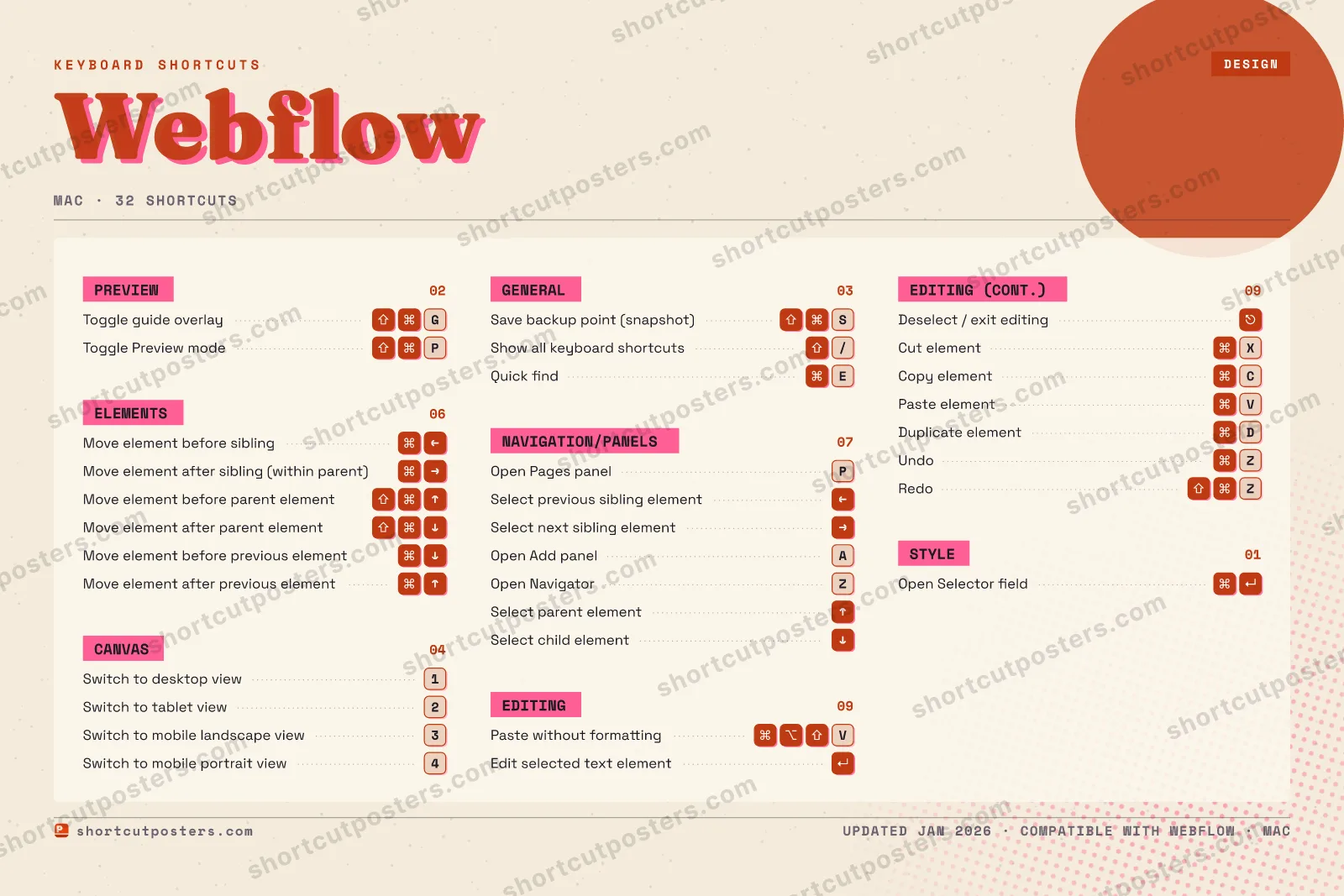
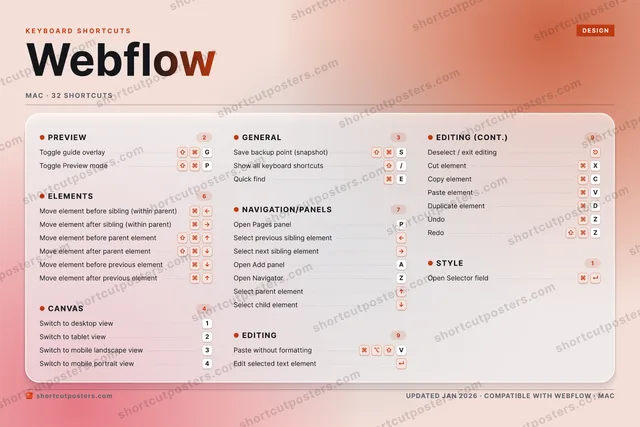
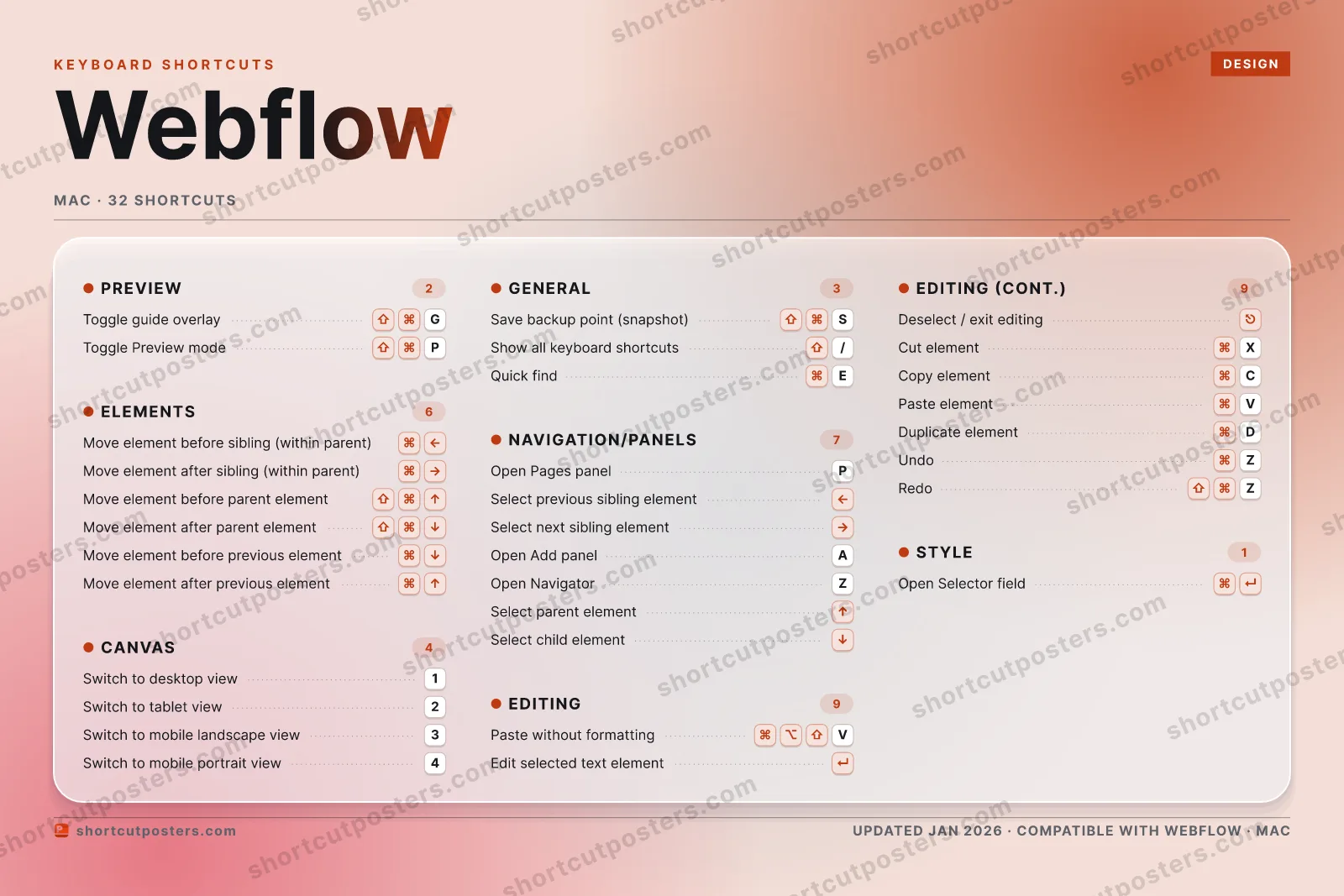
A printable, framed-quality poster of the essential Webflow shortcuts for Mac — the keys worth keeping in view, designed to stay readable on a wall.

Edition

Free PNG is web-resolution & lightly watermarked.

Customise this poster Pick the shortcuts, restyle the colours — download free. Get the framed-quality print Full 300 DPI, print-ready — at home or shipped to your door.

Webflow is a visual web design tool that lets you build responsive, production-ready websites without writing code. Its Designer maps every CSS property to a visual control, and a deep set of keyboard shortcuts speeds up selecting, moving, and styling elements on the canvas.

All Webflow keyboard shortcuts (Mac)

Layout
Esc
F1
F2
F3
F4
F5
F6
F7
F8
F9
F10
F11
F12
`
1
2
3
4
5
6
7
8
9
0
-
=
⌫ Back
Tab
Q
W
E
R
T
Y
U
I
O
P
[
]
\
Caps
A
S
D
F
G
H
J
K
L
;
'
Enter ⏎
Shift
Z
X
C
V
B
N
M
,
.
/
Shift
Ctrl
Win
Alt
Space
Alt
Win
Menu
Ctrl

Editing 9

Action Shortcut
Paste without formatting V
Edit selected text element
Deselect / exit editing
Cut element X
Copy element C
Paste element V
Duplicate element D
Undo Z
Redo Z

Navigation/Panels 7

Action Shortcut
Open Pages panel P
Select previous sibling element
Select next sibling element
Open Add panel A
Open Navigator Z
Select parent element
Select child element

Elements 6

Action Shortcut
Move element before sibling (within parent)
Move element after sibling (within parent)
Move element before parent element
Move element after parent element
Move element before previous element
Move element after previous element

Canvas 4

Action Shortcut
Switch to first breakpoint 1
Switch to second breakpoint 2
Switch to third breakpoint 3
Switch to fourth breakpoint 4

General 3

Action Shortcut
Save backup point (snapshot) S
Show all keyboard shortcuts /
Quick find E

Preview 2

Action Shortcut
Toggle guide overlay G
Toggle Preview mode P

Style 1

Action Shortcut
Open Selector field

Sourced from help.webflow.com , university.webflow.com , help.webflow.com , university.webflow.com Last verified

Unofficial reference. ShortcutPosters is not affiliated with, endorsed by, or sponsored by Webflow. All product names, logos, and trademarks are property of their respective owners. See our licensing & trademark notice.

Frequently asked questions

Does the poster include every Webflow shortcut?
Webflow has 32 keyboard shortcuts in total — the complete list is free to read on this page. The poster features the most essential ones, curated to stay readable on a wall.
Can I print it at home?
Yes. The digital download is a high-resolution 300 DPI file you can print at home or at any print shop, in standard frame sizes.
Does it cover both Mac and Windows?
We sell separate Mac and Windows editions so every key matches your keyboard exactly. This page is the macOS edition.
Is this an official Webflow product?
No. This is an unofficial reference poster and is not affiliated with or endorsed by Webflow. All trademarks belong to their respective owners.
For app makers

Promote your app

Built an app with great keyboard shortcuts? Get it into the database — a free, searchable reference page, and an optional printable poster your power users will pin to the wall.

  • Free shortcut reference page
  • Indexed & searchable
  • Optional framed poster