Midjourney is an AI image and video generator used through its midjourney.com web app or its original Discord bot. Rather than key chords, its "shortcuts" are mostly typed slash-commands and dash-prefixed prompt parameters that control generation, plus a small set of real keyboard shortcuts in the Imagine bar.
Official:Official site
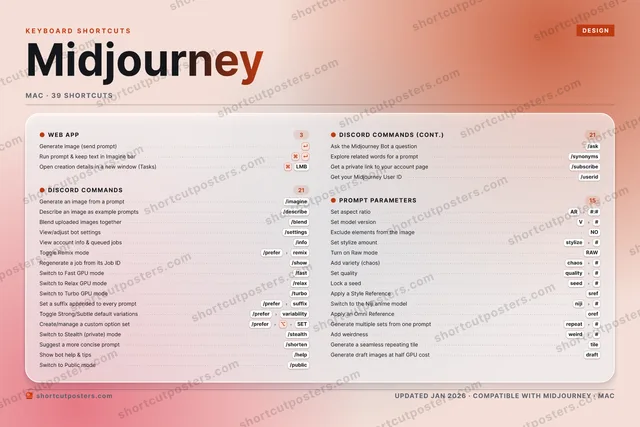
All Midjourney keyboard shortcuts (Mac)
39 shortcuts
Discord Commands 21
| Action | Shortcut |
|---|---|
| Generate an image from a prompt | |
| Describe an image as example prompts | |
| Blend uploaded images together | |
| View/adjust bot settings | |
| View account info & queued jobs | |
| Toggle Remix mode | |
| Regenerate a job from its Job ID | |
| Switch to Fast GPU mode | |
| Switch to Relax GPU mode | |
| Switch to Turbo GPU mode | |
| Set a suffix appended to every prompt | |
| Toggle Strong/Subtle default variations | |
| Create/manage a custom option set | |
| Switch to Stealth (private) mode | |
| Suggest a more concise prompt | |
| Show bot help & tips | |
| Switch to Public mode | |
| Ask the Midjourney Bot a question | |
| Explore related words for a prompt | |
| Get a private link to your account page | |
| Get your Midjourney User ID |
Prompt Parameters 15
| Action | Shortcut |
|---|---|
| Set aspect ratio | |
| Set model version | |
| Exclude elements from the image | |
| Set stylize amount | |
| Turn on Raw mode | |
| Add variety (chaos) | |
| Set quality | |
| Lock a seed | |
| Apply a Style Reference | |
| Switch to the Niji anime model | |
| Apply an Omni Reference | |
| Generate multiple sets from one prompt | |
| Add weirdness | |
| Generate a seamless repeating tile | |
| Generate draft images at half GPU cost |
Web App 3
| Action | Shortcut |
|---|---|
| Generate image (send prompt) | ↵ |
| Run prompt & keep text in Imagine bar | ⌘↵ |
| Open creation details in a new window (Tasks) | ⌘LMB |
Sourced from docs.midjourney.com Last verified
Unofficial reference. ShortcutPosters is not affiliated with, endorsed by, or sponsored by Midjourney. All product names, logos, and trademarks are property of their respective owners. See our licensing & trademark notice.
Get the Midjourney poster
5 art directions — pick one below, click to zoom & compare.
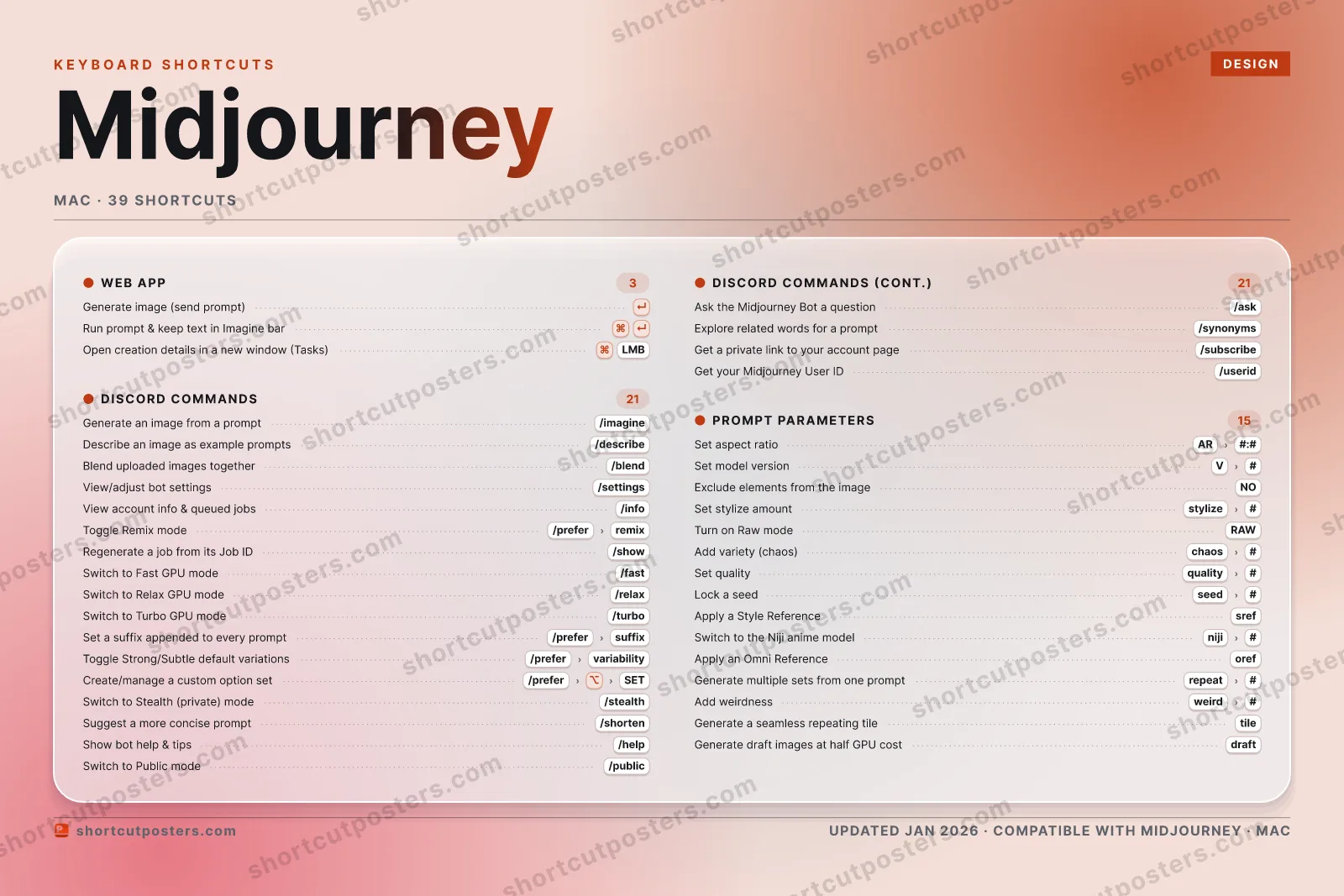
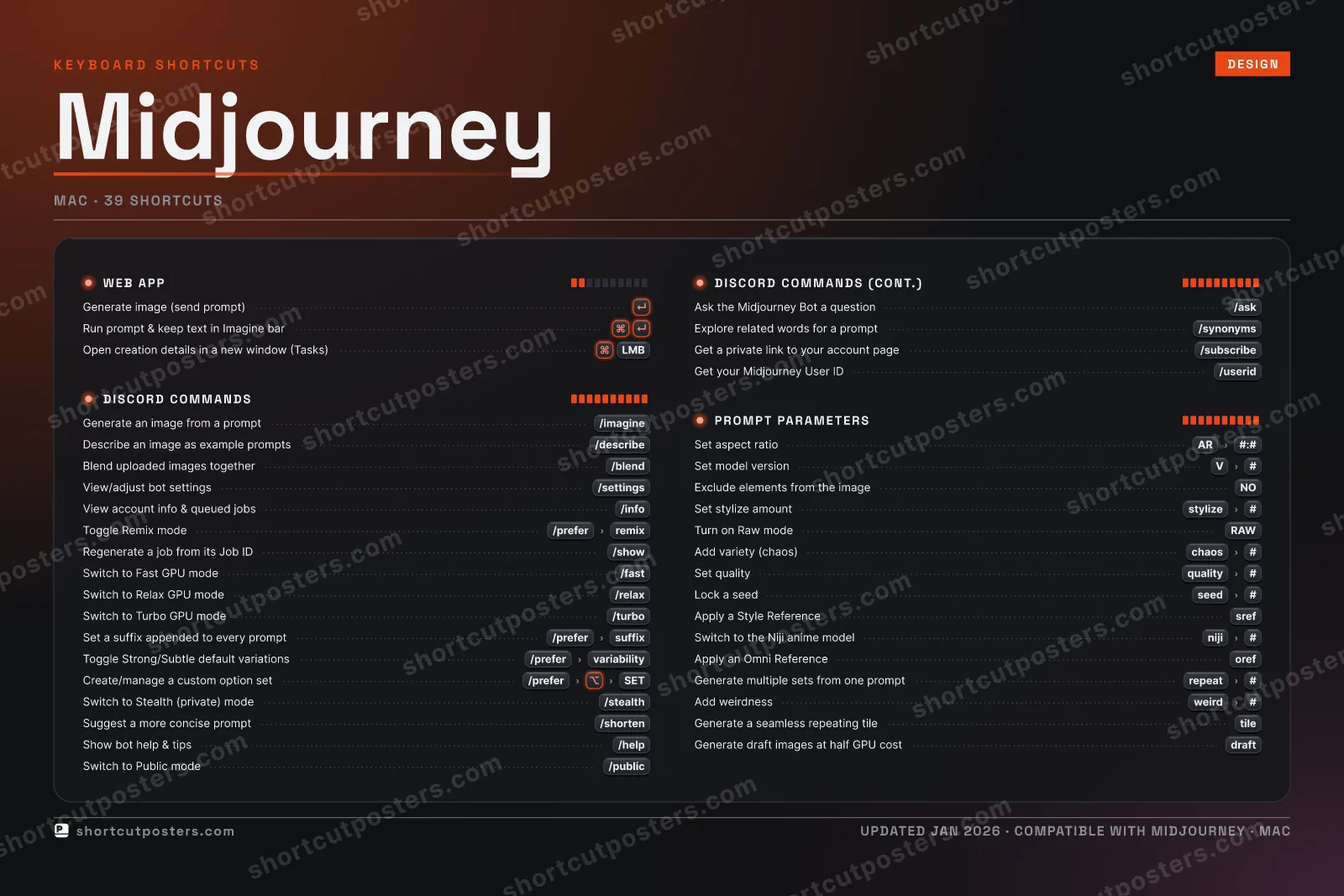
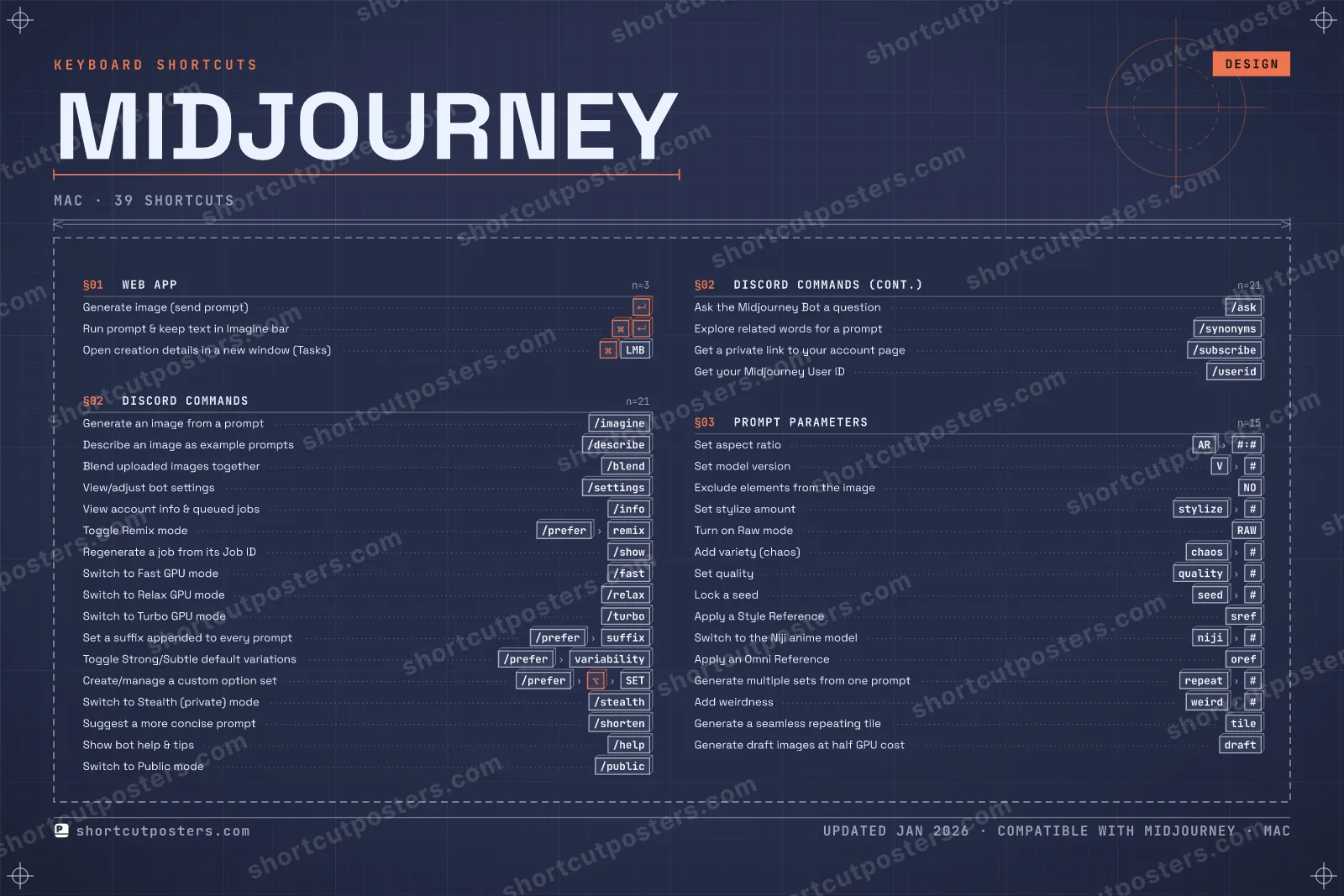
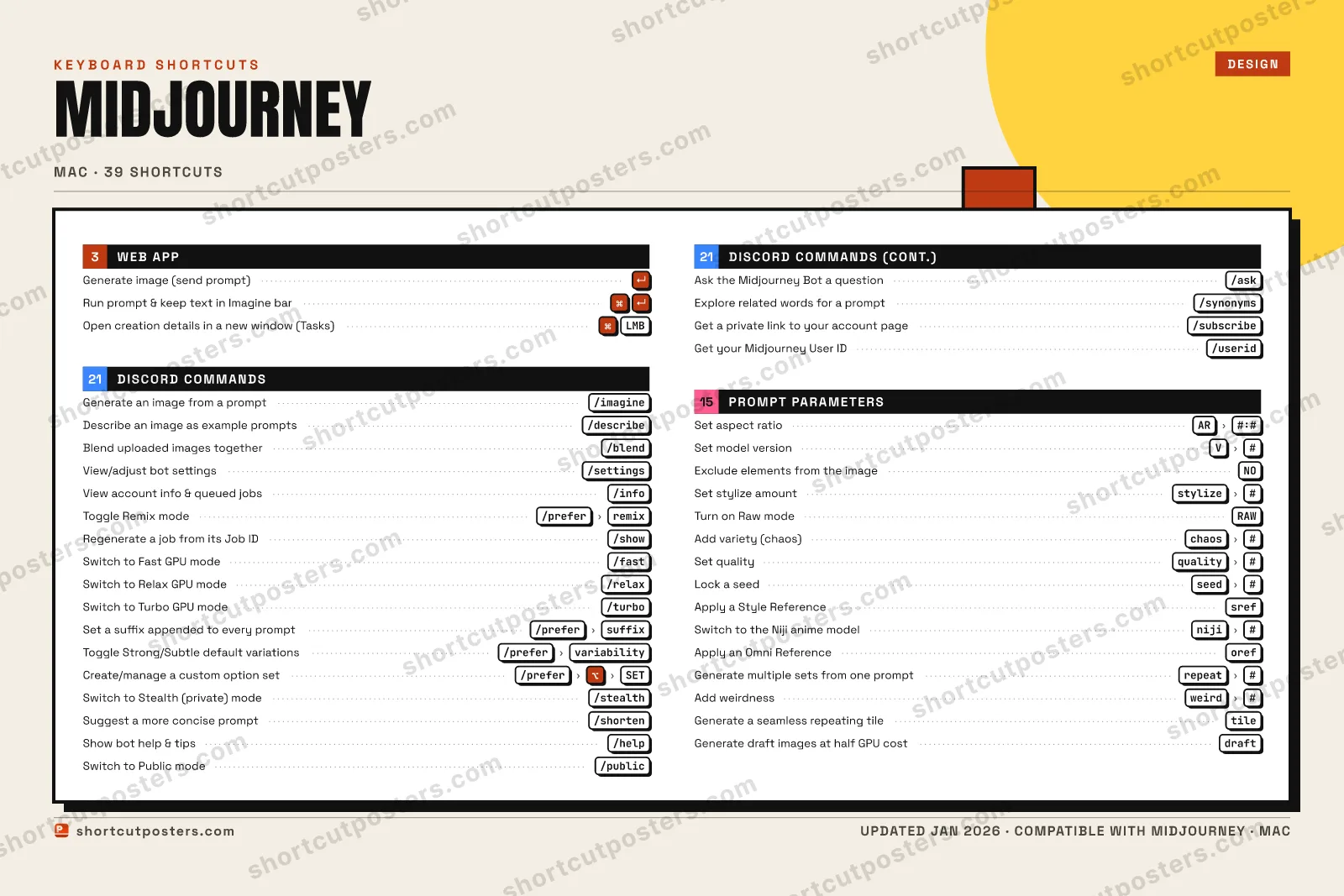
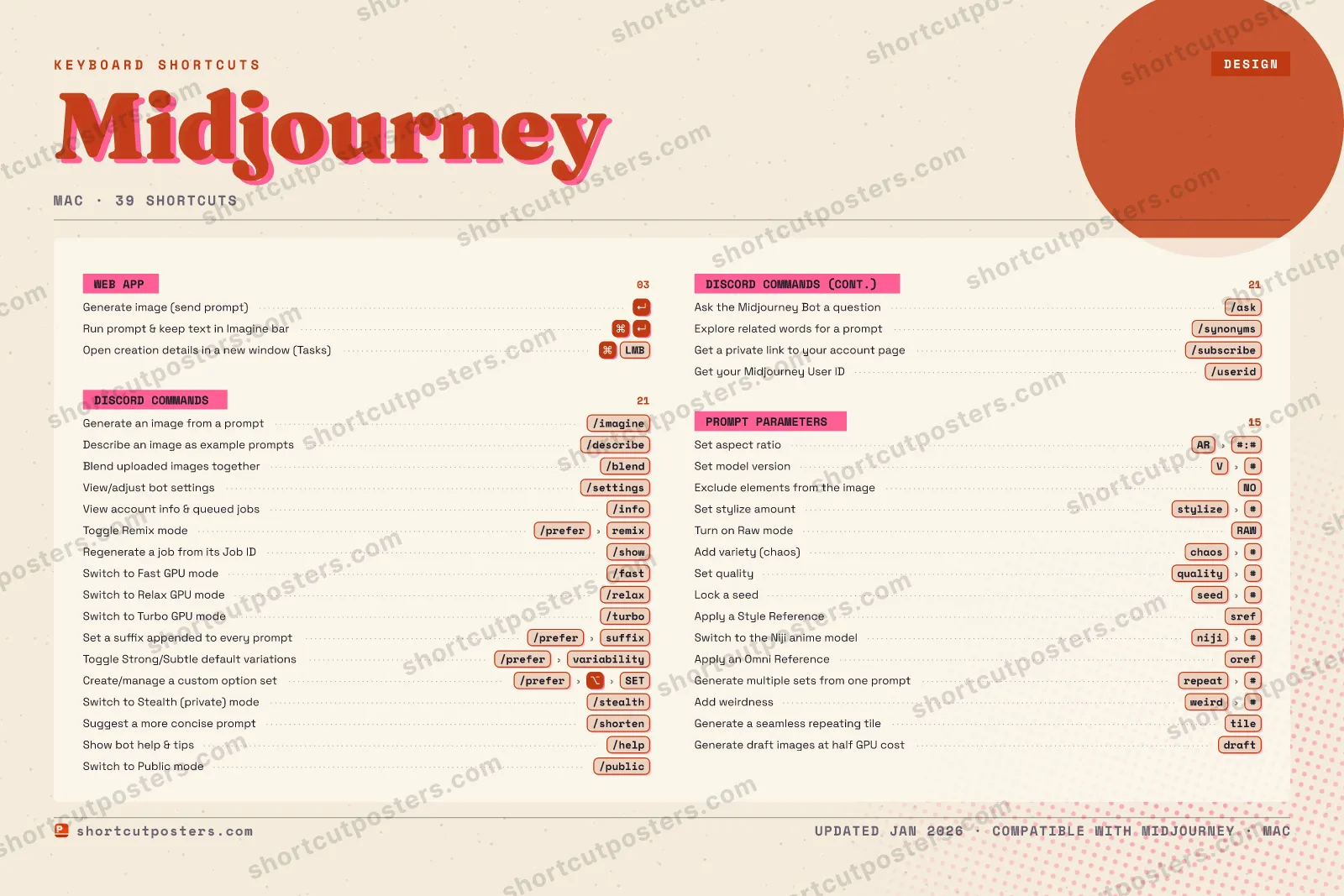
A printable, framed-quality poster of the essential Midjourney shortcuts for Mac — the keys worth keeping in view, designed to stay readable on a wall.
Free PNG is web-resolution & watermarked.
Frequently asked questions
- Does the poster include every Midjourney shortcut?
- Midjourney has 39 keyboard shortcuts on macOS — the complete list is free to read on this page. The poster features the most essential ones, curated to stay readable on a wall.
- Can I print it at home?
- Yes. The digital download is a high-resolution 300 DPI file you can print at home or at any print shop, in standard frame sizes.
- Does it cover both Mac and Windows?
- We sell a separate edition per platform so every key matches your keyboard exactly. This page is the macOS edition.
- Is this an official Midjourney product?
- No. This is an unofficial reference poster and is not affiliated with or endorsed by Midjourney. All trademarks belong to their respective owners.
Related posters

Thanks — your feedback helps us improve.
Promote your app
Built an app with great keyboard shortcuts? Get it into the database — a free, searchable reference page, and an optional printable poster your power users will pin to the wall.
- Free shortcut reference page
- Indexed & searchable
- Optional framed poster