ShortcutPosters

Poster maker

Make your Samplitude shortcuts poster

Pick the shortcuts that matter, add your own, tune the colours and style — then download a free personalized PNG, or order the print-ready PDF.

Making a poster for:
Style
Accent
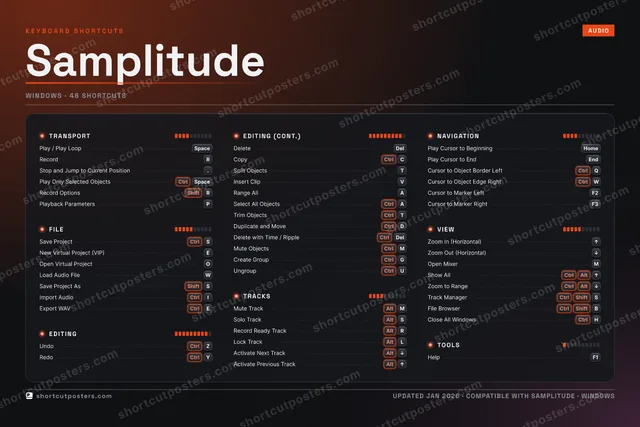
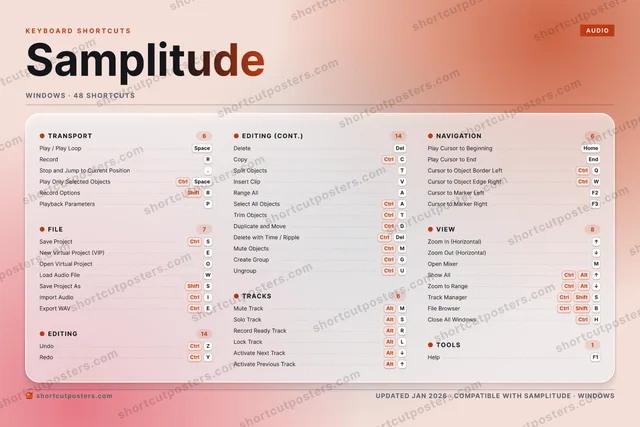
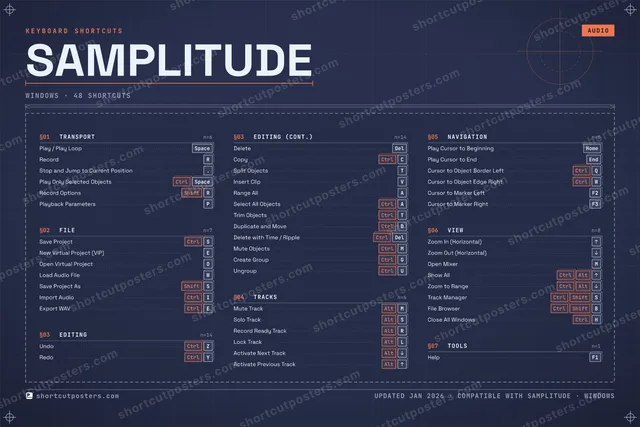
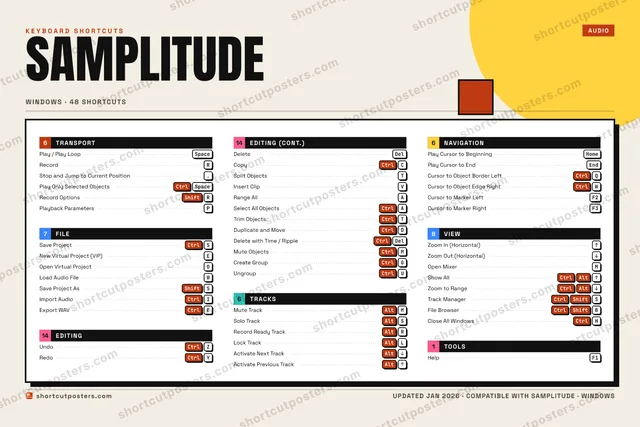
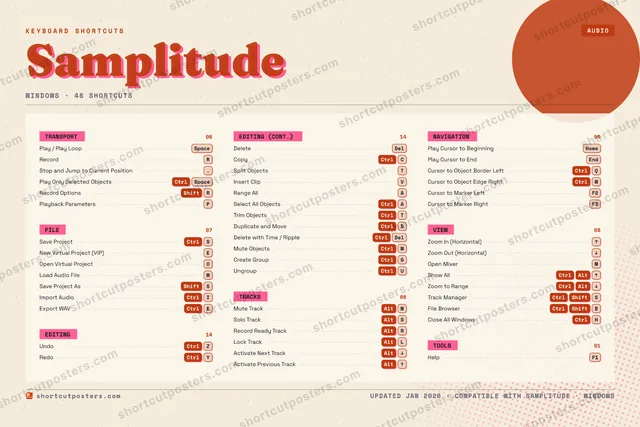
SAMPLITUDEKEYBOARD SHORTCUTS · WINDOWS · 46 ESSENTIAL1234567890QCtrlCursor t…WLoad Aud…ENew Virt…RRecordTSplit Ob…YCtrlRedoUCtrlUngroupICtrlImport A…OOpen Vir…PPlayback…ARange AllSCtrlSave Pro…DCtrlDuplicat…FGCtrlCreate G…HCtrlClose Al…JKLAltLock Tra…ZCtrlUndoXCCtrlCopyVInsert C…BCtrl ShiftFile Bro…NMAltMute Tra…MORE SHORTCUTSPlay / Play L…SpaceDeleteDelSelect All Ob…CtrlASolo TrackAltSPlay Cursor t…HOMEPlay Cursor t…ENDZoom In (Hori…UPZoom Out (Hor…DOWNOpen MixerMStop and Jump….Save Project …ShiftSExport WAVCtrlETrim ObjectsCtrlTRecord Ready …AltRShow AllCtrlAltUPZoom to RangeCtrlAltDOWNPlay Only Sel…CtrlSpaceRecord OptionsShiftRDelete with T…CtrlDelMute ObjectsCtrlMActivate Next…AltDOWNActivate Prev…AltUPCursor to Obj…CtrlWCursor to Mar…F2Cursor to Mar…F3shortcutposters.comUPDATED JAN 2026 · COMPATIBLE WITH SAMPLITUDE · WINDOWS

Hover to locate · click on the poster to disable · drag to reorder categories & shortcuts · to rename a category

Free PNG $0
  • Web resolution (1600 px)
  • Light watermark
  • Instant download
Made to order
Custom print-ready PDF $2.99
  • 300 DPI, framed-quality — no watermark
  • Every standard print size
  • Built to order from the poster above — checkout link emailed to you

Trouble ordering? Email business@shortcutposters.com.

How it works

  1. 1

    Choose a style

    Pick from four layouts: isometric keys, a typewriter list, a labelled keyboard map, or a bold editorial print.

  2. 2

    Make it yours

    Set the accent colour and palette, rename categories, and reorder anything.

  3. 3

    Pick the shortcuts

    Toggle exactly which shortcuts appear — or add your own custom ones.

  4. 4

    Download or print

    Export a free high-resolution PNG instantly, or order a print-ready PDF.

Four styles to choose from

SAMPLITUDEKEYBOARD SHORTCUTS · WINDOWS · 20 ESSENTIAL1234567890QWENew Virt…RRecordTSplit Ob…YCtrlRedoUIOOpen Vir…PARange AllSCtrlSave Pro…DFGHJKLZCtrlUndoXCCtrlCopyVInsert C…BNMAltMute Tra…MORE SHORTCUTSPlay / Play LoopSpaceDeleteDelSelect All ObjectsCtrlASolo TrackAltSPlay Cursor to Be…HOMEPlay Cursor to EndENDZoom In (Horizont…UPZoom Out (Horizon…DOWNOpen MixerMshortcutposters.comUPDATED JAN 2026 · COMPATIBLE WITH SAMPLITUDE · WINDOWS
Keyboard map Every binding labelled on a realistic QWERTY or AZERTY keyboard.
TRANSPORTPlay / Play LoopSpaceRecordREDITINGUndoCtrlZRedoCtrlYDeleteDelCopyCtrlCSplit ObjectsTInsert ClipVRange AllASelect All ObjectsCtrlAVIEWZoom In (Horizontal)UPZoom Out (Horizontal)DOWNOpen MixerMFILESave ProjectCtrlSNew Virtual Project (VIP)EOpen Virtual ProjectOTRACKSMute TrackAltMSolo TrackAltSNAVIGATIONPlay Cursor to BeginningHOMEPlay Cursor to EndENDSamplitudeKEYBOARD SHORTCUTS · WINDOWS · 20 ESSENTIALBOTH LAYOUTSQWERTYQWERTYAZERTYAZERTYshortcutposters.comUPDATED JAN 2026 · COMPATIBLE WITH SAMPLITUDE · WINDOWS
Isometric Shortcuts on a 3D isometric keyboard — bold and poster-like.
FILE03Save ProjectCtrlSNew Virtual Project (VIP)EOpen Virtual ProjectOTRACKS02Mute TrackAltMSolo TrackAltSNAVIGATION02Play Cursor to BeginningHOMEPlay Cursor to EndENDVIEW03Zoom In (Horizontal)UPZoom Out (Horizontal)DOWNOpen MixerMTRANSPORT02Play / Play LoopSpaceRecordREDITING08UndoCtrlZRedoCtrlYDeleteDelCopyCtrlCSplit ObjectsTInsert ClipVRange AllASelect All ObjectsCtrlASamplitudeKEYBOARD SHORTCUTS · WINDOWS · 20 ESSENTIALBOTH LAYOUTSQWERTYQWERTYAZERTYAZERTYshortcutposters.comUPDATED JAN 2026 · COMPATIBLE WITH SAMPLITUDE · WINDOWS
Typewriter A clean printed list, grouped by category — dense and legible.
SAMPLITUDE · KEYBOARD SHORTCUTSWindows · 6 SETS · No.01SAMPLITUDETOTAL20SHORTCUTSFOR WINDOWS · SHIPPED COMBOSSETSTRANSPORT02FILE03EDITING08TRACKS02NAVIGATION02VIEW03REF. EDITION · JAN 2026shortcutposters.comPlay / Play LoopSpaceRecordRSave ProjectCtrlSNew Virtual Project (VIP)EOpen Virtual ProjectOUndoCtrlZRedoCtrlYDeleteDelCopyCtrlCSplit ObjectsTInsert ClipVRange AllASelect All ObjectsCtrlAMute TrackAltMSolo TrackAltSPlay Cursor to BeginningHOMEPlay Cursor to EndENDZoom In (Horizontal)UPZoom Out (Horizontal)DOWNOpen MixerM
Editorial A bold Swiss-style print: giant wordmark, dense keycap columns, and a totals rail.

Frequently asked questions

Is the Samplitude poster maker free?

Yes — you can design and download a high-resolution PNG of your Samplitude shortcuts poster for free. A print-ready PDF is an optional paid upgrade.

Can I choose which Samplitude shortcuts appear?

Yes. Toggle any shortcut on or off, reorder them, rename categories, and even add your own custom shortcuts.

Can I change the colours and style?

Yes. Pick an accent colour, choose a palette, and switch between the isometric, typewriter, and keyboard-map styles.

Which keyboard layout and operating system are supported?

Choose QWERTY or AZERTY, and switch the edition between the operating systems Samplitude supports (macOS, Windows, Linux).

How do I get a printed poster?

Download the free PNG to print yourself, or order the print-ready, framed-quality PDF directly from the maker.