ShortcutPosters

Poster maker

Make your rekordbox shortcuts poster
Pick the shortcuts that matter, add your own, tune the colours and style — then download a free personalized PNG, or order the print-ready PDF.

Making a poster for:
Style
Accent
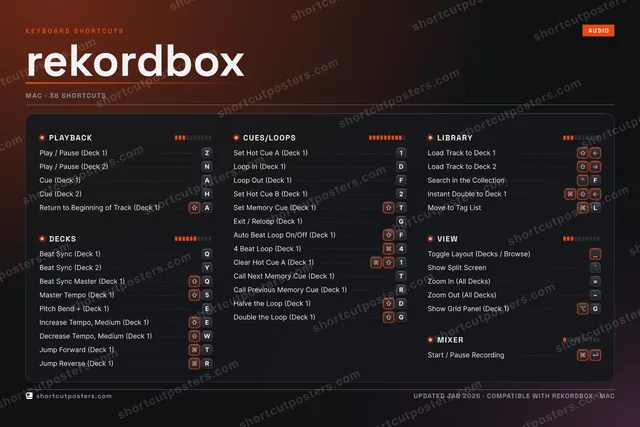
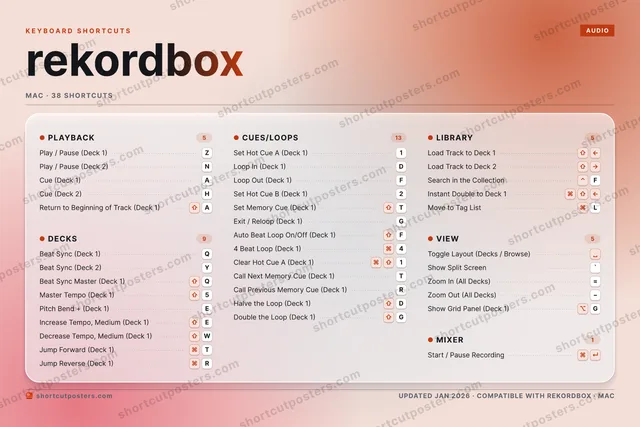
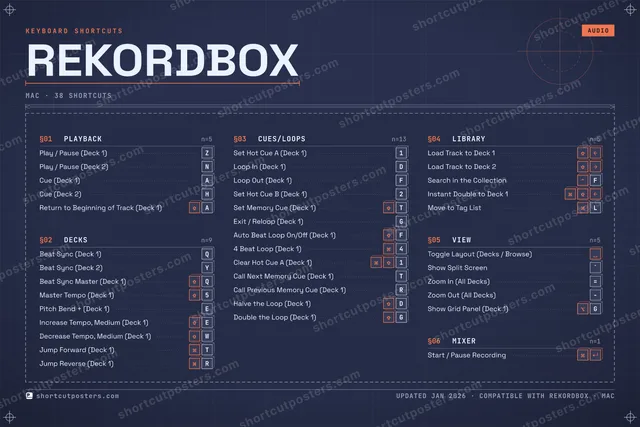
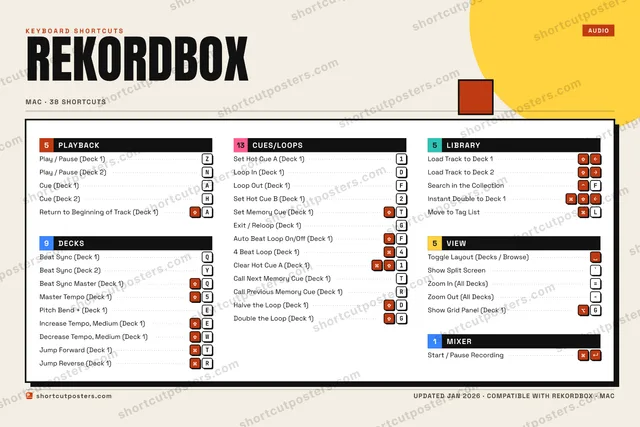
REKORDBOXKEYBOARD SHORTCUTS · MAC · 381Set Hot …2Set Hot …344 Beat L…5Master T…67890QBeat Syn…WDecrease…EPitch Be…RJump Rev…TSet Memo…YBeat Syn…UIOPACue (Dec…SDLoop In …FLoop Out…GExit / R…HCue (Dec…JKLMove to …ZPlay / P…XCVBNPlay / P…MMORE SHORTCUTSLoad Track to Dec…Load Track to Dec…Toggle Layout (De…Search in the Col…FReturn to Beginni…ABeat Sync Master …QAuto Beat Loop On…FStart / Pause Rec…Increase Tempo, M…EJump Forward (Dec…TClear Hot Cue A (…1Call Next Memory …TCall Previous Mem…RHalve the Loop (D…DDouble the Loop (…GInstant Double to…Show Split Screen`Zoom In (All Deck…=Zoom Out (All Dec…Show Grid Panel (…Gshortcutposters.comUPDATED JAN 2026 · COMPATIBLE WITH REKORDBOX · MAC

Hover to locate · click on the poster to disable · drag to reorder categories & shortcuts · to rename a category

Free PNG $0
  • Web resolution (1600 px)
  • Light watermark
  • Instant download
Made to order
Custom print-ready PDF $2.99
  • 300 DPI, framed-quality — no watermark
  • Every standard print size
  • Built to order from the poster above — checkout link emailed to you

Trouble ordering? Email business@shortcutposters.com.

How it works

  1. 1

    Choose a style

    Pick from four layouts: isometric keys, a typewriter list, a labelled keyboard map, or a bold editorial print.

  2. 2

    Make it yours

    Set the accent colour and palette, rename categories, and reorder anything.

  3. 3

    Pick the shortcuts

    Toggle exactly which shortcuts appear — or add your own custom ones.

  4. 4

    Download or print

    Export a free high-resolution PNG instantly, or order a print-ready PDF.

Four styles to choose from

REKORDBOXKEYBOARD SHORTCUTS · MAC · 20 ESSENTIAL1Set Hot …2Set Hot …345Master T…67890QBeat Syn…WERTSet Memo…YBeat Syn…UIOPACue (Dec…SDLoop In …FLoop Out…GExit / R…HCue (Dec…JKLZPlay / P…XCVBNPlay / P…MMORE SHORTCUTSLoad Track to Dec…Load Track to Dec…Toggle Layout (De…Search in the Col…FReturn to Beginni…ABeat Sync Master …QAuto Beat Loop On…Fshortcutposters.comUPDATED JAN 2026 · COMPATIBLE WITH REKORDBOX · MAC
Keyboard map Every binding labelled on a realistic QWERTY or AZERTY keyboard.
PLAYBACKPlay / Pause (Deck 1)ZPlay / Pause (Deck 2)NCue (Deck 1)ACue (Deck 2)HReturn to Beginning of Track (Deck…ALIBRARYLoad Track to Deck 1Load Track to Deck 2Search in the CollectionFVIEWToggle Layout (Decks / Browse)DECKSBeat Sync (Deck 1)QBeat Sync (Deck 2)YBeat Sync Master (Deck 1)QMaster Tempo (Deck 1)5CUES/LOOPSSet Hot Cue A (Deck 1)1Loop In (Deck 1)DLoop Out (Deck 1)FSet Hot Cue B (Deck 1)2Set Memory Cue (Deck 1)TExit / Reloop (Deck 1)GAuto Beat Loop On/Off (Deck 1)FrekordboxKEYBOARD SHORTCUTS · MAC · 20 ESSENTIALBOTH LAYOUTSQWERTYQWERTYAZERTYAZERTYshortcutposters.comUPDATED JAN 2026 · COMPATIBLE WITH REKORDBOX · MAC
Isometric Shortcuts on a 3D isometric keyboard — bold and poster-like.
PLAYBACK05Play / Pause (Deck 1)ZPlay / Pause (Deck 2)NCue (Deck 1)ACue (Deck 2)HReturn to Beginning of Track (Deck…ALIBRARY03Load Track to Deck 1Load Track to Deck 2Search in the CollectionFVIEW01Toggle Layout (Decks / Browse)DECKS04Beat Sync (Deck 1)QBeat Sync (Deck 2)YBeat Sync Master (Deck 1)QMaster Tempo (Deck 1)5CUES/LOOPS07Set Hot Cue A (Deck 1)1Loop In (Deck 1)DLoop Out (Deck 1)FSet Hot Cue B (Deck 1)2Set Memory Cue (Deck 1)TExit / Reloop (Deck 1)GAuto Beat Loop On/Off (Deck 1)FrekordboxKEYBOARD SHORTCUTS · MAC · 20 ESSENTIALBOTH LAYOUTSQWERTYQWERTYAZERTYAZERTYshortcutposters.comUPDATED JAN 2026 · COMPATIBLE WITH REKORDBOX · MAC
Typewriter A clean printed list, grouped by category — dense and legible.
REKORDBOX · KEYBOARD SHORTCUTSMac · 5 SETS · No.01REKORDBOXTOTAL20SHORTCUTSFOR MAC · SHIPPED COMBOSSETSPLAYBACK05DECKS04CUES/LOOPS07LIBRARY03VIEW01REF. EDITION · JAN 2026shortcutposters.comPlay / Pause (Deck 1)ZPlay / Pause (Deck 2)NCue (Deck 1)ACue (Deck 2)HReturn to Beginning of Track (Deck 1)ABeat Sync (Deck 1)QBeat Sync (Deck 2)YBeat Sync Master (Deck 1)QMaster Tempo (Deck 1)5Set Hot Cue A (Deck 1)1Loop In (Deck 1)DLoop Out (Deck 1)FSet Hot Cue B (Deck 1)2Set Memory Cue (Deck 1)TExit / Reloop (Deck 1)GAuto Beat Loop On/Off (Deck 1)FLoad Track to Deck 1Load Track to Deck 2Search in the CollectionFToggle Layout (Decks / Browse)
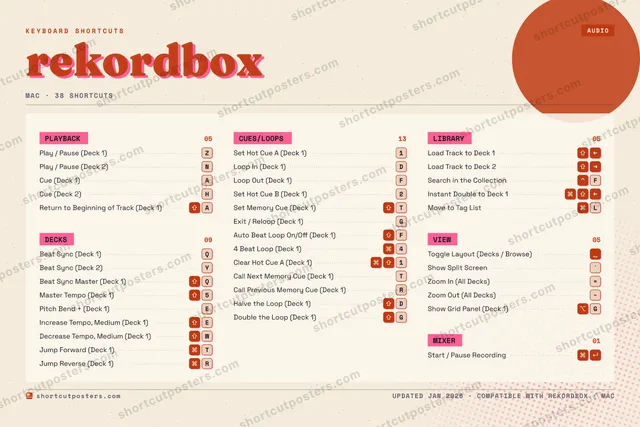
Editorial A bold Swiss-style print: giant wordmark, dense keycap columns, and a totals rail.

Frequently asked questions

Is the rekordbox poster maker free?

Yes — you can design and download a high-resolution PNG of your rekordbox shortcuts poster for free. A print-ready PDF is an optional paid upgrade.

Can I choose which rekordbox shortcuts appear?

Yes. Toggle any shortcut on or off, reorder them, rename categories, and even add your own custom shortcuts.

Can I change the colours and style?

Yes. Pick an accent colour, choose a palette, and switch between the isometric, typewriter, and keyboard-map styles.

Which keyboard layout and operating system are supported?

Choose QWERTY or AZERTY, and switch the edition between the operating systems rekordbox supports (macOS, Windows, Linux).

How do I get a printed poster?

Download the free PNG to print yourself, or order the print-ready, framed-quality PDF directly from the maker.