ShortcutPosters

Poster maker

Make your Marvelous Designer shortcuts poster

Pick the shortcuts that matter, add your own, tune the colours and style — then download a free personalized PNG, or order the print-ready PDF.

Making a poster for:
Style
Accent
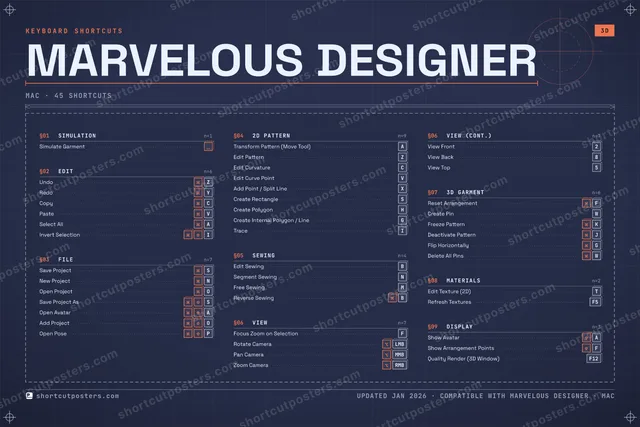
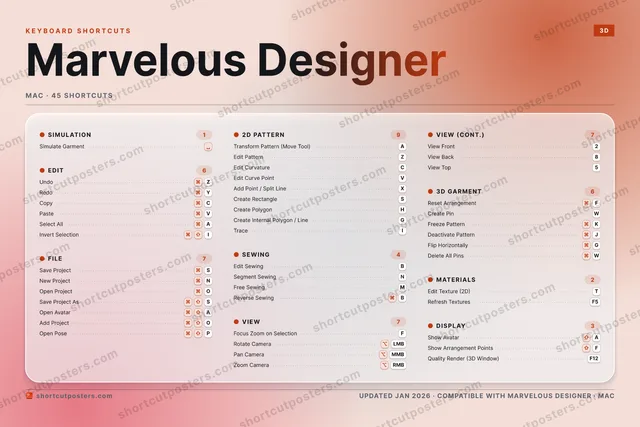
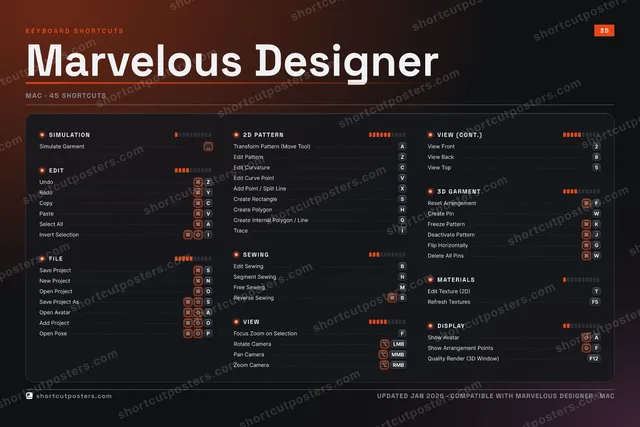
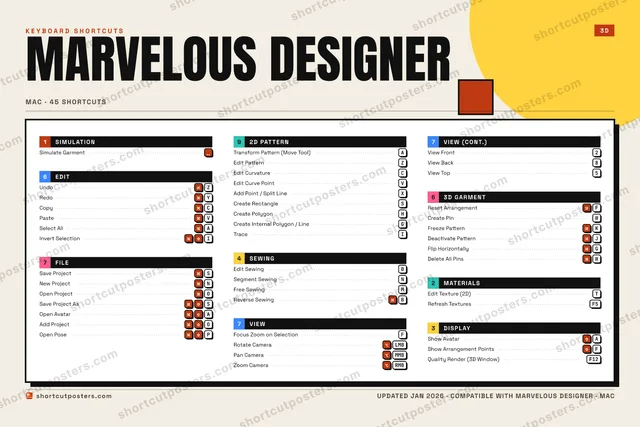
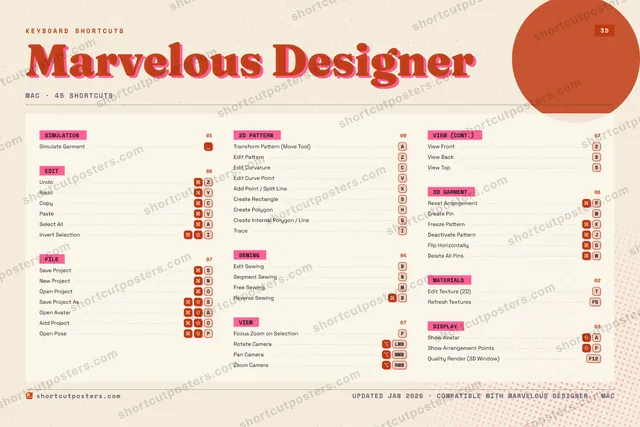
MARVELOUS DESIGNERKEYBOARD SHORTCUTS · MAC · 4512View Fro…345View Top678View Back90QWCreate P…ERTEdit Tex…YRedoUI⌘ ⇧Invert S…OOpen Pro…P⌘ ⇧Open PoseATransfor…SSave Pro…DFFocus Zo…GCreate I…HCreate P…JDeactiva…KFreeze P…LZUndoXAdd Poin…CCopyVPasteBEdit Sew…NSegment …MFree Sew…MORE SHORTCUTSSimulate Garm…Edit PatternZRotate CameraLMBPan CameraMMBZoom CameraRMBNew ProjectNSelect AllAEdit CurvatureCReset Arrange…FSave Project …SOpen AvatarAEdit Curve Po…VCreate Rectan…SAdd ProjectOTraceIReverse SewingBFlip Horizont…GDelete All Pi…WShow AvatarAShow Arrangem…FQuality Rende…F12Refresh Textu…F5shortcutposters.comUPDATED JAN 2026 · COMPATIBLE WITH MARVELOUS DESIGNER · MAC

Hover to locate · click on the poster to disable · drag to reorder categories & shortcuts · to rename a category

Free PNG $0
  • Web resolution (1600 px)
  • Light watermark
  • Instant download
Made to order
Custom print-ready PDF $2.99
  • 300 DPI, framed-quality — no watermark
  • Every standard print size
  • Built to order from the poster above — checkout link emailed to you

Trouble ordering? Email business@shortcutposters.com.

How it works

  1. 1

    Choose a style

    Pick from four layouts: isometric keys, a typewriter list, a labelled keyboard map, or a bold editorial print.

  2. 2

    Make it yours

    Set the accent colour and palette, rename categories, and reorder anything.

  3. 3

    Pick the shortcuts

    Toggle exactly which shortcuts appear — or add your own custom ones.

  4. 4

    Download or print

    Export a free high-resolution PNG instantly, or order a print-ready PDF.

Four styles to choose from

MARVELOUS DESIGNERKEYBOARD SHORTCUTS · MAC · 20 ESSENTIAL1234567890QWERTYRedoUIOOpen Pro…PATransfor…SSave Pro…DFFocus Zo…GHJKLZUndoXCCopyVPasteBEdit Sew…NSegment …MFree Sew…MORE SHORTCUTSSimulate GarmentEdit PatternZRotate CameraLMBPan CameraMMBZoom CameraRMBNew ProjectNSelect AllAEdit CurvatureCReset ArrangementFshortcutposters.comUPDATED JAN 2026 · COMPATIBLE WITH MARVELOUS DESIGNER · MAC
Keyboard map Every binding labelled on a realistic QWERTY or AZERTY keyboard.
SIMULATIONSimulate GarmentFILESave ProjectSNew ProjectNOpen ProjectOSEWINGEdit SewingBSegment SewingNFree SewingM3D GARMENTReset ArrangementFEDITUndoZRedoYCopyCPasteVSelect AllA2D PATTERNTransform Pattern (Move Tool)AEdit PatternZEdit CurvatureCVIEWFocus Zoom on SelectionFRotate CameraLMBPan CameraMMBZoom CameraRMBMarvelous DesignerKEYBOARD SHORTCUTS · MAC · 20 ESSENTIALBOTH LAYOUTSQWERTYQWERTYAZERTYAZERTYshortcutposters.comUPDATED JAN 2026 · COMPATIBLE WITH MARVELOUS DESIGNER · MAC
Isometric Shortcuts on a 3D isometric keyboard — bold and poster-like.
SIMULATION01Simulate GarmentFILE03Save ProjectSNew ProjectNOpen ProjectOSEWING03Edit SewingBSegment SewingNFree SewingM3D GARMENT01Reset ArrangementFEDIT05UndoZRedoYCopyCPasteVSelect AllA2D PATTERN03Transform Pattern (Move Tool)AEdit PatternZEdit CurvatureCVIEW04Focus Zoom on SelectionFRotate CameraLMBPan CameraMMBZoom CameraRMBMarvelous DesignerKEYBOARD SHORTCUTS · MAC · 20 ESSENTIALBOTH LAYOUTSQWERTYQWERTYAZERTYAZERTYshortcutposters.comUPDATED JAN 2026 · COMPATIBLE WITH MARVELOUS DESIGNER · MAC
Typewriter A clean printed list, grouped by category — dense and legible.
MARVELOUS DESIGNER · KEYBOARD SHORTCUTSMac · 7 SETS · No.01MARVELOUS DESIGNERTOTAL20SHORTCUTSFOR MAC · SHIPPED COMBOSSETSSIMULATION01EDIT05FILE032D PATTERN03SEWING03VIEW043D GARMENT01REF. EDITION · JAN 2026shortcutposters.comSimulate GarmentUndoZRedoYCopyCPasteVSelect AllASave ProjectSNew ProjectNOpen ProjectOTransform Pattern (Move Tool)AEdit PatternZEdit CurvatureCEdit SewingBSegment SewingNFree SewingMFocus Zoom on SelectionFRotate CameraLMBPan CameraMMBZoom CameraRMBReset ArrangementF
Editorial A bold Swiss-style print: giant wordmark, dense keycap columns, and a totals rail.

Frequently asked questions

Is the Marvelous Designer poster maker free?

Yes — you can design and download a high-resolution PNG of your Marvelous Designer shortcuts poster for free. A print-ready PDF is an optional paid upgrade.

Can I choose which Marvelous Designer shortcuts appear?

Yes. Toggle any shortcut on or off, reorder them, rename categories, and even add your own custom shortcuts.

Can I change the colours and style?

Yes. Pick an accent colour, choose a palette, and switch between the isometric, typewriter, and keyboard-map styles.

Which keyboard layout and operating system are supported?

Choose QWERTY or AZERTY, and switch the edition between the operating systems Marvelous Designer supports (macOS, Windows, Linux).

How do I get a printed poster?

Download the free PNG to print yourself, or order the print-ready, framed-quality PDF directly from the maker.