ShortcutPosters

Poster maker

Make your LMMS shortcuts poster

Pick the shortcuts that matter, add your own, tune the colours and style — then download a free personalized PNG, or order the print-ready PDF.

Making a poster for:
Style
Accent
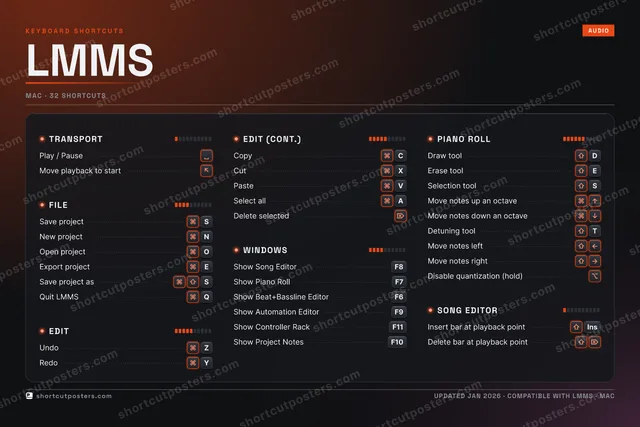
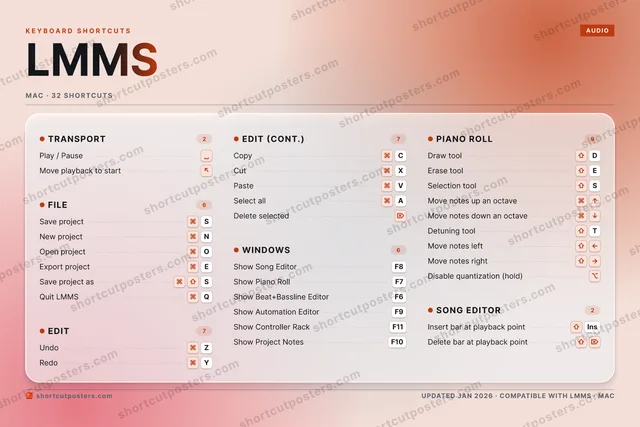
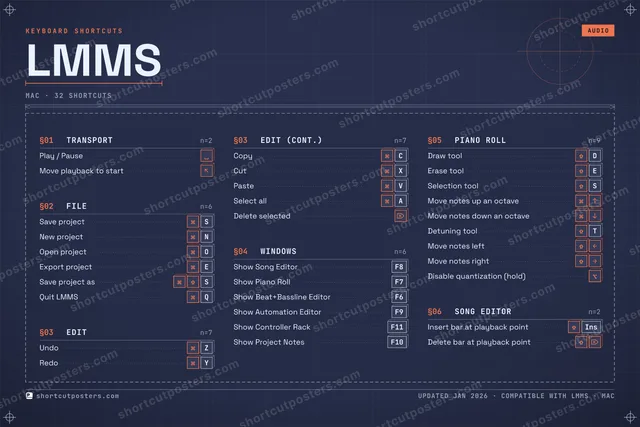
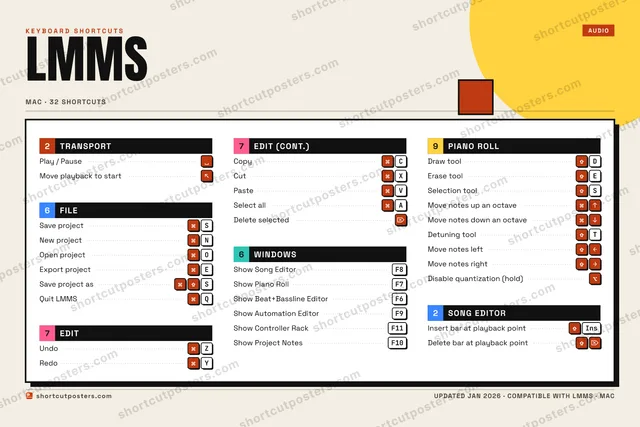
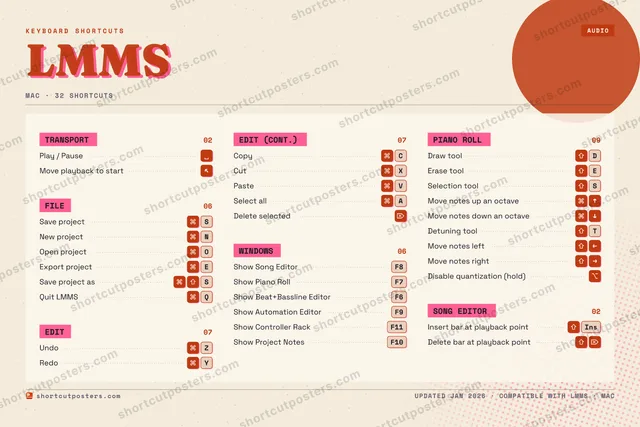
LMMSKEYBOARD SHORTCUTS · MAC · 321234567890QQuit LMMSWEExport p…RTDetuning…YRedoUIOOpen pro…PASelect a…SSave pro…DDraw toolFGHJKLZUndoXCutCCopyVPasteBNNew proj…MMORE SHORTCUTSPlay / PauseShow Song EditorF8Show Piano RollF7Delete selectedShow Beat+Basslin…F6Erase toolESelection toolSSave project asSMove playback to …Show Automation E…F9Move notes up an …Move notes down a…Show Controller R…F11Move notes leftMove notes rightInsert bar at pla…INSERTDelete bar at pla…Show Project NotesF10Disable quantizat…shortcutposters.comUPDATED JAN 2026 · COMPATIBLE WITH LMMS · MAC

Hover to locate · click on the poster to disable · drag to reorder categories & shortcuts · to rename a category

Free PNG $0
  • Web resolution (1600 px)
  • Light watermark
  • Instant download
Made to order
Custom print-ready PDF $2.99
  • 300 DPI, framed-quality — no watermark
  • Every standard print size
  • Built to order from the poster above — checkout link emailed to you

Trouble ordering? Email business@shortcutposters.com.

How it works

  1. 1

    Choose a style

    Pick from four layouts: isometric keys, a typewriter list, a labelled keyboard map, or a bold editorial print.

  2. 2

    Make it yours

    Set the accent colour and palette, rename categories, and reorder anything.

  3. 3

    Pick the shortcuts

    Toggle exactly which shortcuts appear — or add your own custom ones.

  4. 4

    Download or print

    Export a free high-resolution PNG instantly, or order a print-ready PDF.

Four styles to choose from

LMMSKEYBOARD SHORTCUTS · MAC · 20 ESSENTIAL1234567890QWEExport p…RTYRedoUIOOpen pro…PASelect a…SSave pro…DDraw toolFGHJKLZUndoXCutCCopyVPasteBNNew proj…MMORE SHORTCUTSPlay / PauseShow Song EditorF8Show Piano RollF7Delete selectedShow Beat+Basslin…F6Erase toolESelection toolSSave project asSMove playback to …shortcutposters.comUPDATED JAN 2026 · COMPATIBLE WITH LMMS · MAC
Keyboard map Every binding labelled on a realistic QWERTY or AZERTY keyboard.
FILESave projectSNew projectNOpen projectOExport projectESave project asSWINDOWSShow Song EditorF8Show Piano RollF7Show Beat+Bassline EditorF6PIANO ROLLDraw toolDErase toolESelection toolSTRANSPORTPlay / PauseMove playback to startEDITUndoZRedoYCopyCCutXPasteVSelect allADelete selectedLMMSKEYBOARD SHORTCUTS · MAC · 20 ESSENTIALBOTH LAYOUTSQWERTYQWERTYAZERTYAZERTYshortcutposters.comUPDATED JAN 2026 · COMPATIBLE WITH LMMS · MAC
Isometric Shortcuts on a 3D isometric keyboard — bold and poster-like.
FILE05Save projectSNew projectNOpen projectOExport projectESave project asSWINDOWS03Show Song EditorF8Show Piano RollF7Show Beat+Bassline EditorF6PIANO ROLL03Draw toolDErase toolESelection toolSTRANSPORT02Play / PauseMove playback to startEDIT07UndoZRedoYCopyCCutXPasteVSelect allADelete selectedLMMSKEYBOARD SHORTCUTS · MAC · 20 ESSENTIALBOTH LAYOUTSQWERTYQWERTYAZERTYAZERTYshortcutposters.comUPDATED JAN 2026 · COMPATIBLE WITH LMMS · MAC
Typewriter A clean printed list, grouped by category — dense and legible.
LMMS · KEYBOARD SHORTCUTSMac · 5 SETS · No.01LMMSTOTAL20SHORTCUTSFOR MAC · SHIPPED COMBOSSETSTRANSPORT02FILE05EDIT07WINDOWS03PIANO ROLL03REF. EDITION · JAN 2026shortcutposters.comPlay / PauseMove playback to startSave projectSNew projectNOpen projectOExport projectESave project asSUndoZRedoYCopyCCutXPasteVSelect allADelete selectedShow Song EditorF8Show Piano RollF7Show Beat+Bassline EditorF6Draw toolDErase toolESelection toolS
Editorial A bold Swiss-style print: giant wordmark, dense keycap columns, and a totals rail.

Frequently asked questions

Is the LMMS poster maker free?

Yes — you can design and download a high-resolution PNG of your LMMS shortcuts poster for free. A print-ready PDF is an optional paid upgrade.

Can I choose which LMMS shortcuts appear?

Yes. Toggle any shortcut on or off, reorder them, rename categories, and even add your own custom shortcuts.

Can I change the colours and style?

Yes. Pick an accent colour, choose a palette, and switch between the isometric, typewriter, and keyboard-map styles.

Which keyboard layout and operating system are supported?

Choose QWERTY or AZERTY, and switch the edition between the operating systems LMMS supports (macOS, Windows, Linux).

How do I get a printed poster?

Download the free PNG to print yourself, or order the print-ready, framed-quality PDF directly from the maker.