ShortcutPosters

Poster maker

Make your Final Cut Pro shortcuts poster
Pick the shortcuts that matter, add your own, tune the colours and style — then download a free personalized PNG, or order the print-ready PDF.

Making a poster for:
Style
Accent
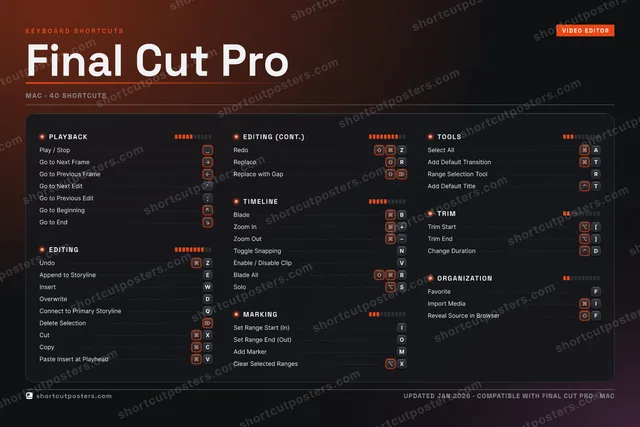
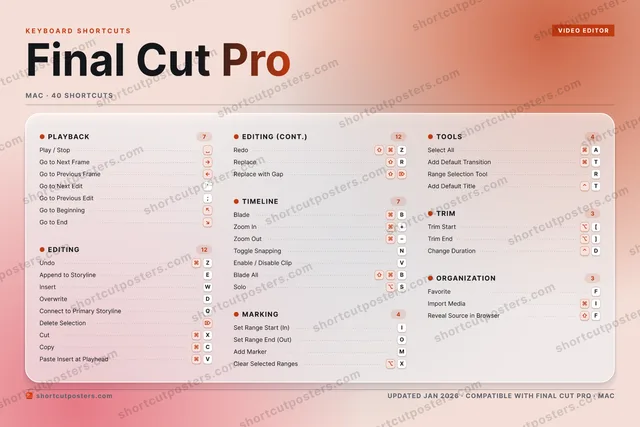
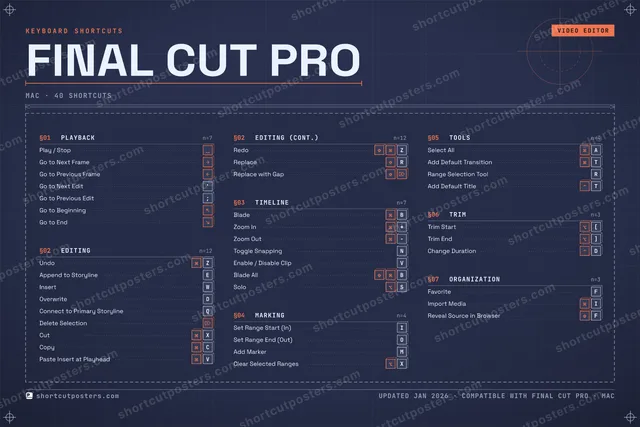
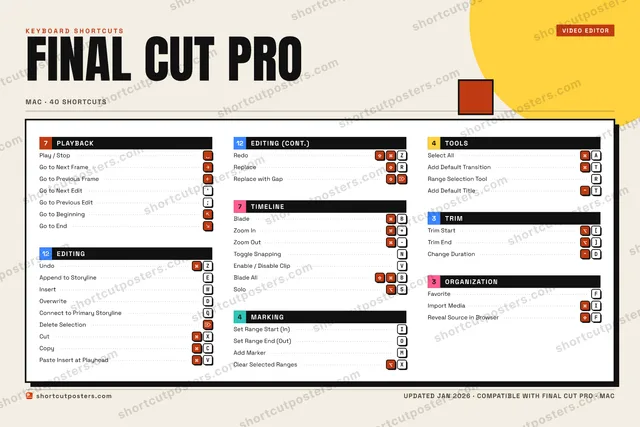
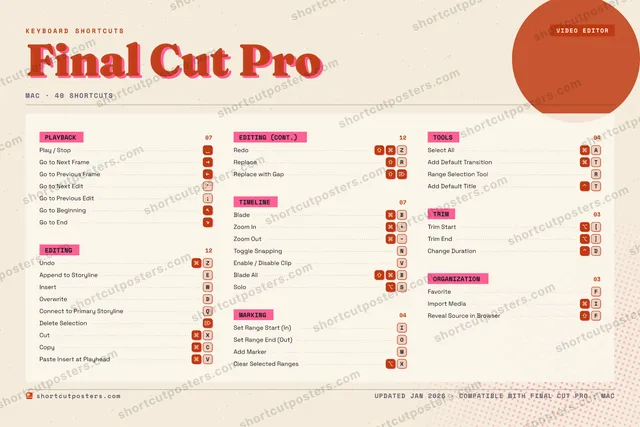
FINAL CUT PROKEYBOARD SHORTCUTS · MAC · 401234567890QConnect …WInsertEAppend t…RReplaceTAdd Defa…YUISet Rang…OSet Rang…PASelect A…SSoloDOverwriteFFavoriteGHJKLZUndoXCutCCopyVPaste In…BBladeNToggle S…MAdd Mark…MORE SHORTCUTSPlay / StopDelete Select…Go to Next Fr…Go to Previou…RedoZZoom In+Zoom OutGo to Next Ed…'Go to Previou…;Enable / Disa…VTrim Start[Trim End]Range Selecti…RImport MediaIGo to Beginni…Go to EndReplace with …Blade AllBChange Durati…DClear Selecte…XAdd Default T…TReveal Source…Fshortcutposters.comUPDATED JAN 2026 · COMPATIBLE WITH FINAL CUT PRO · MAC

Hover to locate · click on the poster to disable · drag to reorder categories & shortcuts · to rename a category

Free PNG $0
  • Web resolution (1600 px)
  • Light watermark
  • Instant download
Made to order
Custom print-ready PDF $2.99
  • 300 DPI, framed-quality — no watermark
  • Every standard print size
  • Built to order from the poster above — checkout link emailed to you

Trouble ordering? Email business@shortcutposters.com.

How it works

  1. 1

    Choose a style

    Pick from four layouts: isometric keys, a typewriter list, a labelled keyboard map, or a bold editorial print.

  2. 2

    Make it yours

    Set the accent colour and palette, rename categories, and reorder anything.

  3. 3

    Pick the shortcuts

    Toggle exactly which shortcuts appear — or add your own custom ones.

  4. 4

    Download or print

    Export a free high-resolution PNG instantly, or order a print-ready PDF.

Four styles to choose from

FINAL CUT PROKEYBOARD SHORTCUTS · MAC · 20 ESSENTIAL1234567890QConnect …WInsertEAppend t…RTYUISet Rang…OSet Rang…PASDOverwriteFGHJKLZUndoXCutCCopyVPaste In…BBladeNToggle S…MAdd Mark…MORE SHORTCUTSPlay / StopDelete SelectionGo to Next FrameGo to Previous Fr…RedoZZoom In+Zoom Outshortcutposters.comUPDATED JAN 2026 · COMPATIBLE WITH FINAL CUT PRO · MAC
Keyboard map Every binding labelled on a realistic QWERTY or AZERTY keyboard.
EDITINGUndoZAppend to StorylineEInsertWOverwriteDConnect to Primary StorylineQDelete SelectionCutXCopyCPaste Insert at PlayheadVRedoZMARKINGSet Range Start (In)ISet Range End (Out)OAdd MarkerMPLAYBACKPlay / StopGo to Next FrameGo to Previous FrameTIMELINEBladeBZoom In+Zoom OutToggle SnappingNFinal Cut ProKEYBOARD SHORTCUTS · MAC · 20 ESSENTIALBOTH LAYOUTSQWERTYQWERTYAZERTYAZERTYshortcutposters.comUPDATED JAN 2026 · COMPATIBLE WITH FINAL CUT PRO · MAC
Isometric Shortcuts on a 3D isometric keyboard — bold and poster-like.
PLAYBACK03Play / StopGo to Next FrameGo to Previous FrameTIMELINE04BladeBZoom In+Zoom OutToggle SnappingNMARKING03Set Range Start (In)ISet Range End (Out)OAdd MarkerMEDITING10UndoZAppend to StorylineEInsertWOverwriteDConnect to Primary StorylineQDelete SelectionCutXCopyCPaste Insert at PlayheadVRedoZFinal Cut ProKEYBOARD SHORTCUTS · MAC · 20 ESSENTIALBOTH LAYOUTSQWERTYQWERTYAZERTYAZERTYshortcutposters.comUPDATED JAN 2026 · COMPATIBLE WITH FINAL CUT PRO · MAC
Typewriter A clean printed list, grouped by category — dense and legible.
FINAL CUT PRO · KEYBOARD SHORTCUTSMac · 4 SETS · No.01FINAL CUT PROTOTAL20SHORTCUTSFOR MAC · SHIPPED COMBOSSETSPLAYBACK03EDITING10TIMELINE04MARKING03REF. EDITION · JAN 2026shortcutposters.comPlay / StopGo to Next FrameGo to Previous FrameUndoZAppend to StorylineEInsertWOverwriteDConnect to Primary StorylineQDelete SelectionCutXCopyCPaste Insert at PlayheadVRedoZBladeBZoom In+Zoom OutToggle SnappingNSet Range Start (In)ISet Range End (Out)OAdd MarkerM
Editorial A bold Swiss-style print: giant wordmark, dense keycap columns, and a totals rail.

Frequently asked questions

Is the Final Cut Pro poster maker free?

Yes — you can design and download a high-resolution PNG of your Final Cut Pro shortcuts poster for free. A print-ready PDF is an optional paid upgrade.

Can I choose which Final Cut Pro shortcuts appear?

Yes. Toggle any shortcut on or off, reorder them, rename categories, and even add your own custom shortcuts.

Can I change the colours and style?

Yes. Pick an accent colour, choose a palette, and switch between the isometric, typewriter, and keyboard-map styles.

Which keyboard layout and operating system are supported?

Choose QWERTY or AZERTY, and switch the edition between the operating systems Final Cut Pro supports (macOS, Windows, Linux).

How do I get a printed poster?

Download the free PNG to print yourself, or order the print-ready, framed-quality PDF directly from the maker.