ShortcutPosters

Poster maker

Make your Adobe Dreamweaver shortcuts poster

Pick the shortcuts that matter, add your own, tune the colours and style — then download a free personalized PNG, or order the print-ready PDF.

Making a poster for:
Style
Accent
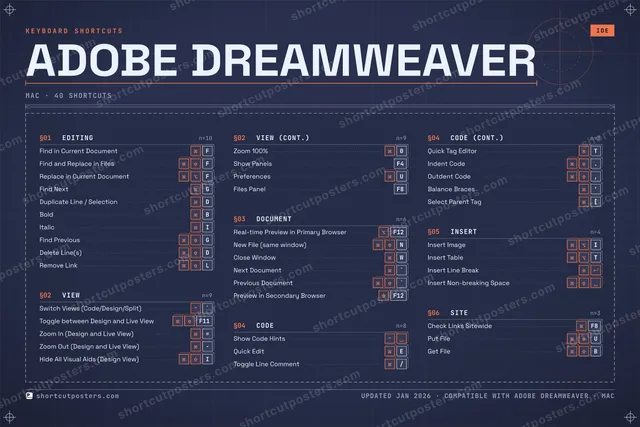
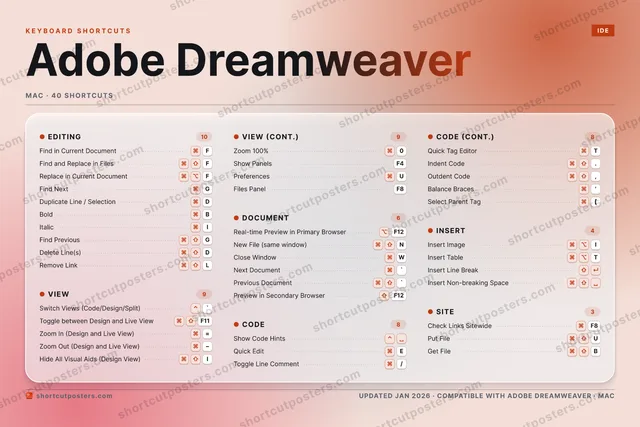
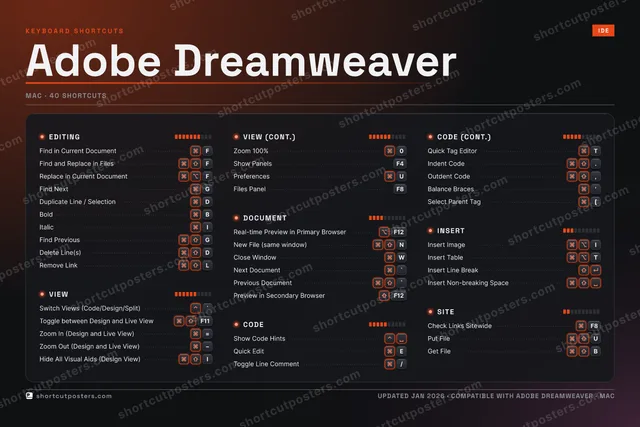
ADOBE DREAMWEAVERKEYBOARD SHORTCUTS · MAC · 37 ESSENTIAL1234567890Zoom 100%QWClose Wi…EQuick Ed…RTQuick Ta…YUPreferen…IItalicOPASDDuplicat…FFind in …GFind NextHJKL⌘ ⇧Remove L…ZXCVBBoldN⌘ ⇧New File…MMORE SHORTCUTSSwitch Views …`Real-time Pre…F12Show Code Hin…Next Document`Find and Repl…FReplace in Cu…FToggle Line C…/Toggle betwee…F11Insert ImageIPrevious Docu…`Find PreviousGDelete Line(s)DIndent Code.Outdent Code,Zoom In (Desi…=Zoom Out (Des…Insert TableTInsert Line B…Preview in Se…F12Balance Braces'Select Parent…[Hide All Visu…IShow PanelsF4Files PanelF8Insert Non-br…shortcutposters.comUPDATED JAN 2026 · COMPATIBLE WITH ADOBE DREAMWEAVER · MAC

Hover to locate · click on the poster to disable · drag to reorder categories & shortcuts · to rename a category

Free PNG $0
  • Web resolution (1600 px)
  • Light watermark
  • Instant download
Made to order
Custom print-ready PDF $2.99
  • 300 DPI, framed-quality — no watermark
  • Every standard print size
  • Built to order from the poster above — checkout link emailed to you

Trouble ordering? Email business@shortcutposters.com.

How it works

  1. 1

    Choose a style

    Pick from four layouts: isometric keys, a typewriter list, a labelled keyboard map, or a bold editorial print.

  2. 2

    Make it yours

    Set the accent colour and palette, rename categories, and reorder anything.

  3. 3

    Pick the shortcuts

    Toggle exactly which shortcuts appear — or add your own custom ones.

  4. 4

    Download or print

    Export a free high-resolution PNG instantly, or order a print-ready PDF.

Four styles to choose from

ADOBE DREAMWEAVERKEYBOARD SHORTCUTS · MAC · 20 ESSENTIAL1234567890QWClose Wi…EQuick Ed…RTYUIItalicOPASDDuplicat…FFind in …GFind NextHJKLZXCVBBoldN⌘ ⇧New File…MMORE SHORTCUTSSwitch Views (Cod…`Real-time Preview…F12Show Code HintsNext Document`Find and Replace …FReplace in Curren…FToggle Line Comme…/Toggle between De…F11Insert ImageIPrevious Document`Find PreviousGDelete Line(s)Dshortcutposters.comUPDATED JAN 2026 · COMPATIBLE WITH ADOBE DREAMWEAVER · MAC
Keyboard map Every binding labelled on a realistic QWERTY or AZERTY keyboard.
VIEWSwitch Views (Code/Design/Split)`Toggle between Design and Live ViewF11DOCUMENTReal-time Preview in Primary Brows…F12New File (same window)NClose WindowWNext Document`Previous Document`INSERTInsert ImageIEDITINGFind in Current DocumentFFind and Replace in FilesFReplace in Current DocumentFFind NextGDuplicate Line / SelectionDBoldBItalicIFind PreviousGDelete Line(s)DCODEShow Code HintsQuick EditEToggle Line Comment/Adobe DreamweaverKEYBOARD SHORTCUTS · MAC · 20 ESSENTIALBOTH LAYOUTSQWERTYQWERTYAZERTYAZERTYshortcutposters.comUPDATED JAN 2026 · COMPATIBLE WITH ADOBE DREAMWEAVER · MAC
Isometric Shortcuts on a 3D isometric keyboard — bold and poster-like.
VIEW02Switch Views (Code/Design/Split)`Toggle between Design and Live ViewF11DOCUMENT05Real-time Preview in Primary Brows…F12New File (same window)NClose WindowWNext Document`Previous Document`INSERT01Insert ImageIEDITING09Find in Current DocumentFFind and Replace in FilesFReplace in Current DocumentFFind NextGDuplicate Line / SelectionDBoldBItalicIFind PreviousGDelete Line(s)DCODE03Show Code HintsQuick EditEToggle Line Comment/Adobe DreamweaverKEYBOARD SHORTCUTS · MAC · 20 ESSENTIALBOTH LAYOUTSQWERTYQWERTYAZERTYAZERTYshortcutposters.comUPDATED JAN 2026 · COMPATIBLE WITH ADOBE DREAMWEAVER · MAC
Typewriter A clean printed list, grouped by category — dense and legible.
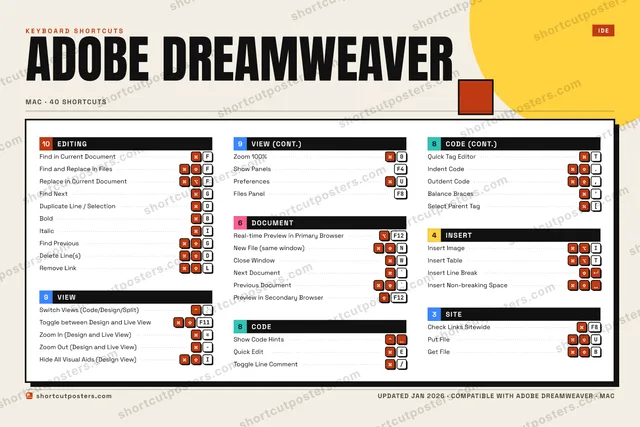
ADOBE DREAMWEAVER · KEYBOARD SHORTCUTSMac · 5 SETS · No.01ADOBE DREAMWEAVERTOTAL20SHORTCUTSFOR MAC · SHIPPED COMBOSSETSEDITING09VIEW02DOCUMENT05CODE03INSERT01REF. EDITION · JAN 2026shortcutposters.comFind in Current DocumentFFind and Replace in FilesFReplace in Current DocumentFFind NextGDuplicate Line / SelectionDBoldBItalicIFind PreviousGDelete Line(s)DSwitch Views (Code/Design/Split)`Toggle between Design and Live ViewF11Real-time Preview in Primary BrowserF12New File (same window)NClose WindowWNext Document`Previous Document`Show Code HintsQuick EditEToggle Line Comment/Insert ImageI
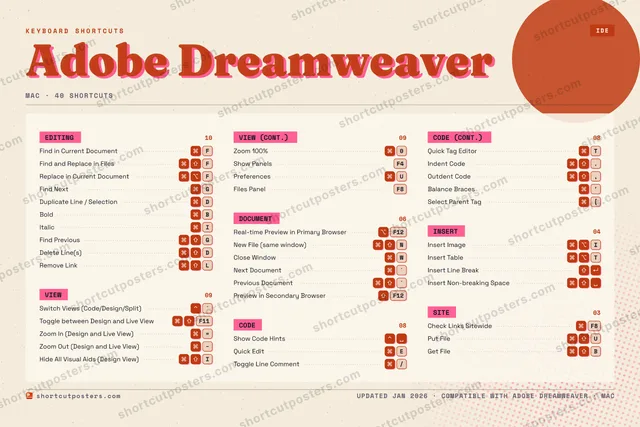
Editorial A bold Swiss-style print: giant wordmark, dense keycap columns, and a totals rail.

Frequently asked questions

Is the Adobe Dreamweaver poster maker free?

Yes — you can design and download a high-resolution PNG of your Adobe Dreamweaver shortcuts poster for free. A print-ready PDF is an optional paid upgrade.

Can I choose which Adobe Dreamweaver shortcuts appear?

Yes. Toggle any shortcut on or off, reorder them, rename categories, and even add your own custom shortcuts.

Can I change the colours and style?

Yes. Pick an accent colour, choose a palette, and switch between the isometric, typewriter, and keyboard-map styles.

Which keyboard layout and operating system are supported?

Choose QWERTY or AZERTY, and switch the edition between the operating systems Adobe Dreamweaver supports (macOS, Windows, Linux).

How do I get a printed poster?

Download the free PNG to print yourself, or order the print-ready, framed-quality PDF directly from the maker.