ShortcutPosters

Poster maker

Make your Dorico shortcuts poster

Pick the shortcuts that matter, add your own, tune the colours and style — then download a free personalized PNG, or order the print-ready PDF.

Making a poster for:
Style
Accent
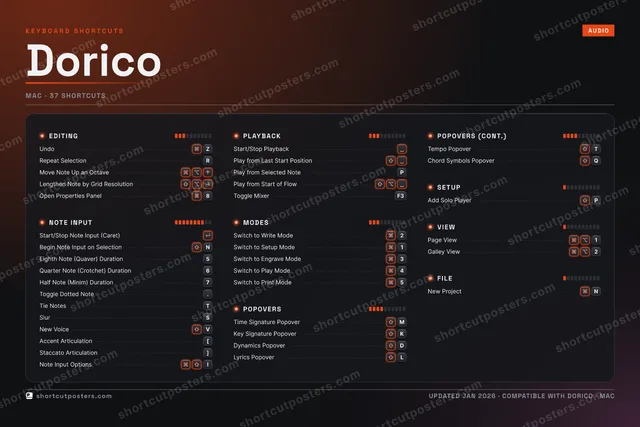
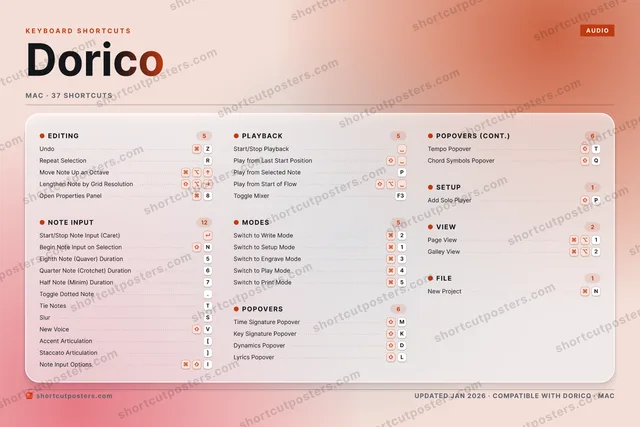
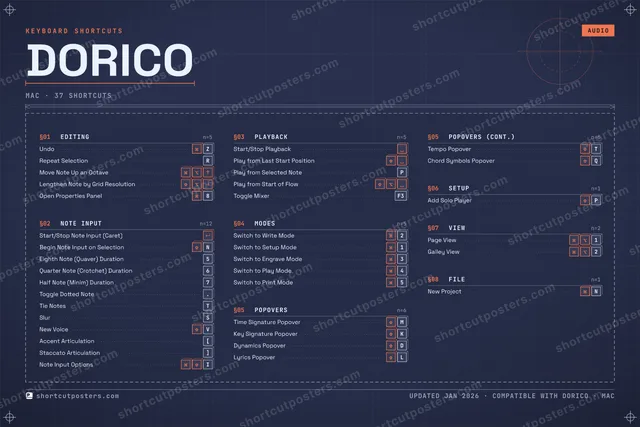
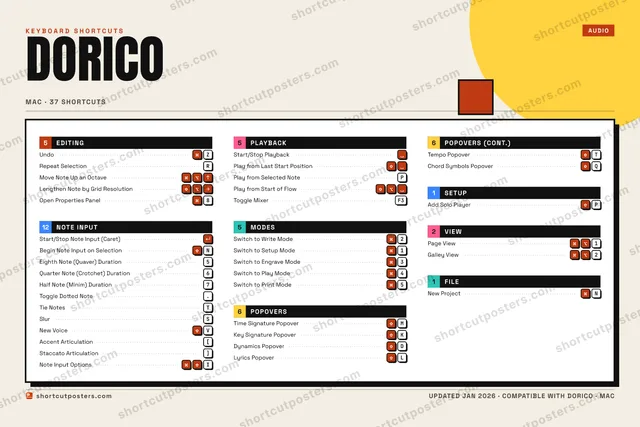
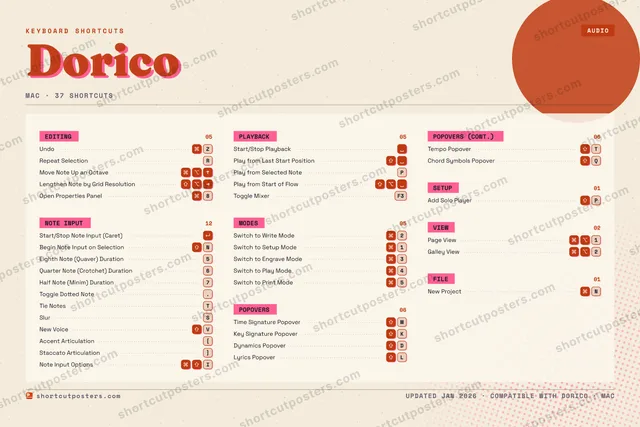
DORICOKEYBOARD SHORTCUTS · MAC · 371Switch t…2Switch t…3Switch t…4Switch t…5Eighth N…6Quarter …7Half Not…8Open Pro…90QChord Sy…WERRepeat S…TTie NotesYUI⌘ ⇧Note Inp…OPAdd Solo…ASSlurDDynamics…FGHJKKey Sign…LLyrics P…ZUndoXCVNew VoiceBNBegin No…MTime Sig…MORE SHORTCUTSStart/Stop Note I…Start/Stop Playba…Switch to Print M…5Toggle Dotted Note.Move Note Up an O…Lengthen Note by …Tempo PopoverTPlay from Last St…Play from Selecte…PPage View1Galley View2New ProjectNAccent Articulati…[Staccato Articula…]Play from Start o…Toggle MixerF3shortcutposters.comUPDATED JAN 2026 · COMPATIBLE WITH DORICO · MAC

Hover to locate · click on the poster to disable · drag to reorder categories & shortcuts · to rename a category

Free PNG $0
  • Web resolution (1600 px)
  • Light watermark
  • Instant download
Made to order
Custom print-ready PDF $2.99
  • 300 DPI, framed-quality — no watermark
  • Every standard print size
  • Built to order from the poster above — checkout link emailed to you

Trouble ordering? Email business@shortcutposters.com.

How it works

  1. 1

    Choose a style

    Pick from four layouts: isometric keys, a typewriter list, a labelled keyboard map, or a bold editorial print.

  2. 2

    Make it yours

    Set the accent colour and palette, rename categories, and reorder anything.

  3. 3

    Pick the shortcuts

    Toggle exactly which shortcuts appear — or add your own custom ones.

  4. 4

    Download or print

    Export a free high-resolution PNG instantly, or order a print-ready PDF.

Four styles to choose from

DORICOKEYBOARD SHORTCUTS · MAC · 20 ESSENTIAL1Switch t…2Switch t…3Switch t…4Switch t…5Eighth N…6Quarter …7Half Not…890QWERRepeat S…TTie NotesYUIOPASDDynamics…FGHJKKey Sign…LLyrics P…ZUndoXCVBNBegin No…MTime Sig…MORE SHORTCUTSStart/Stop Note I…Start/Stop Playba…Switch to Print M…5Toggle Dotted Note.Move Note Up an O…shortcutposters.comUPDATED JAN 2026 · COMPATIBLE WITH DORICO · MAC
Keyboard map Every binding labelled on a realistic QWERTY or AZERTY keyboard.
EDITINGUndoZRepeat SelectionRMove Note Up an OctavePLAYBACKStart/Stop PlaybackPOPOVERSTime Signature PopoverMKey Signature PopoverKDynamics PopoverDLyrics PopoverLNOTE INPUTStart/Stop Note Input (Caret)Begin Note Input on SelectionNEighth Note (Quaver) Duration5Quarter Note (Crotchet) Duration6Half Note (Minim) Duration7Toggle Dotted Note.Tie NotesTMODESSwitch to Write Mode2Switch to Setup Mode1Switch to Engrave Mode3Switch to Play Mode4Switch to Print Mode5DoricoKEYBOARD SHORTCUTS · MAC · 20 ESSENTIALBOTH LAYOUTSQWERTYQWERTYAZERTYAZERTYshortcutposters.comUPDATED JAN 2026 · COMPATIBLE WITH DORICO · MAC
Isometric Shortcuts on a 3D isometric keyboard — bold and poster-like.
NOTE INPUT07Start/Stop Note Input (Caret)Begin Note Input on SelectionNEighth Note (Quaver) Duration5Quarter Note (Crotchet) Duration6Half Note (Minim) Duration7Toggle Dotted Note.Tie NotesTPOPOVERS04Time Signature PopoverMKey Signature PopoverKDynamics PopoverDLyrics PopoverLEDITING03UndoZRepeat SelectionRMove Note Up an OctavePLAYBACK01Start/Stop PlaybackMODES05Switch to Write Mode2Switch to Setup Mode1Switch to Engrave Mode3Switch to Play Mode4Switch to Print Mode5DoricoKEYBOARD SHORTCUTS · MAC · 20 ESSENTIALBOTH LAYOUTSQWERTYQWERTYAZERTYAZERTYshortcutposters.comUPDATED JAN 2026 · COMPATIBLE WITH DORICO · MAC
Typewriter A clean printed list, grouped by category — dense and legible.
DORICO · KEYBOARD SHORTCUTSMac · 5 SETS · No.01DORICOTOTAL20SHORTCUTSFOR MAC · SHIPPED COMBOSSETSEDITING03NOTE INPUT07PLAYBACK01MODES05POPOVERS04REF. EDITION · JAN 2026shortcutposters.comUndoZRepeat SelectionRMove Note Up an OctaveStart/Stop Note Input (Caret)Begin Note Input on SelectionNEighth Note (Quaver) Duration5Quarter Note (Crotchet) Duration6Half Note (Minim) Duration7Toggle Dotted Note.Tie NotesTStart/Stop PlaybackSwitch to Write Mode2Switch to Setup Mode1Switch to Engrave Mode3Switch to Play Mode4Switch to Print Mode5Time Signature PopoverMKey Signature PopoverKDynamics PopoverDLyrics PopoverL
Editorial A bold Swiss-style print: giant wordmark, dense keycap columns, and a totals rail.

Frequently asked questions

Is the Dorico poster maker free?

Yes — you can design and download a high-resolution PNG of your Dorico shortcuts poster for free. A print-ready PDF is an optional paid upgrade.

Can I choose which Dorico shortcuts appear?

Yes. Toggle any shortcut on or off, reorder them, rename categories, and even add your own custom shortcuts.

Can I change the colours and style?

Yes. Pick an accent colour, choose a palette, and switch between the isometric, typewriter, and keyboard-map styles.

Which keyboard layout and operating system are supported?

Choose QWERTY or AZERTY, and switch the edition between the operating systems Dorico supports (macOS, Windows, Linux).

How do I get a printed poster?

Download the free PNG to print yourself, or order the print-ready, framed-quality PDF directly from the maker.