ShortcutPosters

Poster maker

Make your Dolphin shortcuts poster

Pick the shortcuts that matter, add your own, tune the colours and style — then download a free personalized PNG, or order the print-ready PDF.

Making a poster for:
Style
Accent
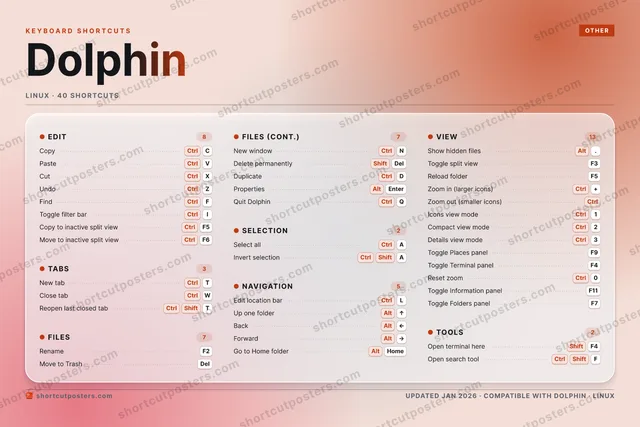
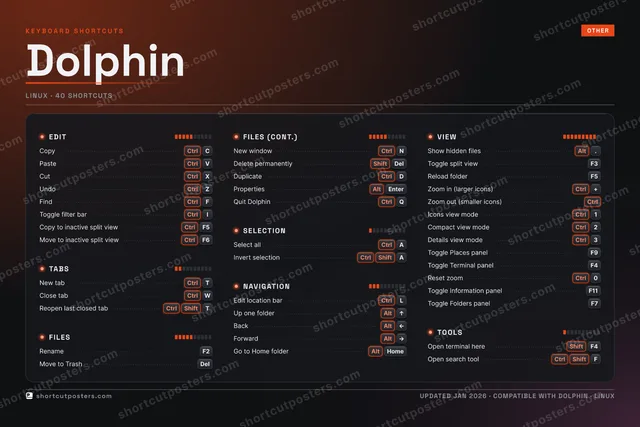
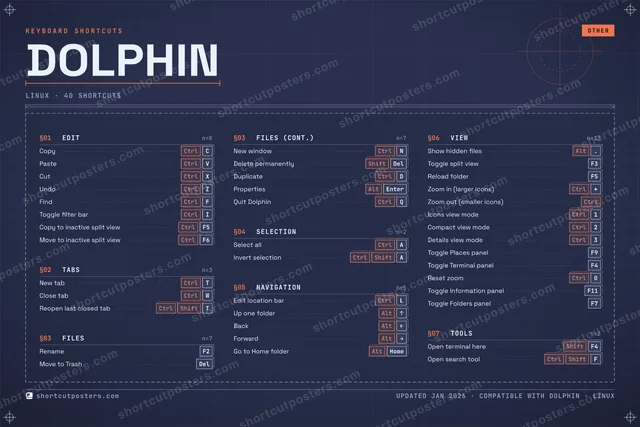
DOLPHINKEYBOARD SHORTCUTS · LINUX · 401CtrlIcons vi…2CtrlCompact …3CtrlDetails …4567890CtrlReset zo…QCtrlQuit Dol…WCtrlClose tabERTCtrlNew tabYUICtrlToggle f…OPACtrlSelect a…SDCtrlDuplicateFCtrlFindGHJKLCtrlEdit loc…ZCtrlUndoXCtrlCutCCtrlCopyVCtrlPasteBNCtrlNew wind…MMORE SHORTCUTSRenameF2Move to TrashDelUp one folderAltUPBackAltLEFTForwardAltRIGHTReopen last c…CtrlShiftTDelete perman…ShiftDelShow hidden f…Alt.Toggle split …F3Reload folderF5Go to Home fo…AltHOMEPropertiesAltEnterInvert select…CtrlShiftAZoom in (larg…Ctrl+Zoom out (sma…CtrlToggle Places…F9Toggle Termin…F4Open terminal…ShiftF4Copy to inact…CtrlF5Move to inact…CtrlF6Toggle Inform…F11Toggle Folder…F7Open search t…CtrlShiftFshortcutposters.comUPDATED JAN 2026 · COMPATIBLE WITH DOLPHIN · LINUX

Hover to locate · click on the poster to disable · drag to reorder categories & shortcuts · to rename a category

Free PNG $0
  • Web resolution (1600 px)
  • Light watermark
  • Instant download
Made to order
Custom print-ready PDF $2.99
  • 300 DPI, framed-quality — no watermark
  • Every standard print size
  • Built to order from the poster above — checkout link emailed to you

Trouble ordering? Email business@shortcutposters.com.

How it works

  1. 1

    Choose a style

    Pick from four layouts: isometric keys, a typewriter list, a labelled keyboard map, or a bold editorial print.

  2. 2

    Make it yours

    Set the accent colour and palette, rename categories, and reorder anything.

  3. 3

    Pick the shortcuts

    Toggle exactly which shortcuts appear — or add your own custom ones.

  4. 4

    Download or print

    Export a free high-resolution PNG instantly, or order a print-ready PDF.

Four styles to choose from

DOLPHINKEYBOARD SHORTCUTS · LINUX · 20 ESSENTIAL1234567890QWCtrlClose tabERTCtrlNew tabYUICtrlToggle f…OPACtrlSelect a…SDFCtrlFindGHJKLCtrlEdit loc…ZCtrlUndoXCtrlCutCCtrlCopyVCtrlPasteBNCtrlNew wind…MMORE SHORTCUTSRenameF2Move to TrashDelUp one folderAltUPBackAltLEFTForwardAltRIGHTReopen last close…CtrlShiftTDelete permanentlyShiftDelShow hidden filesAlt.Toggle split viewF3shortcutposters.comUPDATED JAN 2026 · COMPATIBLE WITH DOLPHIN · LINUX
Keyboard map Every binding labelled on a realistic QWERTY or AZERTY keyboard.
TABSNew tabCtrlTClose tabCtrlWReopen last closed tabCtrlShiftTFILESRenameF2Move to TrashDelNew windowCtrlNDelete permanentlyShiftDelVIEWShow hidden filesAlt.Toggle split viewF3EDITCopyCtrlCPasteCtrlVCutCtrlXUndoCtrlZFindCtrlFToggle filter barCtrlISELECTIONSelect allCtrlANAVIGATIONEdit location barCtrlLUp one folderAltUPBackAltLEFTForwardAltRIGHTDolphinKEYBOARD SHORTCUTS · LINUX · 20 ESSENTIALBOTH LAYOUTSQWERTYQWERTYAZERTYAZERTYshortcutposters.comUPDATED JAN 2026 · COMPATIBLE WITH DOLPHIN · LINUX
Isometric Shortcuts on a 3D isometric keyboard — bold and poster-like.
TABS03New tabCtrlTClose tabCtrlWReopen last closed tabCtrlShiftTFILES04RenameF2Move to TrashDelNew windowCtrlNDelete permanentlyShiftDelVIEW02Show hidden filesAlt.Toggle split viewF3EDIT06CopyCtrlCPasteCtrlVCutCtrlXUndoCtrlZFindCtrlFToggle filter barCtrlISELECTION01Select allCtrlANAVIGATION04Edit location barCtrlLUp one folderAltUPBackAltLEFTForwardAltRIGHTDolphinKEYBOARD SHORTCUTS · LINUX · 20 ESSENTIALBOTH LAYOUTSQWERTYQWERTYAZERTYAZERTYshortcutposters.comUPDATED JAN 2026 · COMPATIBLE WITH DOLPHIN · LINUX
Typewriter A clean printed list, grouped by category — dense and legible.
DOLPHIN · KEYBOARD SHORTCUTSLinux · 6 SETS · No.01DOLPHINTOTAL20SHORTCUTSFOR LINUX · SHIPPED COMBOSSETSEDIT06TABS03FILES04SELECTION01NAVIGATION04VIEW02REF. EDITION · JAN 2026shortcutposters.comCopyCtrlCPasteCtrlVCutCtrlXUndoCtrlZFindCtrlFToggle filter barCtrlINew tabCtrlTClose tabCtrlWReopen last closed tabCtrlShiftTRenameF2Move to TrashDelNew windowCtrlNDelete permanentlyShiftDelSelect allCtrlAEdit location barCtrlLUp one folderAltUPBackAltLEFTForwardAltRIGHTShow hidden filesAlt.Toggle split viewF3
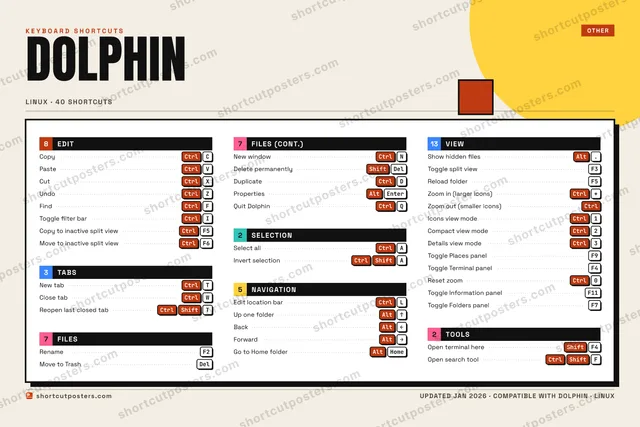
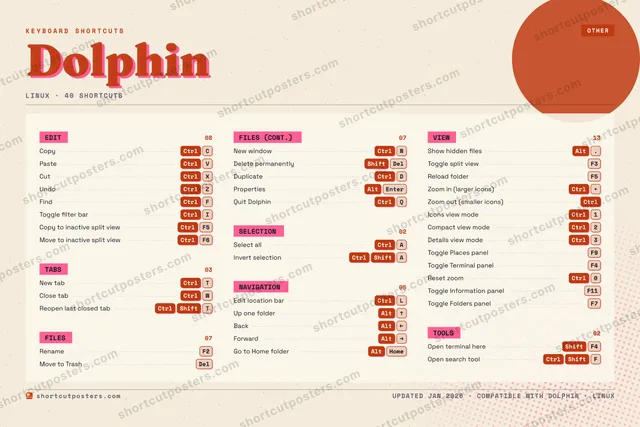
Editorial A bold Swiss-style print: giant wordmark, dense keycap columns, and a totals rail.

Frequently asked questions

Is the Dolphin poster maker free?

Yes — you can design and download a high-resolution PNG of your Dolphin shortcuts poster for free. A print-ready PDF is an optional paid upgrade.

Can I choose which Dolphin shortcuts appear?

Yes. Toggle any shortcut on or off, reorder them, rename categories, and even add your own custom shortcuts.

Can I change the colours and style?

Yes. Pick an accent colour, choose a palette, and switch between the isometric, typewriter, and keyboard-map styles.

Which keyboard layout and operating system are supported?

Choose QWERTY or AZERTY, and switch the edition between the operating systems Dolphin supports (macOS, Windows, Linux).

How do I get a printed poster?

Download the free PNG to print yourself, or order the print-ready, framed-quality PDF directly from the maker.