ShortcutPosters

Poster maker

Make your darktable shortcuts poster
Pick the shortcuts that matter, add your own, tune the colours and style — then download a free personalized PNG, or order the print-ready PDF.

Making a poster for:
Style
Accent
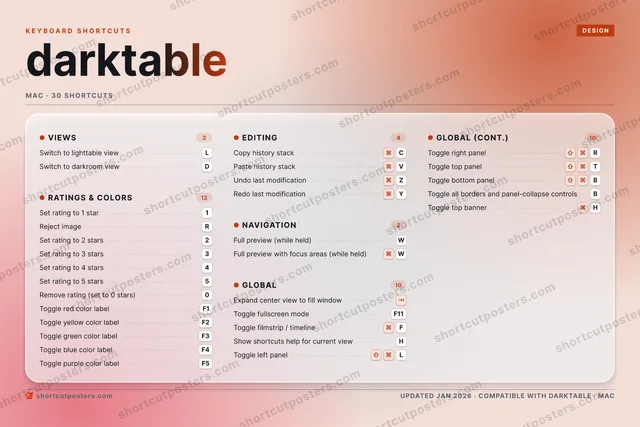
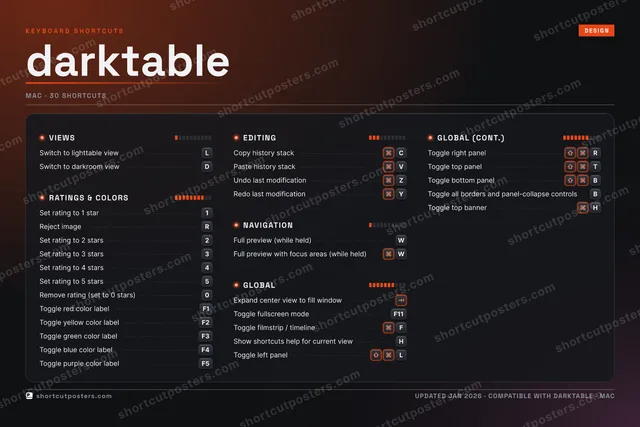
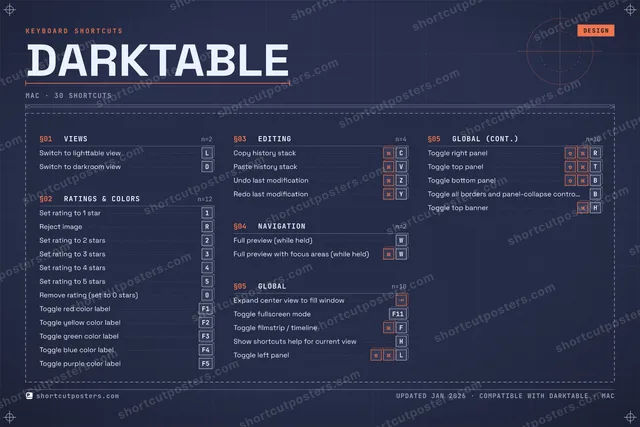
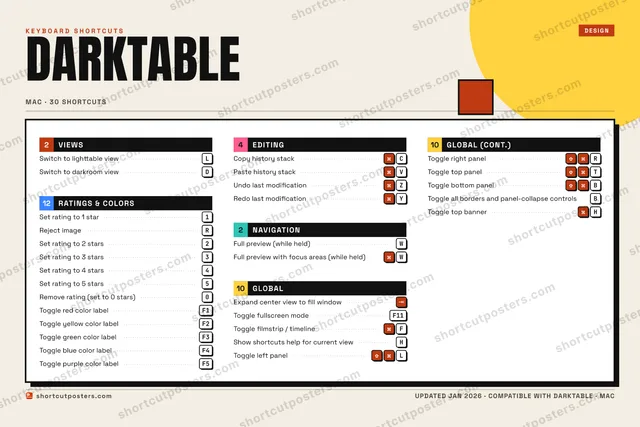
DARKTABLEKEYBOARD SHORTCUTS · MAC · 301Set rati…2Set rati…3Set rati…4Set rati…5Set rati…67890Remove r…QWFull pre…ERReject i…T⇧ ⌃Toggle t…YRedo las…UIOPASDSwitch t…FToggle f…GHShow sho…JKLSwitch t…ZUndo las…XCCopy his…VPaste hi…B⇧ ⌃Toggle b…NMMORE SHORTCUTSExpand center vie…Toggle red color …F1Full preview with…WToggle fullscreen…F11Toggle yellow col…F2Toggle green colo…F3Toggle blue color…F4Toggle purple col…F5Toggle left panelLToggle right panelRToggle all border…BToggle top bannerHshortcutposters.comUPDATED JAN 2026 · COMPATIBLE WITH DARKTABLE · MAC

Hover to locate · click on the poster to disable · drag to reorder categories & shortcuts · to rename a category

Free PNG $0
  • Web resolution (1600 px)
  • Light watermark
  • Instant download
Made to order
Custom print-ready PDF $2.99
  • 300 DPI, framed-quality — no watermark
  • Every standard print size
  • Built to order from the poster above — checkout link emailed to you

Trouble ordering? Email business@shortcutposters.com.

How it works

  1. 1

    Choose a style

    Pick from four layouts: isometric keys, a typewriter list, a labelled keyboard map, or a bold editorial print.

  2. 2

    Make it yours

    Set the accent colour and palette, rename categories, and reorder anything.

  3. 3

    Pick the shortcuts

    Toggle exactly which shortcuts appear — or add your own custom ones.

  4. 4

    Download or print

    Export a free high-resolution PNG instantly, or order a print-ready PDF.

Four styles to choose from

DARKTABLEKEYBOARD SHORTCUTS · MAC · 20 ESSENTIAL1Set rati…2Set rati…3Set rati…4Set rati…5Set rati…67890Remove r…QWFull pre…ERReject i…TYRedo las…UIOPASDSwitch t…FToggle f…GHShow sho…JKLSwitch t…ZUndo las…XCCopy his…VPaste hi…BNMMORE SHORTCUTSExpand center vie…Toggle red color …F1Full preview with…WToggle fullscreen…F11shortcutposters.comUPDATED JAN 2026 · COMPATIBLE WITH DARKTABLE · MAC
Keyboard map Every binding labelled on a realistic QWERTY or AZERTY keyboard.
VIEWSSwitch to lighttable viewLSwitch to darkroom viewDEDITINGCopy history stackCPaste history stackVUndo last modificationZRedo last modificationYGLOBALExpand center view to fill windowToggle fullscreen modeF11Toggle filmstrip / timelineFShow shortcuts help for current vi…HRATINGS & COLORSSet rating to 1 star1Reject imageRSet rating to 2 stars2Set rating to 3 stars3Set rating to 4 stars4Set rating to 5 stars5Remove rating (set to 0 stars)0Toggle red color labelF1NAVIGATIONFull preview (while held)WFull preview with focus areas (whi…WdarktableKEYBOARD SHORTCUTS · MAC · 20 ESSENTIALBOTH LAYOUTSQWERTYQWERTYAZERTYAZERTYshortcutposters.comUPDATED JAN 2026 · COMPATIBLE WITH DARKTABLE · MAC
Isometric Shortcuts on a 3D isometric keyboard — bold and poster-like.
VIEWS02Switch to lighttable viewLSwitch to darkroom viewDEDITING04Copy history stackCPaste history stackVUndo last modificationZRedo last modificationYGLOBAL04Expand center view to fill windowToggle fullscreen modeF11Toggle filmstrip / timelineFShow shortcuts help for current vi…HRATINGS & COLORS08Set rating to 1 star1Reject imageRSet rating to 2 stars2Set rating to 3 stars3Set rating to 4 stars4Set rating to 5 stars5Remove rating (set to 0 stars)0Toggle red color labelF1NAVIGATION02Full preview (while held)WFull preview with focus areas (whi…WdarktableKEYBOARD SHORTCUTS · MAC · 20 ESSENTIALBOTH LAYOUTSQWERTYQWERTYAZERTYAZERTYshortcutposters.comUPDATED JAN 2026 · COMPATIBLE WITH DARKTABLE · MAC
Typewriter A clean printed list, grouped by category — dense and legible.
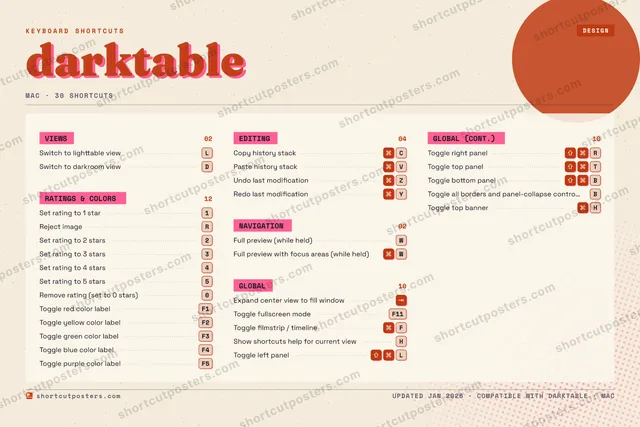
DARKTABLE · KEYBOARD SHORTCUTSMac · 5 SETS · No.01DARKTABLETOTAL20SHORTCUTSFOR MAC · SHIPPED COMBOSSETSVIEWS02RATINGS & COL08EDITING04NAVIGATION02GLOBAL04REF. EDITION · JAN 2026shortcutposters.comSwitch to lighttable viewLSwitch to darkroom viewDSet rating to 1 star1Reject imageRSet rating to 2 stars2Set rating to 3 stars3Set rating to 4 stars4Set rating to 5 stars5Remove rating (set to 0 stars)0Toggle red color labelF1Copy history stackCPaste history stackVUndo last modificationZRedo last modificationYFull preview (while held)WFull preview with focus areas (while held)WExpand center view to fill windowToggle fullscreen modeF11Toggle filmstrip / timelineFShow shortcuts help for current viewH
Editorial A bold Swiss-style print: giant wordmark, dense keycap columns, and a totals rail.

Frequently asked questions

Is the darktable poster maker free?

Yes — you can design and download a high-resolution PNG of your darktable shortcuts poster for free. A print-ready PDF is an optional paid upgrade.

Can I choose which darktable shortcuts appear?

Yes. Toggle any shortcut on or off, reorder them, rename categories, and even add your own custom shortcuts.

Can I change the colours and style?

Yes. Pick an accent colour, choose a palette, and switch between the isometric, typewriter, and keyboard-map styles.

Which keyboard layout and operating system are supported?

Choose QWERTY or AZERTY, and switch the edition between the operating systems darktable supports (macOS, Windows, Linux).

How do I get a printed poster?

Download the free PNG to print yourself, or order the print-ready, framed-quality PDF directly from the maker.