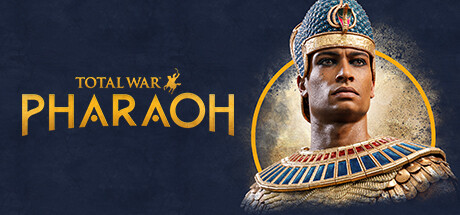
Total War: Pharaoh Keyboard controls
- Windows · Mac
- 20 default keybinds
- Strategy →
- Total War collection →
Cover art © its publisher — for identification only. Cover © its publisher. Details
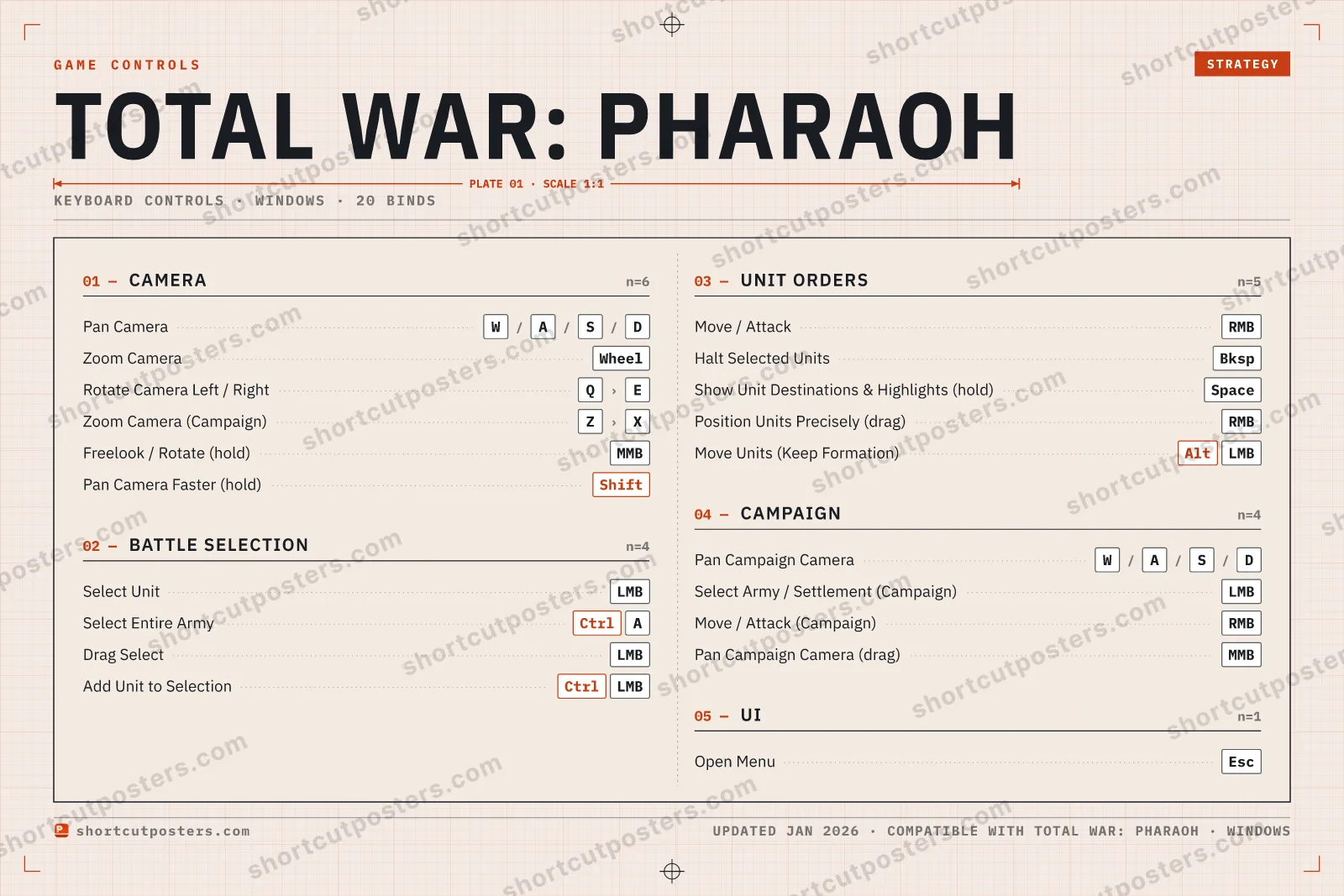
A reference to the default keyboard and mouse controls for Total War: Pharaoh on PC. Covers the battle and campaign camera, selecting units, issuing movement and combat orders, and ending your turn, following the standard Total War engine conventions.
All Total War: Pharaoh keyboard controls
Camera 6
| Action | Shortcut |
|---|---|
| Pan Camera | WthenAthenSthenD |
| Zoom Camera | Wheel |
| Rotate Camera Left / Right | QthenE |
| Zoom Camera (Campaign) | ZthenX |
| Freelook / Rotate (hold) | MMB |
| Pan Camera Faster (hold) | Shift |
Unit Orders 5
| Action | Shortcut |
|---|---|
| Move / Attack | RMB |
| Halt Selected Units | Bksp |
| Show Unit Destinations & Highlights (hold) | Space |
| Position Units Precisely (drag) | RMB |
| Move Units (Keep Formation) | AltLMB |
Battle Selection 4
| Action | Shortcut |
|---|---|
| Select Unit | LMB |
| Select Entire Army | CtrlA |
| Drag Select | LMB |
| Add Unit to Selection | CtrlLMB |
Campaign 4
| Action | Shortcut |
|---|---|
| Pan Campaign Camera | WthenAthenSthenD |
| Select Army / Settlement (Campaign) | LMB |
| Move / Attack (Campaign) | RMB |
| Pan Campaign Camera (drag) | MMB |
UI 1
| Action | Shortcut |
|---|---|
| Open Menu | Esc |
Sourced from academy.totalwar.com, store.steampowered.com, steamcommunity.com, feralinteractive.com Last verified Shortcuts last changed
20 default keybinds across 5 categories. Most can be reassigned in Total War: Pharaoh's control settings.
Unofficial reference. ShortcutPosters is not affiliated with, endorsed by, or sponsored by Total War: Pharaoh. All product names, logos, and trademarks are property of their respective owners. See our licensing & trademark notice.
Total War: Pharaoh, framed.
Every bind, razor-sharp.
Print-ready 36×24″ at 300 DPI. No watermark. Hang it, gift it, or turn it into a desk mat.
Free preview: 1600 px, watermarked.
- Free preview
- 1600 px · watermarked
- Print-ready
- 10 800 px · frame quality
- Frame it36×24″, A1 or A2
- Desk matany print shop
- Gift itfor your duo or squad
Total War: Pharaoh controls — FAQ
- What are the default controls for Total War: Pharaoh?
- Total War: Pharaoh, a strategy game, uses 20 default keybinds across 5 categories. The complete, up-to-date list is free to read on this page.
- Can you remap Total War: Pharaoh controls?
- Yes. These are the game's default bindings — nearly all of them can be reassigned from Total War: Pharaoh's in-game control or key-binding settings.
- Which platforms do these Total War: Pharaoh controls cover?
- These keyboard controls apply on Windows and Mac. Most bindings are identical across platforms unless noted.
- Is this an official Total War: Pharaoh resource?
- No. This is an unofficial reference and is not affiliated with or endorsed by Total War: Pharaoh or its publisher. All trademarks belong to their respective owners.
Thanks — your feedback helps us improve.
Total War collection
13 Total War games in the catalogue, every control scheme free to read.
See all 13 Total War games →