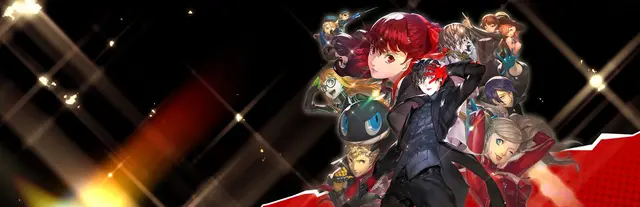
 Cover art © its publisher — for identification only. Details
Persona 5 Strikers Keyboard & Controller Controls
Persona 5 Strikers takes the Phantom Thieves on a summer road trip and swaps the turn-based fights of Persona 5 for Omega Force's real-time musou combat, with Personas summoned mid-brawl to pause the action. The PC keyboard defaults are unusual — attacks sit on B, H and N rather than the mouse — and the mouse tab adds its own attack buttons alongside them. Listed here are the Config › Key Configuration defaults for keyboard, mouse and gamepad; everything can be rebound there.
Persona 5 Strikers controls poster
A generative poster unique to Persona 5 Strikers — styled by its genre and signature colour. Pure design, zero spoilers. Free to download for your battlestation.
Free PNG is web-resolution & lightly watermarked.
Want it print-ready?
Framed-quality 300 DPI, no watermark — $2.99 (PC / keyboard edition). Drop your email and we'll send the checkout link.
🎮 Controller / gamepad poster — coming soon.
All Persona 5 Strikers controls
28 default keybinds across 5 categories. Most can be reassigned in Persona 5 Strikers's control settings. Switch to Gamepad to see PlayStation, Switch and Steam Deck buttons side by side.
28 shortcuts
Battle 14
| Action | Shortcut |
|---|---|
| Standard Attack | Bthen/thenLMB |
| Special Attack / Ambush | Hthen/thenRMB |
| Summon Persona (hold) | L Ctrl |
| Phantom Dash / All-Out Attack / Interact | Nthen/thenMMB |
| Gun (hold) / Reset Camera (tap) | L Shift |
| Showtime (gauge full) | HN |
| Third Eye (hold) | Tab |
| Baton Pass (up) | X |
| Baton Pass (left) | Z |
| Baton Pass (right) | C |
| Phantom Dash (shortcut) | 3 |
| All-Out Attack (shortcut) | 4 |
| Showtime (shortcut) | T |
| Auto-Recover | V |
Menus 5
| Action | Shortcut |
|---|---|
| Menu / Skip | 2 |
| Map | 1 |
| Confirm | Space |
| Cancel | N |
| Move Cursor | XthenZthenVthenC |
Movement 4
| Action | Shortcut |
|---|---|
| Move | WthenAthenSthenD |
| Jump | Space |
| Dodge / Dash (hold) | L Alt |
| Walk (hold while moving) | R Shift |
Dialogue 3
| Action | Shortcut |
|---|---|
| Save / Fast Forward (hold) | H |
| Auto (Dialogue) | O |
| Log | B |
Camera 2
| Action | Shortcut |
|---|---|
| Lock-On | E |
| Move Camera | IthenJthenKthenL |
Sourced from youtube.com, atlus.co.jp Last verified
Battle 10
| Action | PlayStationSwitchSteam Deck |
|---|---|
| Standard Attack | ■XY |
| Special Attack / Ambush | ▲YX |
| Summon Persona (hold) | R1R1R |
| Phantom Dash / All-Out Attack / Interact | ●BA |
| Gun (hold) / Reset Camera (tap) | L1L1L |
| Showtime (gauge full) | ▲YX●BA |
| Third Eye (hold) | L2L2ZL |
| Baton Pass (up) | D-Pad ↑ |
| Baton Pass (left) | D-Pad ← |
| Baton Pass (right) | D-Pad → |
Menus 4
| Action | PlayStationSwitchSteam Deck |
|---|---|
| Menu / Skip | OptionsMenu+ |
| Map | ShareView− |
| Confirm | ✕AB |
| Cancel | ●BA |
Movement 3
| Action | PlayStationSwitchSteam Deck |
|---|---|
| Move | L-Stick |
| Jump | ✕AB |
| Dodge / Dash (hold) | R2R2ZR |
Dialogue 3
| Action | PlayStationSwitchSteam Deck |
|---|---|
| Save / Fast Forward (hold) | ▲YX |
| Auto (Dialogue) | L3L3LS |
| Log | ■XY |
Camera 2
| Action | PlayStationSwitchSteam Deck |
|---|---|
| Lock-On | R3R3RS |
| Move Camera | R-Stick |
Sourced from youtube.com, atlus.co.jp Last verified
Unofficial reference. ShortcutPosters is not affiliated with, endorsed by, or sponsored by Persona 5 Strikers. All product names, logos, and trademarks are property of their respective owners. See our licensing & trademark notice.
Persona 5 Strikers controls — FAQ
- What are the default controls for Persona 5 Strikers?
- Persona 5 Strikers, a action game, uses 28 default keybinds across 5 categories — on keyboard and controller. The complete, up-to-date list is free to read on this page.
- Can you remap Persona 5 Strikers controls?
- Yes. These are the game's default bindings — nearly all of them can be reassigned from Persona 5 Strikers's in-game control or key-binding settings.
- Does Persona 5 Strikers support a controller?
- Yes — Persona 5 Strikers has full gamepad support. The PlayStation, Switch and Steam Deck button maps are shown on this page alongside the keyboard controls.
- Which platforms do these Persona 5 Strikers controls cover?
- These keyboard controls apply on Windows. Persona 5 Strikers also released on PlayStation and Switch, and this page carries those controller bindings too. Most bindings are identical across platforms unless noted.
- Is this an official Persona 5 Strikers resource?
- No. This is an unofficial reference and is not affiliated with or endorsed by Persona 5 Strikers or its publisher. All trademarks belong to their respective owners.
Thanks — your feedback helps us improve.
Persona collection
6 Persona games in the catalogue, every control scheme free to read.
See all 6 Persona games →