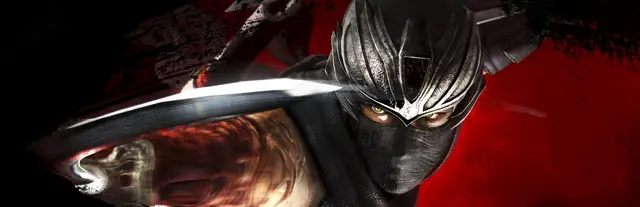
 Cover art © its publisher — for identification only. Details
PlayStation · Xbox · Nintendo Switch · 28 default controls
Ninja Gaiden Σ PlayStation Controls
Ninja Gaiden Σ is Team Ninja's reworked edition of the 2004 Ninja Gaiden, sold on PC and consoles as part of the Ninja Gaiden: Master Collection. The PC version is played with a controller only (it has no keyboard or mouse support), so this page lists the default controller layout from Koei Tecmo's official Master Collection web manual, including the button combinations for Ninpo, the Wind Run and wall running.
All Ninja Gaiden Σ controls
28 actions mapped to the PlayStation controller, grouped by category. Hover any button to read its action.
28 shortcuts
Movement 7
| Action | XboxPlayStationSwitchSteam Deck |
|---|---|
| Move | L-Stick |
| Jump / Confirm | A✕AB |
| Reverse Wind (evasive roll, while guarding) | LBL1L1LL-Stick |
| Wind Run (jump toward a nearby enemy) | A✕ABX■XY |
| Shadowless Footsteps (run along a wall after jumping at it) | A✕ABL-Stick |
| Flying Bird Flip (jump during a vertical wall run) | A✕AB |
| Leap Down While Hanging | L-StickA✕AB |
Items & Menus 6
| Action | XboxPlayStationSwitchSteam Deck |
|---|---|
| Use Item | D-Pad ↓ |
| Pause Menu | MenuOptionsMenu+ |
| Select Item (D-pad left / right) | D-Pad ← |
| Map Screen | ViewShareView− |
| Toggle Item Display | D-Pad ↑ |
| Display Karma | LSL3L3LS |
Combat 5
| Action | XboxPlayStationSwitchSteam Deck |
|---|---|
| Attack | X■XY |
| Strong Attack | Y▲YX |
| Guard | LBL1L1L |
| Projectile Weapon / Examine / Cancel | B●BA |
| Flying Bird Flip Attack (during a Flying Bird Flip) | X■XY |
Bow & Aim 5
| Action | XboxPlayStationSwitchSteam Deck |
|---|---|
| Switch to Aim Mode (bow equipped) | LTL2L2ZL |
| Shoot Arrow (bow equipped) | B●BA |
| Aim (in Aim Mode) | L-Stick |
| Zoom In (Aim Mode) | RBR1R1R |
| Zoom Out (Aim Mode) | LBL1L1L |
Camera 3
| Action | XboxPlayStationSwitchSteam Deck |
|---|---|
| Control Camera | R-Stick |
| Center Camera Behind Player | RBR1R1R |
| Switch 1st-Person / 3rd-Person Camera (no bow equipped) | LTL2L2ZL |
Ninpo & Techniques 2
| Action | XboxPlayStationSwitchSteam Deck |
|---|---|
| Ninpo | Y▲YXB●BA |
| Ultimate Technique (hold, then release) | Y▲YX |
Sourced from koeitecmoamerica.com, pcgamingwiki.com Last verified
Unofficial reference. ShortcutPosters is not affiliated with, endorsed by, or sponsored by Ninja Gaiden Σ. All product names, logos, and trademarks are property of their respective owners. See our licensing & trademark notice.
Ninja Gaiden Σ controls — FAQ
- What are the default controls for Ninja Gaiden Σ?
- Ninja Gaiden Σ, a action game, maps 28 actions to the PlayStation controller. The complete button layout is shown on this page, free to read.
- What buttons do you use in Ninja Gaiden Σ?
- Every Ninja Gaiden Σ action is mapped to its PlayStation button on this page — face buttons, triggers, sticks and the d-pad — so you can see the whole control scheme at a glance.
- Can you remap Ninja Gaiden Σ controls?
- These are the game's default bindings. Remapping depends on the title and the PlayStation's system button-mapping options.
- Is this an official Ninja Gaiden Σ resource?
- No. This is an unofficial reference and is not affiliated with or endorsed by Ninja Gaiden Σ or its publisher. All trademarks belong to their respective owners.
Thanks — your feedback helps us improve.
Ninja Gaiden collection
7 Ninja Gaiden games in the catalogue, every control scheme free to read.
See all 7 Ninja Gaiden games →