ShortcutPosters

Poster maker

Make your Google Chrome shortcuts poster

Pick the shortcuts that matter, add your own, tune the colours and style — then download a free personalized PNG, or order the print-ready PDF.

Making a poster for:
Style
Accent
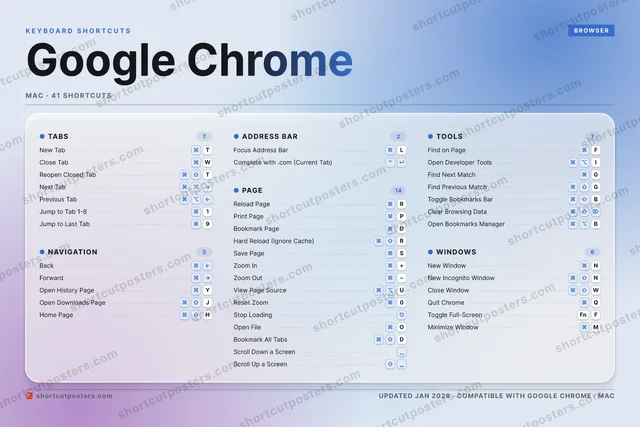
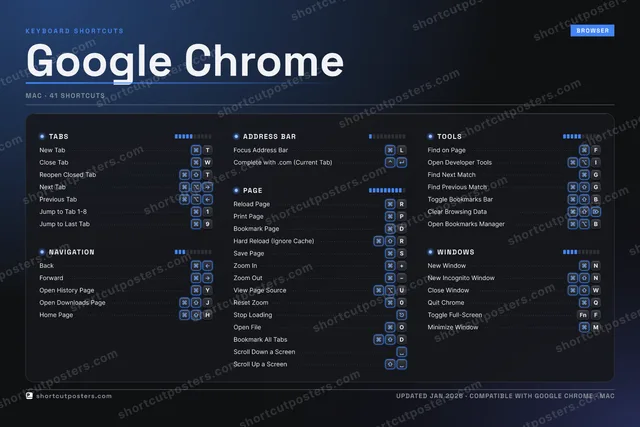
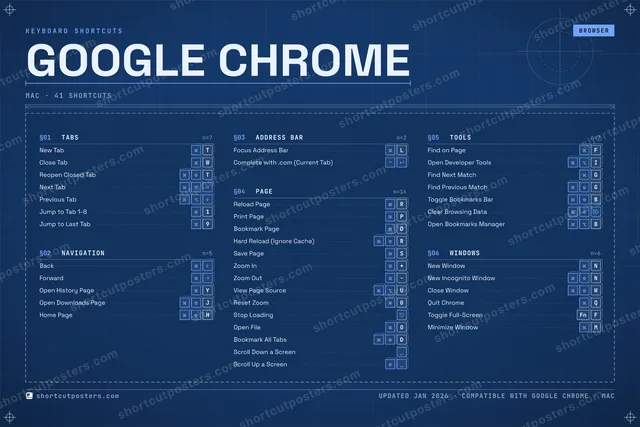
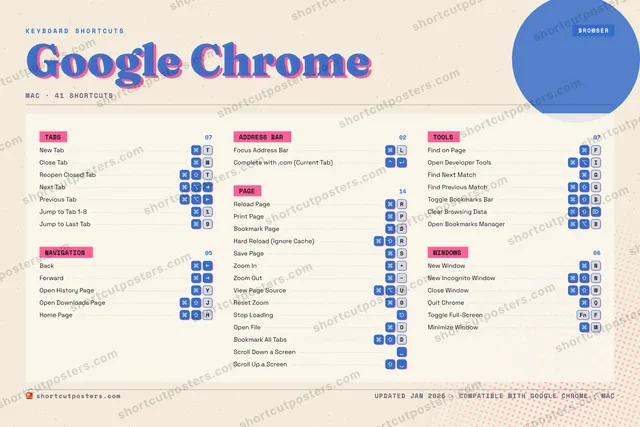
GOOGLE CHROMEKEYBOARD SHORTCUTS · MAC · 411Jump to …23456789Jump to …0Reset Zo…QQuit Chr…WClose TabERReload P…TNew TabYOpen His…U⌘ ⌥View Pag…I⌘ ⌥Open Dev…OOpen FilePPrint Pa…ASSave PageDBookmark…FFind on …GFind Nex…H⌘ ⇧Home PageJ⌘ ⇧Open Dow…KLFocus Ad…ZXCVB⌘ ⇧Toggle B…NNew Wind…MMinimize…MORE SHORTCUTSReopen Closed TabTBackNext TabPrevious TabNew Incognito Win…NForwardHard Reload (Igno…RZoom In+Zoom OutClose WindowWToggle Full-ScreenFNFFind Previous Mat…GClear Browsing Da…Complete with .co…Stop LoadingBookmark All TabsDScroll Down a Scr…Scroll Up a ScreenOpen Bookmarks Ma…Bshortcutposters.comUPDATED JAN 2026 · COMPATIBLE WITH GOOGLE CHROME · MAC

Hover to locate · click on the poster to disable · drag to reorder categories & shortcuts · to rename a category

Free PNG $0
  • Web resolution (1600 px)
  • Light watermark
  • Instant download
Made to order
Custom print-ready PDF $2.99
  • 300 DPI, framed-quality — no watermark
  • Every standard print size
  • Built to order from the poster above — checkout link emailed to you

Trouble ordering? Email business@shortcutposters.com.

How it works

  1. 1

    Choose a style

    Pick from four layouts: isometric keys, a typewriter list, a labelled keyboard map, or a bold editorial print.

  2. 2

    Make it yours

    Set the accent colour and palette, rename categories, and reorder anything.

  3. 3

    Pick the shortcuts

    Toggle exactly which shortcuts appear — or add your own custom ones.

  4. 4

    Download or print

    Export a free high-resolution PNG instantly, or order a print-ready PDF.

Four styles to choose from

GOOGLE CHROMEKEYBOARD SHORTCUTS · MAC · 20 ESSENTIAL1234567890QWClose TabERReload P…TNew TabYOpen His…UIOPPrint Pa…ASSave PageDBookmark…FFind on …GHJ⌘ ⇧Open Dow…KLFocus Ad…ZXCVBNNew Wind…MMORE SHORTCUTSReopen Closed TabTBackNext TabPrevious TabNew Incognito Win…NForwardHard Reload (Igno…RZoom In+Zoom Outshortcutposters.comUPDATED JAN 2026 · COMPATIBLE WITH GOOGLE CHROME · MAC
Keyboard map Every binding labelled on a realistic QWERTY or AZERTY keyboard.
NAVIGATIONBackForwardOpen History PageYOpen Downloads PageJADDRESS BARFocus Address BarLTOOLSFind on PageFWINDOWSNew WindowNNew Incognito WindowNTABSNew TabTClose TabWReopen Closed TabTNext TabPrevious TabPAGEReload PageRPrint PagePBookmark PageDHard Reload (Ignore Cache)RSave PageSZoom In+Zoom OutGoogle ChromeKEYBOARD SHORTCUTS · MAC · 20 ESSENTIALBOTH LAYOUTSQWERTYQWERTYAZERTYAZERTYshortcutposters.comUPDATED JAN 2026 · COMPATIBLE WITH GOOGLE CHROME · MAC
Isometric Shortcuts on a 3D isometric keyboard — bold and poster-like.
NAVIGATION04BackForwardOpen History PageYOpen Downloads PageJADDRESS BAR01Focus Address BarLTOOLS01Find on PageFWINDOWS02New WindowNNew Incognito WindowNTABS05New TabTClose TabWReopen Closed TabTNext TabPrevious TabPAGE07Reload PageRPrint PagePBookmark PageDHard Reload (Ignore Cache)RSave PageSZoom In+Zoom OutGoogle ChromeKEYBOARD SHORTCUTS · MAC · 20 ESSENTIALBOTH LAYOUTSQWERTYQWERTYAZERTYAZERTYshortcutposters.comUPDATED JAN 2026 · COMPATIBLE WITH GOOGLE CHROME · MAC
Typewriter A clean printed list, grouped by category — dense and legible.
GOOGLE CHROME · KEYBOARD SHORTCUTSMac · 6 SETS · No.01GOOGLE CHROMETOTAL20SHORTCUTSFOR MAC · SHIPPED COMBOSSETSTABS05NAVIGATION04ADDRESS BAR01PAGE07TOOLS01WINDOWS02REF. EDITION · JAN 2026shortcutposters.comNew TabTClose TabWReopen Closed TabTNext TabPrevious TabBackForwardOpen History PageYOpen Downloads PageJFocus Address BarLReload PageRPrint PagePBookmark PageDHard Reload (Ignore Cache)RSave PageSZoom In+Zoom OutFind on PageFNew WindowNNew Incognito WindowN
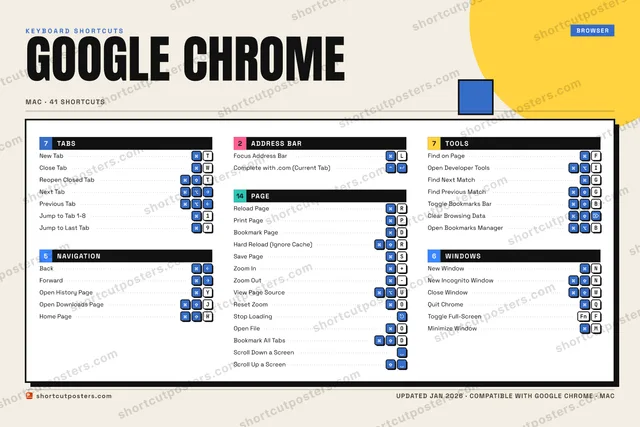
Editorial A bold Swiss-style print: giant wordmark, dense keycap columns, and a totals rail.

Frequently asked questions

Is the Google Chrome poster maker free?

Yes — you can design and download a high-resolution PNG of your Google Chrome shortcuts poster for free. A print-ready PDF is an optional paid upgrade.

Can I choose which Google Chrome shortcuts appear?

Yes. Toggle any shortcut on or off, reorder them, rename categories, and even add your own custom shortcuts.

Can I change the colours and style?

Yes. Pick an accent colour, choose a palette, and switch between the isometric, typewriter, and keyboard-map styles.

Which keyboard layout and operating system are supported?

Choose QWERTY or AZERTY, and switch the edition between the operating systems Google Chrome supports (macOS, Windows, Linux).

How do I get a printed poster?

Download the free PNG to print yourself, or order the print-ready, framed-quality PDF directly from the maker.