Workers & Resources: Soviet Republic Keyboard controls
- Windows
- 27 default keybinds
- Simulation →
Cover art © its publisher — for identification only. Cover © its publisher. Details
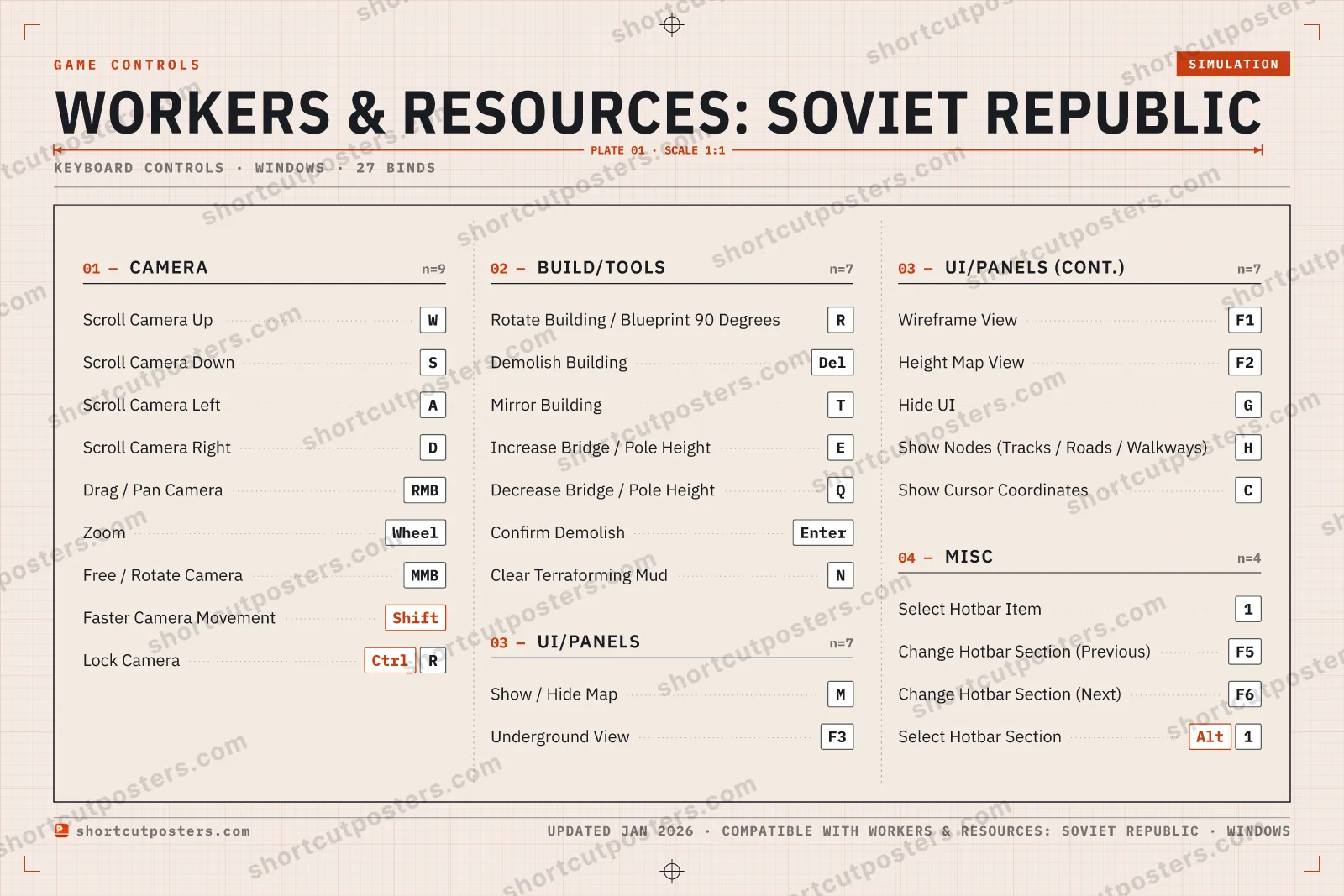
A reference to the default PC keyboard and mouse controls for Workers & Resources: Soviet Republic. Covers camera movement, viewing overlays, building placement, the hotbar, and map functions to help you manage your soviet republic more efficiently.
All Workers & Resources: Soviet Republic keyboard controls
27 shortcuts
Camera 9
| Action | Shortcut |
|---|---|
| Scroll Camera Up | W |
| Scroll Camera Down | S |
| Scroll Camera Left | A |
| Scroll Camera Right | D |
| Drag / Pan Camera | RMB |
| Zoom | Wheel |
| Free / Rotate Camera | MMB |
| Faster Camera Movement | Shift |
| Lock Camera | CtrlR |
UI/Panels 7
| Action | Shortcut |
|---|---|
| Show / Hide Map | M |
| Underground View | F3 |
| Wireframe View | F1 |
| Height Map View | F2 |
| Hide UI | G |
| Show Nodes (Tracks / Roads / Walkways) | H |
| Show Cursor Coordinates | C |
Build/Tools 7
| Action | Shortcut |
|---|---|
| Rotate Building / Blueprint 90 Degrees | R |
| Demolish Building | Del |
| Mirror Building | T |
| Increase Bridge / Pole Height | E |
| Decrease Bridge / Pole Height | Q |
| Confirm Demolish | Enter |
| Clear Terraforming Mud | N |
Misc 4
| Action | Shortcut |
|---|---|
| Select Hotbar Item | 1 |
| Change Hotbar Section (Previous) | F5 |
| Change Hotbar Section (Next) | F6 |
| Select Hotbar Section | Alt1 |
Sourced from wiki.hoodedhorse.com, workers-resources.fandom.com, magicgameworld.com, steamcommunity.com Last verified Shortcuts last changed
+ 1 more control in the table below
+ 1 more control in the table below
27 default keybinds across 4 categories. Most can be reassigned in Workers & Resources: Soviet Republic's control settings.
Unofficial reference. ShortcutPosters is not affiliated with, endorsed by, or sponsored by Workers & Resources: Soviet Republic. All product names, logos, and trademarks are property of their respective owners. See our licensing & trademark notice.
Workers & Resources: Soviet Republic, framed.
Every bind, razor-sharp.
Print-ready 36×24″ at 300 DPI. No watermark. Hang it, gift it, or turn it into a desk mat.
Free preview: 1600 px, watermarked.
- Free preview
- 1600 px · watermarked
- Print-ready
- 10 800 px · frame quality
- Frame it36×24″, A1 or A2
- Desk matany print shop
- Gift itfor your duo or squad
Workers & Resources: Soviet Republic controls — FAQ
- What are the default controls for Workers & Resources: Soviet Republic?
- Workers & Resources: Soviet Republic, a simulation game, uses 27 default keybinds across 4 categories. The complete, up-to-date list is free to read on this page.
- Can you remap Workers & Resources: Soviet Republic controls?
- Yes. These are the game's default bindings — nearly all of them can be reassigned from Workers & Resources: Soviet Republic's in-game control or key-binding settings.
- Which platforms do these Workers & Resources: Soviet Republic controls cover?
- These keyboard controls apply on Windows. Most bindings are identical across platforms unless noted.
- Is this an official Workers & Resources: Soviet Republic resource?
- No. This is an unofficial reference and is not affiliated with or endorsed by Workers & Resources: Soviet Republic or its publisher. All trademarks belong to their respective owners.
Thanks — your feedback helps us improve.