ShortcutPosters
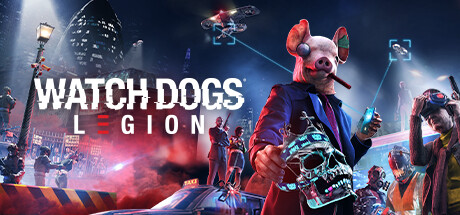
Cover art © its publisher — for identification only. Details

Windows · 25 default keybinds

✓ Steam Deck ready

Watch Dogs: Legion Keyboard & Controller Controls

Action games →

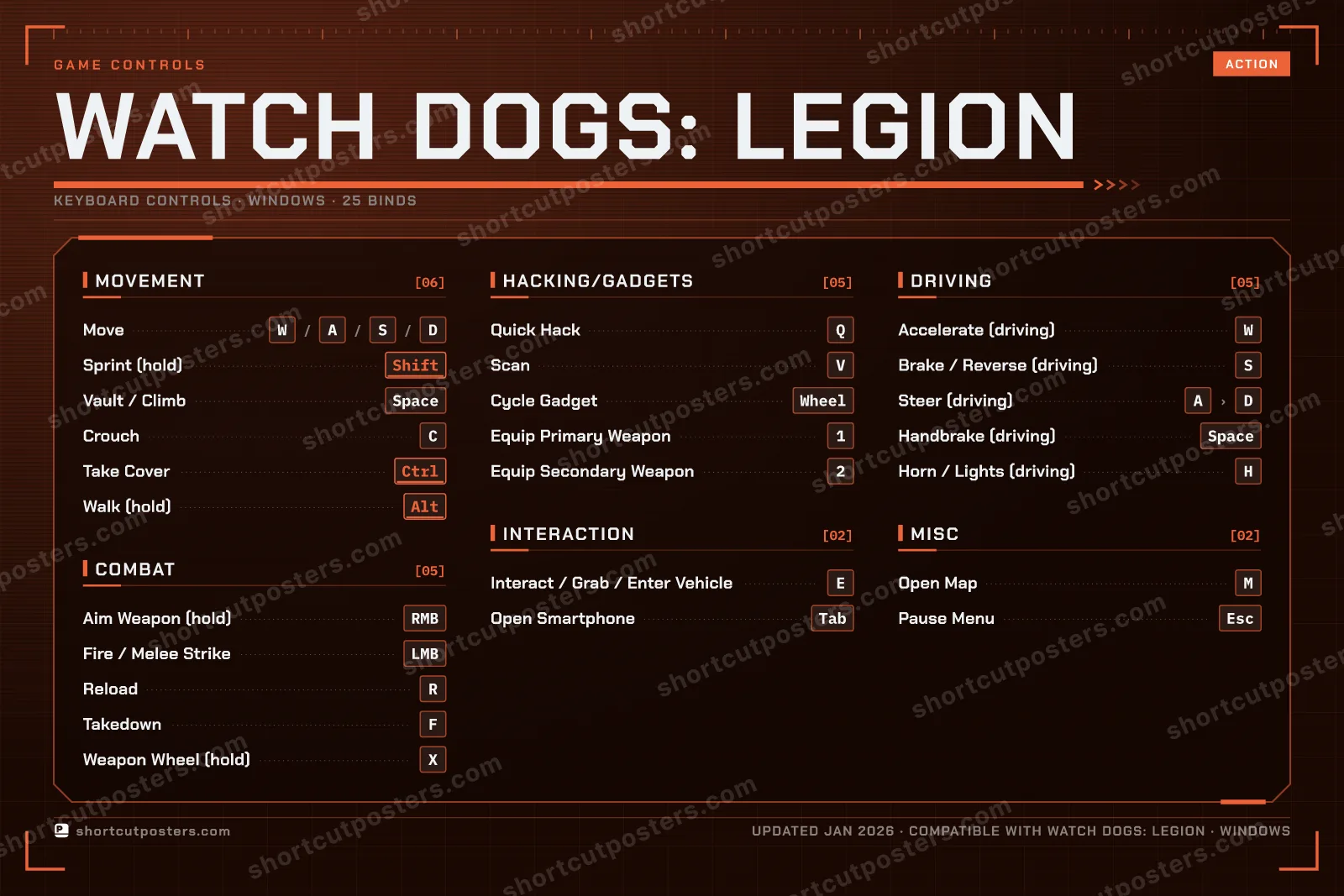
Default PC keyboard and mouse controls for Watch Dogs: Legion, Ubisoft's open-world hacking game set in a near-future London. Covers movement, combat, hacking and gadgets, driving, and interaction. All controls can be rebound in the in-game Controls settings.

Watch Dogs: Legion official site ↗ View on Steam ↗
Put it on your wall

Watch Dogs: Legion controls poster

A generative poster unique to Watch Dogs: Legion — styled by its genre and signature colour. Pure design, zero spoilers. Free to download for your battlestation.

MOVEMENT06MoveWASDSprint (hold)ShiftVault / ClimbSpaceCrouchCTake CoverCtrlWalk (hold)AltINTERACTION02Interact / Grab / Enter VehicleEOpen SmartphoneTabDRIVING05Accelerate (driving)WBrake / Reverse (driving)SSteer (driving)ADHandbrake (driving)SpaceHorn / Lights (driving)HCOMBAT05Aim Weapon (hold)RMBFire / Melee StrikeLMBReloadRTakedownFWeapon Wheel (hold)XHACKING/GADGETS05Quick HackQScanVCycle GadgetSCROLLEquip Primary Weapon1Equip Secondary Weapon2MISC02Open MapMPause MenuEscGAME CONTROLSACTIONWATCH DOGS: LEGIONKEYBOARD CONTROLS · WINDOWS · 25 BINDSshortcutposters.comUPDATED JAN 2026 · COMPATIBLE WITH WATCH DOGS: LEGION · WINDOWS

Free PNG is web-resolution & lightly watermarked.

Want it print-ready?

Framed-quality 300 DPI, no watermark — $2.99 (PC / keyboard edition). Drop your email and we'll send the checkout link.

Prefer email? Write to business@shortcutposters.com.

🎮 Controller / gamepad poster — coming soon.

All Watch Dogs: Legion controls

Layout

25 default keybinds across 6 categories. Most can be reassigned in Watch Dogs: Legion's control settings. Switch to Gamepad to see Xbox and PlayStation buttons side by side.

Esc
F1
F2
F3
F4
F5
F6
F7
F8
F9
F10
F11
F12
`
1
2
3
4
5
6
7
8
9
0
-
=
⌫ Back
Tab
Q
W
E
R
T
Y
U
I
O
P
[
]
\
Caps
A
S
D
F
G
H
J
K
L
;
'
Enter ⏎
Shift
Z
X
C
V
B
N
M
,
.
/
Shift
Ctrl
Win
Alt
Space
Alt
Win
Menu
Ctrl

+ 1 more control in the table below

Movement 6

Action Shortcut
Move WthenAthenSthenD
Sprint (hold) Shift
Vault / Climb Space
Crouch C
Take Cover Ctrl
Walk (hold) Alt

Combat 5

Action Shortcut
Aim Weapon (hold) RMB
Fire / Melee Strike LMB
Reload R
Takedown F
Weapon Wheel (hold) X

Hacking/Gadgets 5

Action Shortcut
Quick Hack Q
Scan V
Cycle Gadget SCROLL
Equip Primary Weapon 1
Equip Secondary Weapon 2

Driving 5

Action Shortcut
Accelerate (driving) W
Brake / Reverse (driving) S
Steer (driving) AthenD
Handbrake (driving) Space
Horn / Lights (driving) H

Interaction 2

Action Shortcut
Interact / Grab / Enter Vehicle E
Open Smartphone Tab

Misc 2

Action Shortcut
Open Map M
Pause Menu Esc

Sourced from ubisoft.com , gamepressure.com , shacknews.com , gamertweak.com Last verified

Unofficial reference. ShortcutPosters is not affiliated with, endorsed by, or sponsored by Watch Dogs: Legion. All product names, logos, and trademarks are property of their respective owners. See our licensing & trademark notice.

Watch Dogs: Legion controls — FAQ

What are the default controls for Watch Dogs: Legion?
Watch Dogs: Legion, a action game, uses 25 default keybinds across 6 categories — on keyboard and controller. The complete, up-to-date list is free to read on this page.
Can you remap Watch Dogs: Legion controls?
Yes. These are the game's default bindings — nearly all of them can be reassigned from Watch Dogs: Legion's in-game control or key-binding settings.
Does Watch Dogs: Legion support a controller?
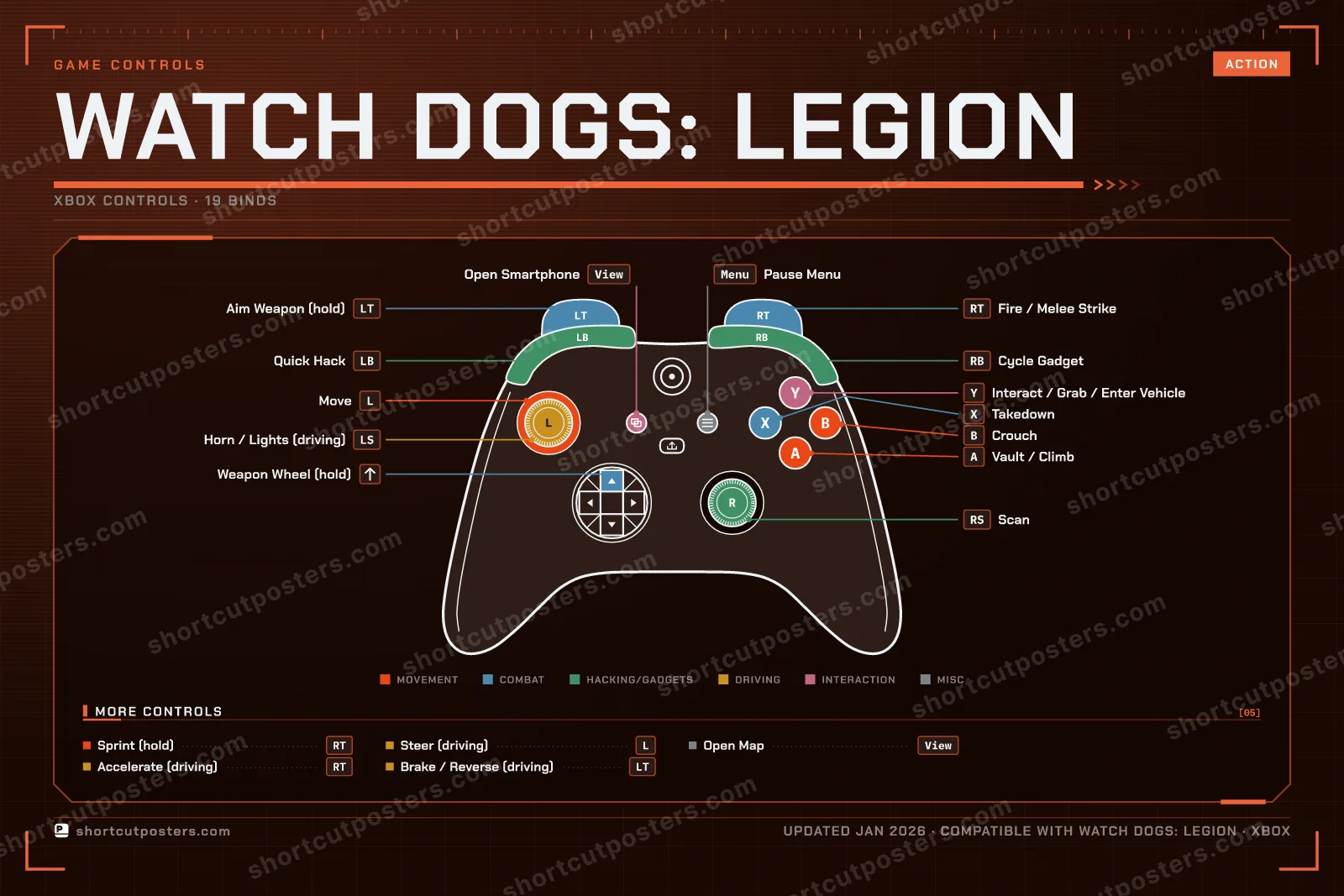
Yes — Watch Dogs: Legion has full gamepad support. The Xbox, PlayStation and Steam Deck button maps are shown on this page alongside the keyboard controls.
Which platforms do these Watch Dogs: Legion controls cover?
These keyboard controls apply on Windows. Most bindings are identical across platforms unless noted.
Is this an official Watch Dogs: Legion resource?
No. This is an unofficial reference and is not affiliated with or endorsed by Watch Dogs: Legion or its publisher. All trademarks belong to their respective owners.
Round 1🔥0⚡0Rookie

Press the key for the action shown.