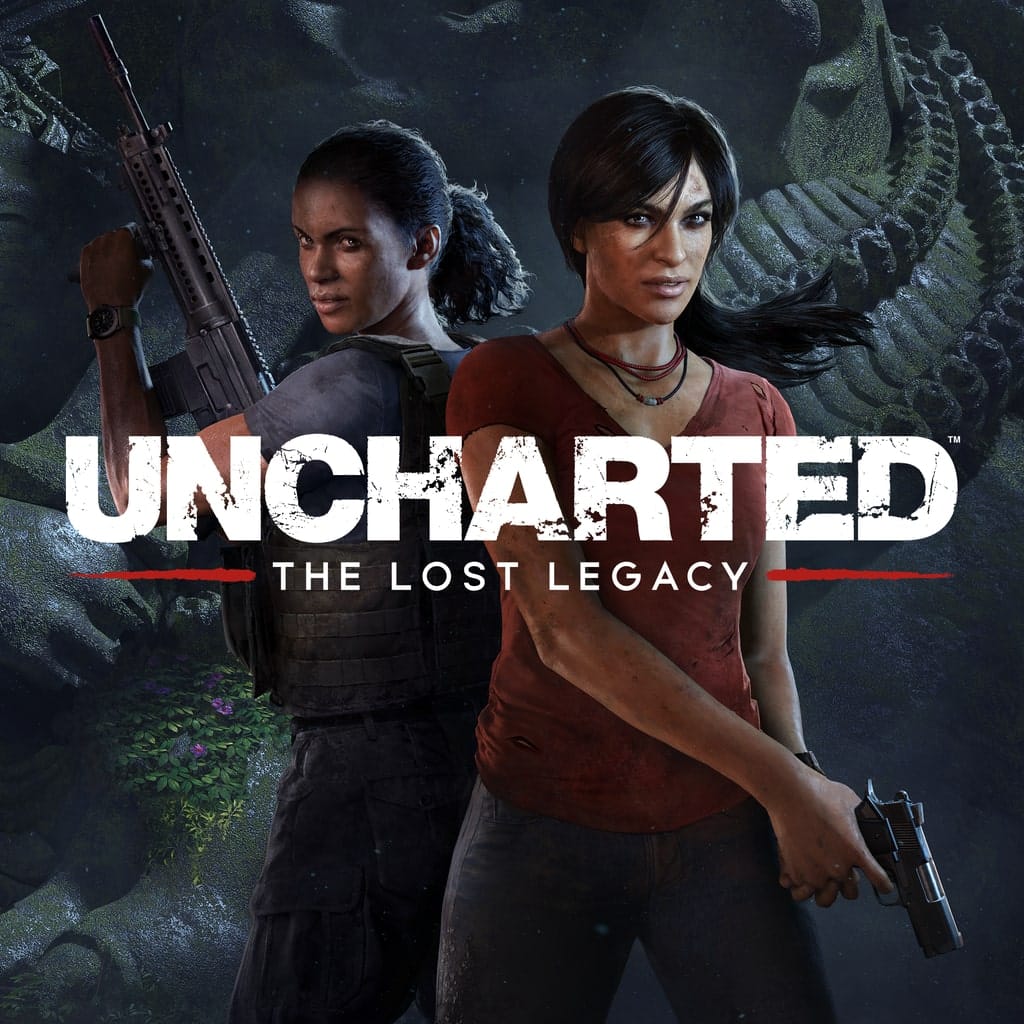
Uncharted: The Lost Legacy PlayStation controls
- PlayStation
- 43 default controls
- Adventure →
Cover art © its publisher — for identification only. Cover © its publisher. Details
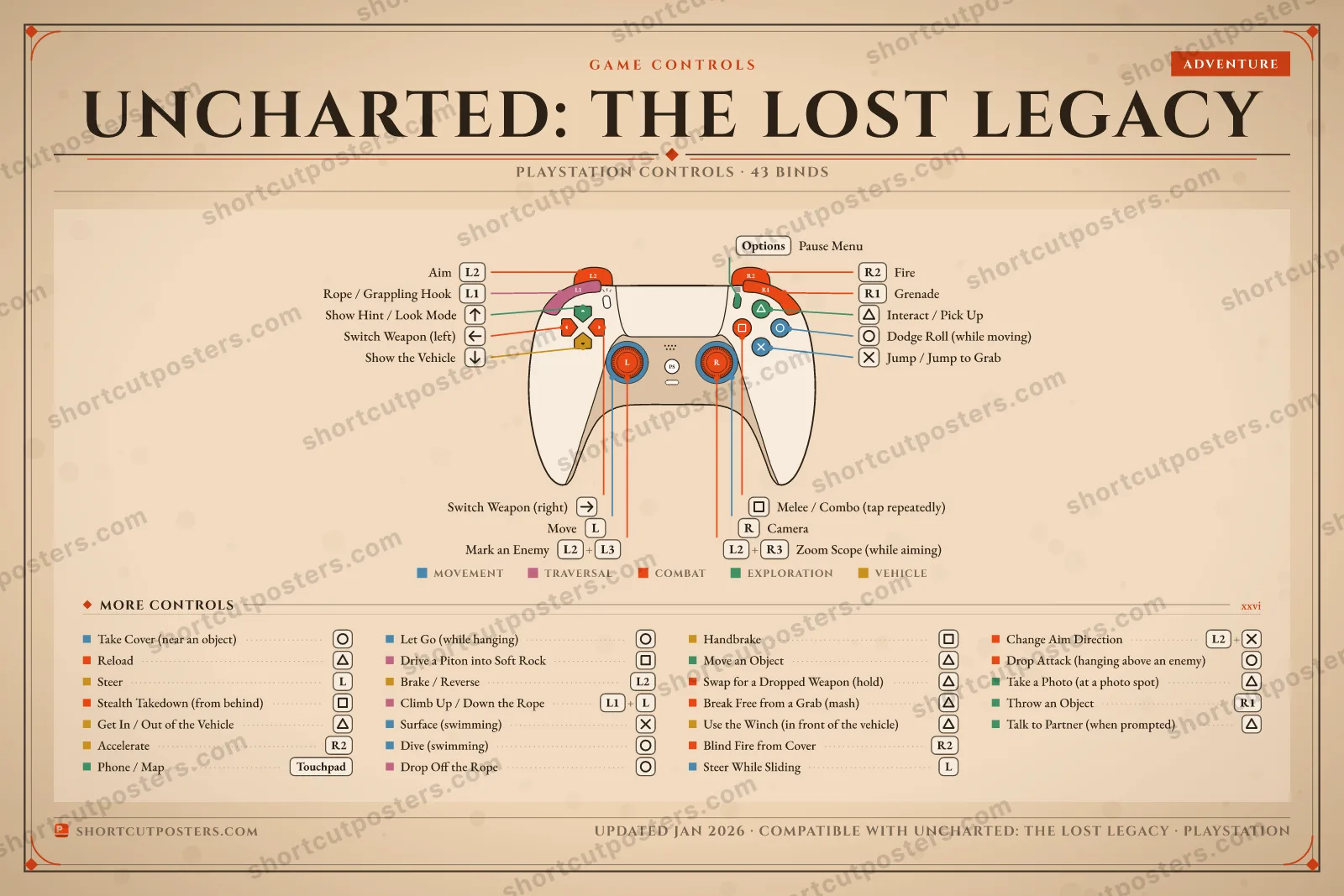
Default controller layout for Uncharted: The Lost Legacy, Naughty Dog's 2017 standalone adventure starring Chloe Frazer and Nadine Ross. Transcribed from Sony's own PS4 online manual (Japanese edition, linked from PlayStation.com): climbing, the rope and pitons, cover and stealth, gunplay and driving the 4x4. The game later returned in the Legacy of Thieves Collection on PS5 and PC.
All Uncharted: The Lost Legacy controls
43 shortcuts
Combat 15
| Action | PlayStation |
|---|---|
| Aim | L2 |
| Fire | R2 |
| Reload | ▲ |
| Melee / Combo (tap repeatedly) | ■ |
| Switch Weapon (left) | D-Pad ← |
| Switch Weapon (right) | D-Pad → |
| Grenade | R1 |
| Stealth Takedown (from behind) | ■ |
| Mark an Enemy | L2L3 |
| Blind Fire from Cover | R2 |
| Zoom Scope (while aiming) | L2R3 |
| Swap for a Dropped Weapon (hold) | ▲ |
| Break Free from a Grab (mash) | ▲ |
| Change Aim Direction (while aiming) | L2✕ |
| Drop Attack (hanging above an enemy) | ● |
Movement 9
| Action | PlayStation |
|---|---|
| Move | L-Stick |
| Camera | R-Stick |
| Jump / Jump to Grab | ✕ |
| Dodge Roll (while moving) | ● |
| Take Cover (near an object) | ● |
| Let Go (while hanging) | ● |
| Dive (swimming) | ● |
| Surface (swimming) | ✕ |
| Steer While Sliding | L-Stick |
Exploration 8
| Action | PlayStation |
|---|---|
| Interact / Pick Up | ▲ |
| Show Hint / Look Mode | D-Pad ↑ |
| Phone / Map | Touchpad |
| Move an Object | ▲ |
| Pause Menu | Options |
| Throw an Object | R1 |
| Take a Photo (at a photo spot) | ▲ |
| Talk to Partner (when prompted) | ▲ |
Vehicle 7
| Action | PlayStation |
|---|---|
| Get In / Out of the Vehicle | ▲ |
| Steer | L-Stick |
| Accelerate | R2 |
| Brake / Reverse | L2 |
| Handbrake | ■ |
| Use the Winch (in front of the vehicle) | ▲ |
| Show the Vehicle | D-Pad ↓ |
Traversal 4
| Action | PlayStation |
|---|---|
| Rope / Grappling Hook | L1 |
| Drive a Piton into Soft Rock | ■ |
| Climb Up / Down the Rope | L1L-Stick |
| Drop Off the Rope | ● |
Sourced from playstation-doc.net Last verified
+ 1 more control in the table below
43 actions mapped to the PlayStation controller, grouped by category. Hover any button to read its action.
Unofficial reference. ShortcutPosters is not affiliated with, endorsed by, or sponsored by Uncharted: The Lost Legacy. All product names, logos, and trademarks are property of their respective owners. See our licensing & trademark notice.
Uncharted: The Lost Legacy, framed.
Every bind, razor-sharp.
Print-ready 36×24″ at 300 DPI. No watermark. Hang it, gift it, or turn it into a desk mat.
Free preview: 1600 px, watermarked.
One file: the PlayStation controller poster.
- Free preview
- 1600 px · watermarked
- Print-ready
- 10 800 px · frame quality
- Frame it36×24″, A1 or A2
- Desk matany print shop
- Gift itfor your duo or squad
Uncharted: The Lost Legacy controls — FAQ
- What are the default controls for Uncharted: The Lost Legacy?
- Uncharted: The Lost Legacy, a adventure game, maps 43 actions to the PlayStation controller. The complete button layout is shown on this page, free to read.
- What buttons do you use in Uncharted: The Lost Legacy?
- Every Uncharted: The Lost Legacy action is mapped to its PlayStation button on this page — face buttons, triggers, sticks and the d-pad — so you can see the whole control scheme at a glance.
- Can you remap Uncharted: The Lost Legacy controls?
- These are the game's default bindings. Remapping depends on the title and the PlayStation's system button-mapping options.
- Is this an official Uncharted: The Lost Legacy resource?
- No. This is an unofficial reference and is not affiliated with or endorsed by Uncharted: The Lost Legacy or its publisher. All trademarks belong to their respective owners.
Thanks — your feedback helps us improve.
More Adventure controls
-
 The Legend of Zelda: Tears of the Kingdom Gamepad
 -
 The Legend of Zelda: Breath of the Wild Gamepad
 -
 Dave the Diver Keyboard + Gamepad
 -
 Indiana Jones and the Great Circle Keyboard + Gamepad
 -
 Stray Keyboard + Gamepad
 -

 The Last of Us Part I Keyboard + Gamepad
 -
 The Legend of Zelda: Echoes of Wisdom Gamepad
 -
 It Takes Two Keyboard + Gamepad