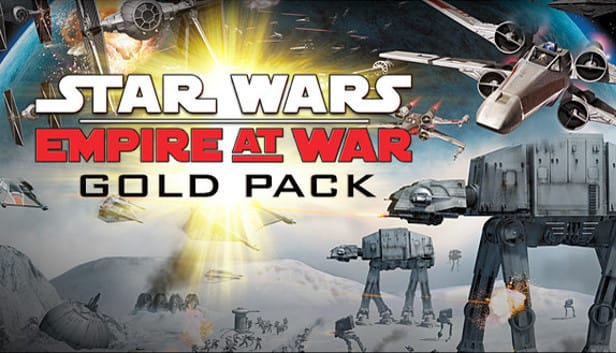
 Cover art © its publisher — for identification only. Details
Windows · 69 default keybinds
STAR WARS Empire at War: Gold Pack Keyboard Controls
Empire at War splits its hotkeys by theatre: unit abilities on the ground sit on Ctrl plus a letter, while space abilities move to Shift plus a letter, so Ctrl-F is Force Push and Shift-W locks a squadron's wings. Plain letters give the core orders — A to attack, S to stop, G to guard, E to retreat — and Insert pulls the camera out to a tactical overview. Read from the Default Controls table on the back cover of the base game's printed LucasArts manual; Forces of Corruption's own additions are not covered here.
STAR WARS Empire at War: Gold Pack controls poster
A generative poster unique to STAR WARS Empire at War: Gold Pack — styled by its genre and signature colour. Pure design, zero spoilers. Free to download for your battlestation.
Free PNG is web-resolution & lightly watermarked.
Want it print-ready?
Framed-quality 300 DPI, no watermark — $2.99 (PC / keyboard edition). Drop your email and we'll send the checkout link.
All STAR WARS Empire at War: Gold Pack keyboard controls
69 default keybinds across 6 categories. Most can be reassigned in STAR WARS Empire at War: Gold Pack's control settings.
+ 5 more controls in the table below
+ 5 more controls in the table below
69 shortcuts
Land Abilities 20
| Action | Shortcut |
|---|---|
| Force Push | CtrlF |
| Force Lightning | CtrlL |
| Deploy / Undeploy | CtrlD |
| Sprint | CtrlN |
| Force Corrupt | CtrlR |
| Force Heal | H |
| Force Protect | CtrlP |
| Take Cover | CtrlZ |
| Jet Pack | CtrlJ |
| Capture Vehicle | CtrlV |
| Eject | CtrlE |
| Thermal Detonator | K |
| Drop Thermal Detonator | CtrlK |
| EMP Burst | CtrlS |
| Cable Attack | Q |
| Sensor Ping | CtrlO |
| Control Turret | CtrlY |
| Repair Vehicle | CtrlU |
| Boost Weapon Power | CtrlB |
| Self Destruct | CtrlX |
Space Abilities 13
| Action | Shortcut |
|---|---|
| Weaken Enemy | ShiftK |
| Gravity Well Generator | ShiftG |
| Hunt for Enemy | ShiftH |
| Boost Engine Power | ShiftE |
| Lure Enemy Fighters | ShiftL |
| Missile Jamming Field | ShiftM |
| Lock Wings | ShiftW |
| Proton Beam | ShiftP |
| Call for Wingmen | ShiftC |
| Lucky Shot | ShiftS |
| Redirect All Firepower | ShiftR |
| Seismic Charge | ShiftX |
| Destroy Planet | ShiftD |
Selection 10
| Action | Shortcut |
|---|---|
| Select a Unit | LMB |
| Box-Select Several Units | LMBDrag |
| Assign Selected Units to Group 1–0 | Ctrl1 |
| Select Group 1–0 | 1 |
| Add Units to the Selection | ShiftLMB |
| Select All On-Screen Units of That Type | CtrlLMB |
| Select All Units | CtrlA |
| Select Like Units | CtrlQ |
| Next Unit | F |
| Previous Unit | D |
Orders 9
| Action | Shortcut |
|---|---|
| Move / Attack Target | RMB |
| Attack-Move | CtrlRMB |
| Attack | A |
| Stop | S |
| Lay Waypoints | AltRMB |
| Guard | G |
| Waypoint | W |
| Retreat | E |
| Super Weapon | CtrlW |
Interface 9
| Action | Shortcut |
|---|---|
| Game Options | Esc |
| Chat | Enter |
| Planetary Information | Caps Lock |
| Take Screenshot | F12 |
| Give Credits (Multiplayer) | ShiftY |
| Taunt 1 | Num 1 |
| Taunt 2 | Num 2 |
| Taunt 3 | Num 3 |
| Taunt 4 | Num 4 |
Camera 8
| Action | Shortcut |
|---|---|
| Scroll the Map | UPthenDOWNthenLEFTthenRIGHT |
| Zoom the Camera | Wheel |
| Reset Camera | End |
| Camera Center | PgUp |
| Tactical Overview | Ins |
| Camera Home | Home |
| Camera Tether | Scroll Lock |
| Movie Mode | Space |
Sourced from archive.org Last verified
Unofficial reference. ShortcutPosters is not affiliated with, endorsed by, or sponsored by STAR WARS Empire at War: Gold Pack. All product names, logos, and trademarks are property of their respective owners. See our licensing & trademark notice.
STAR WARS Empire at War: Gold Pack controls — FAQ
- What are the default controls for STAR WARS Empire at War: Gold Pack?
- STAR WARS Empire at War: Gold Pack, a strategy game, uses 69 default keybinds across 6 categories. The complete, up-to-date list is free to read on this page.
- Can you remap STAR WARS Empire at War: Gold Pack controls?
- Yes. These are the game's default bindings — nearly all of them can be reassigned from STAR WARS Empire at War: Gold Pack's in-game control or key-binding settings.
- Which platforms do these STAR WARS Empire at War: Gold Pack controls cover?
- These keyboard controls apply on Windows. Most bindings are identical across platforms unless noted.
- Is this an official STAR WARS Empire at War: Gold Pack resource?
- No. This is an unofficial reference and is not affiliated with or endorsed by STAR WARS Empire at War: Gold Pack or its publisher. All trademarks belong to their respective owners.
Thanks — your feedback helps us improve.
Star Wars collection
16 Star Wars games in the catalogue, every control scheme free to read.
See all 16 Star Wars games →