Ratchet & Clank (2016) PlayStation controls
- PlayStation
- 41 unconfirmed controls
- Platformer →
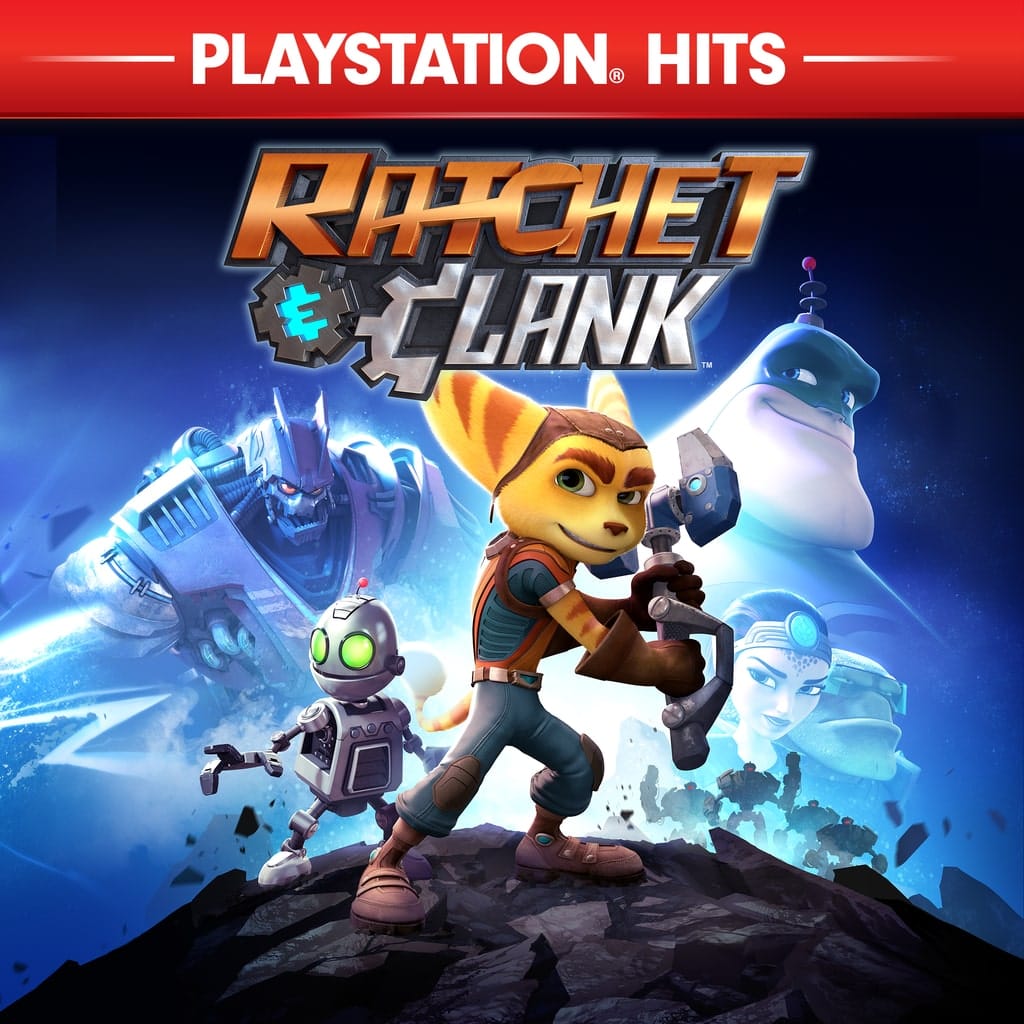
Cover art © its publisher — for identification only. Cover © its publisher. Details
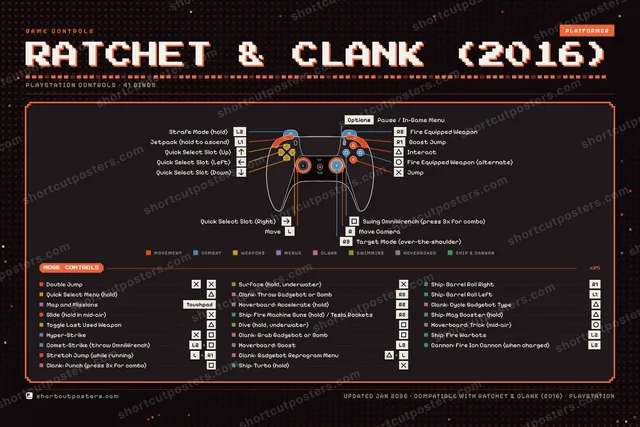
Default controller layout for Ratchet & Clank, Insomniac Games' 2016 PlayStation 4 reimagining of the original platform shooter, released alongside the film. Covers Ratchet's jumps, Heli-Pack and jetpack, OmniWrench strikes, weapon firing and Quick Select, swimming, Clank's Gadgebot sections, hoverboard races and the ship and cannon sequences. The game has no keyboard bindings, so this page covers the controller only.
All Ratchet & Clank (2016) controls
+ 1 more control in the table below
Tip Hover or tap a button to see what it does.
41 shortcuts
Movement 9
| Action | PlayStation |
|---|---|
| Move | L-Stick |
| Jump | ✕ |
| Move Camera | R-Stick |
| Double Jump | ✕then✕ |
| Interact | ▲ |
| Glide (hold in mid-air) | ✕ |
| Boost Jump | R1 |
| Stretch Jump (while running) | L-StickR1 |
| Jetpack (hold to ascend) | L1 |
Combat 7
| Action | PlayStation |
|---|---|
| Fire Equipped Weapon | R2 |
| Swing OmniWrench (press 3x for combo) | ■ |
| Strafe Mode (hold) | L2 |
| Fire Equipped Weapon (alternate) | ● |
| Hyper-Strike | ✕then■ |
| Comet-Strike (throw OmniWrench) | L2■ |
| Target Mode (over-the-shoulder) | R3 |
Ship & Cannon 7
| Action | PlayStation |
|---|---|
| Ship: Fire Machine Guns (hold) / Tesla Rockets (press) | R2 |
| Ship: Turbo (hold) | ✕ |
| Ship: Mag Booster (hold) | ▲ |
| Ship: Fire Warbots | L2 |
| Ship: Barrel Roll Left | L1 |
| Ship: Barrel Roll Right | R1 |
| Cannon: Fire Ion Cannon (when charged) | L2 |
Weapons 6
| Action | PlayStation |
|---|---|
| Quick Select Menu (hold) | ▲ |
| Toggle Last Used Weapon | ▲ |
| Quick Select Slot (Up) | D-Pad ↑ |
| Quick Select Slot (Right) | D-Pad → |
| Quick Select Slot (Down) | D-Pad ↓ |
| Quick Select Slot (Left) | D-Pad ← |
Clank 5
| Action | PlayStation |
|---|---|
| Clank: Punch (press 3x for combo) | ■ |
| Clank: Grab Gadgebot or Bomb | ■ |
| Clank: Throw Gadgebot or Bomb | R2 |
| Clank: Gadgebot Reprogram Menu | ▲L-Stick |
| Clank: Cycle Gadgebot Type | ▲ |
Hoverboard 3
| Action | PlayStation |
|---|---|
| Hoverboard: Accelerate (hold) | R2 |
| Hoverboard: Boost | L2 |
| Hoverboard: Trick (mid-air) | ● |
Swimming 2
| Action | PlayStation |
|---|---|
| Dive (hold, underwater) | ■ |
| Surface (hold, underwater) | ✕ |
Menus 2
| Action | PlayStation |
|---|---|
| Pause / In-Game Menu | Options |
| Map and Missions | Touchpad |
Sourced from ratchetandclank.fandom.com Last verified
Unofficial reference. ShortcutPosters is not affiliated with, endorsed by, or sponsored by Ratchet & Clank (2016). All product names, logos, and trademarks are property of their respective owners. See our licensing & trademark notice.
Shown at scaleNo watermark on your file
Ratchet & Clank (2016), on your wall.
Print-ready 36×24″ at 300 DPI, for your printer or any print shop.Free preview: 1600 px, watermarked.
No watermark on what you buy. It only protects this preview.
- The PlayStation controller poster
- 10 800 px at 300 DPI, up to 91×61 cm
- PNG + print-ready PDF, instant download
Ratchet & Clank (2016) controls poster
Ratchet & Clank (2016) controls — FAQ
- What are the default controls for Ratchet & Clank (2016)?
- Ratchet & Clank (2016), a platformer game, maps 41 actions to the PlayStation controller. The complete button layout is shown on this page, free to read.
- What buttons do you use in Ratchet & Clank (2016)?
- Every Ratchet & Clank (2016) action is mapped to its PlayStation button on this page — face buttons, triggers, sticks and the d-pad — so you can see the whole control scheme at a glance.
- Can you remap Ratchet & Clank (2016) controls?
- These are the game's default bindings. Remapping depends on the title and the PlayStation's system button-mapping options.
- Is this an official Ratchet & Clank (2016) resource?
- No. This is an unofficial reference and is not affiliated with or endorsed by Ratchet & Clank (2016) or its publisher. All trademarks belong to their respective owners.
Thanks — your feedback helps us improve.