 Get the poster
Cover art © its publisher — for identification only. Cover © its publisher. Details
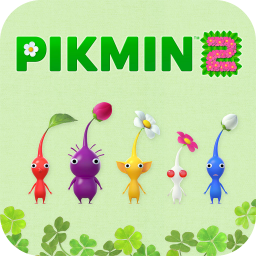
Pikmin 2 is Nintendo's exploration and strategy sequel in which Olimar and Louie lead Pikmin through caves and gardens to pay off a debt with salvaged treasure. The 2023 Nintendo Switch release, sold alone or in the Pikmin 1+2 bundle, moves the controls to a Pikmin 3 Deluxe-style layout. This page lists that default dual Joy-Con or Pro Controller layout for throwing, whistling, swarming, swapping leaders, sprays and the camera. Nintendo publishes no controls reference for it, so the mapping comes from Pikipedia and is marked provisional.
All Pikmin 2 controls
28 shortcuts
Pikmin 10
| Action | Switch |
|---|---|
| Hold and throw Pikmin | A |
| Whistle / call Pikmin | B |
| Swarm / direct group | LR-Stick |
| Dismiss Pikmin | X |
| Swap Pikmin type (while holding one) | R |
| Pluck sprout | A |
| Swap Pikmin maturity (while holding one) | X |
| Punch | A |
| Open Onion menu (under the beam) | A |
| Release held Pikmin | AB |
Camera 5
| Action | Switch |
|---|---|
| Rotate camera left / right | R-Stick |
| Face camera forward | ZL |
| Change camera distance | ZR |
| Tilt camera up / down | R-Stick |
| Ground-level camera angle (hold) | ZR |
Menus 5
| Action | Switch |
|---|---|
| Open Piklopedia (area selection) | D-Pad ← |
| Open Treasure Hoard (area selection) | D-Pad → |
| Quit to title (area selection) | − |
| Zoom in / out (Piklopedia / Treasure Hoard) | D-Pad ↑ |
| Rotate camera (Piklopedia / Treasure Hoard) | ZLL-Stick |
Movement 4
| Action | Switch |
|---|---|
| Move leader / cursor | L-Stick |
| Switch leaders (Olimar / Louie) | Y |
| Reset cursor | LS |
| Lie down (Napsack) | RS |
Sprays 2
| Action | Switch |
|---|---|
| Use ultra-bitter spray | D-Pad ↑ |
| Use ultra-spicy spray | D-Pad ↓ |
System 2
| Action | Switch |
|---|---|
| Pause / resume | + |
| Check controls | − |
Sourced from pikminwiki.com Last verified
Unofficial reference. ShortcutPosters is not affiliated with, endorsed by, or sponsored by Pikmin 2. All product names, logos, and trademarks are property of their respective owners. See our licensing & trademark notice.
Shown at scaleNo watermark on your file
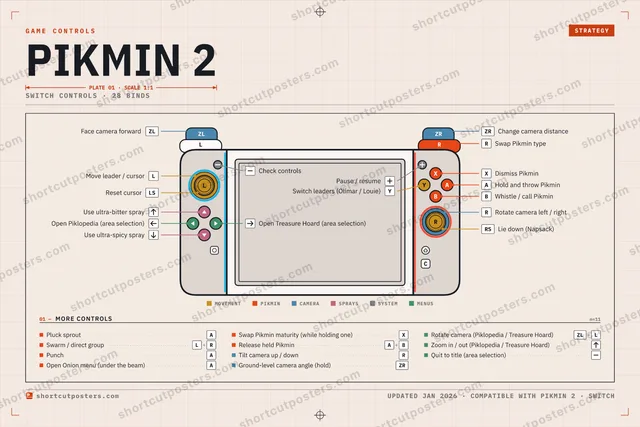
Pikmin 2, on your wall.
Print-ready 36×24″ at 300 DPI, for your printer or any print shop.Free preview: 1600 px, watermarked.
No watermark on what you buy. It only protects this preview.
- The Switch controller poster
- 10 800 px at 300 DPI, up to 91×61 cm
- PNG + print-ready PDF, instant download
Pikmin 2 controls poster
Pikmin 2 controls — FAQ
- What are the default controls for Pikmin 2?
- Pikmin 2, a strategy game, maps 28 actions to the Nintendo Switch controller. The complete button layout is shown on this page, free to read.
- What buttons do you use in Pikmin 2?
- Every Pikmin 2 action is mapped to its Nintendo Switch button on this page — face buttons, triggers, sticks and the d-pad — so you can see the whole control scheme at a glance.
- Can you remap Pikmin 2 controls?
- These are the game's default bindings. Remapping depends on the title and the Nintendo Switch's system button-mapping options.
- Is this an official Pikmin 2 resource?
- No. This is an unofficial reference and is not affiliated with or endorsed by Pikmin 2 or its publisher. All trademarks belong to their respective owners.
Thanks — your feedback helps us improve.