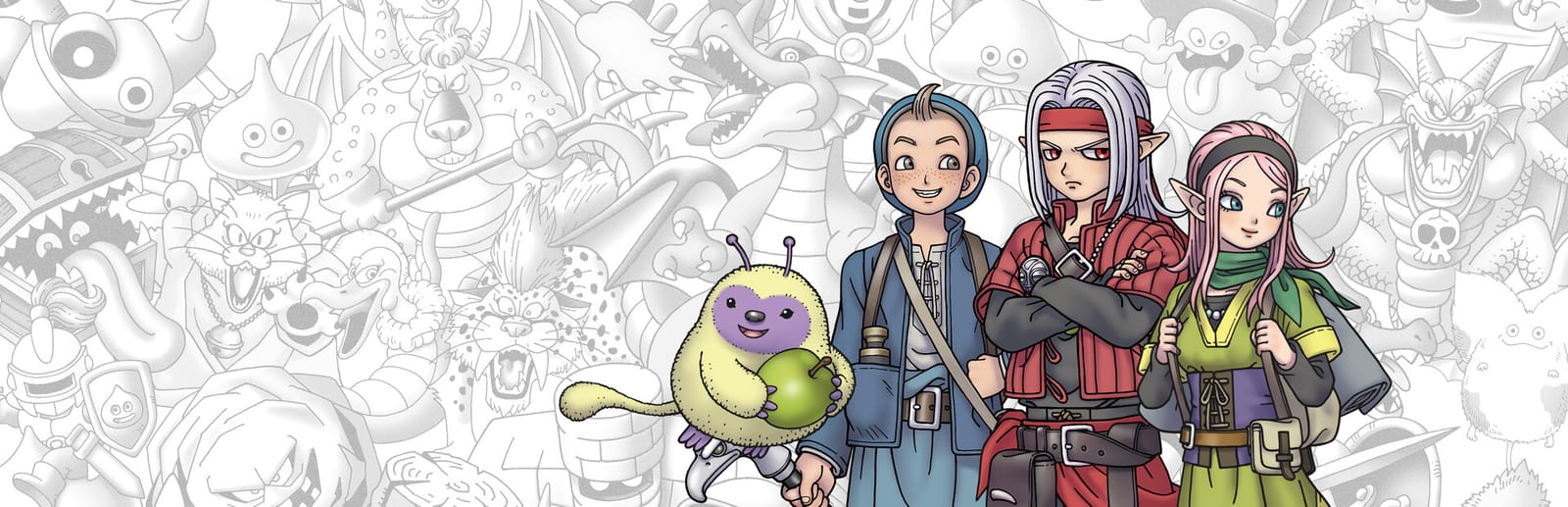
 Cover art © its publisher — for identification only. Details
Dragon Quest Monsters: The Dark Prince Keyboard & Controller Controls
Dragon Quest Monsters: The Dark Prince follows Psaro, a half-demon prince who scouts, raises and synthesizes monsters across a world that changes with the seasons. These defaults come from the Steam version's own Key Config screen, whose keyboard tab adds number-key hotkeys straight to each party menu.
Dragon Quest Monsters: The Dark Prince controls poster
A generative poster unique to Dragon Quest Monsters: The Dark Prince — styled by its genre and signature colour. Pure design, zero spoilers. Free to download for your battlestation.
Free PNG is web-resolution & lightly watermarked.
Want it print-ready?
Framed-quality 300 DPI, no watermark — $2.99 (PC / keyboard edition). Drop your email and we'll send the checkout link.
🎮 Controller / gamepad poster — coming soon.
All Dragon Quest Monsters: The Dark Prince controls
38 default keybinds across 5 categories. Most can be reassigned in Dragon Quest Monsters: The Dark Prince's control settings. Switch to Gamepad to see Switch and Steam Deck buttons side by side.
38 shortcuts
Quick Menus 12
| Action | Shortcut |
|---|---|
| Main Menu | C |
| Map | X |
| Zoom (Fast Travel) Screen | Z |
| Heal All | 8 |
| Main Menu (Alternate) | Tab |
| Swap Monsters Screen | 1 |
| Items Screen | 2 |
| Tactics Screen | 4 |
| Allocate Skill Points Screen | 7 |
| Accessories Screen | 3 |
| AI Skills Screen | 5 |
| Monster Skills Screen | 6 |
Menus & Interaction 11
| Action | Shortcut |
|---|---|
| Confirm | F |
| Examine / Talk | F |
| Cancel / Back | Bksp |
| Confirm / Examine / Talk (Alternate) | Enter |
| Cancel / Back (Alternate) | Esc |
| Move Cursor Up | UP |
| Move Cursor Down | DOWN |
| Move Cursor Left | LEFT |
| Move Cursor Right | RIGHT |
| Previous Tab | Q |
| Next Tab | E |
Movement 7
| Action | Shortcut |
|---|---|
| Move Forwards | W |
| Move Backwards | S |
| Move Left | A |
| Move Right | D |
| Jump | Space |
| Turn Character Left | Q |
| Turn Character Right | E |
Camera 6
| Action | Shortcut |
|---|---|
| Reset Camera | I |
| Rotate Camera Up | O |
| Rotate Camera Down | L |
| Rotate Camera Left | K |
| Rotate Camera Right | ; |
| Hide Screen Info (HUD) | P |
Battle 2
| Action | Shortcut |
|---|---|
| Auto-Battle On/Off | C |
| Battle Speed Up On/Off | Z |
Sourced from appgameui.hatenablog.com, cdn-ak.f.st-hatena.com, support.eu.square-enix.com, store.steampowered.com Last verified
Quick Menus 3
| Action | SwitchSteam Deck |
|---|---|
| Main Menu | YX |
| Map | Menu+ |
| Zoom (Fast Travel) Screen | L2ZL |
Menus & Interaction 5
| Action | SwitchSteam Deck |
|---|---|
| Confirm | AB |
| Examine / Talk | XY |
| Cancel / Back | BA |
| Previous Tab | L1L |
| Next Tab | R1R |
Movement 7
| Action | SwitchSteam Deck |
|---|---|
| Move Forwards | L-Stick |
| Move Backwards | L-Stick |
| Move Left | L-Stick |
| Move Right | L-Stick |
| Jump | AB |
| Turn Character Left | L1L |
| Turn Character Right | R1R |
Camera 6
| Action | SwitchSteam Deck |
|---|---|
| Reset Camera | R3RS |
| Rotate Camera Up | R-Stick |
| Rotate Camera Down | R-Stick |
| Rotate Camera Left | R-Stick |
| Rotate Camera Right | R-Stick |
| Hide Screen Info (HUD) | View− |
Battle 2
| Action | SwitchSteam Deck |
|---|---|
| Auto-Battle On/Off | R2ZR |
| Battle Speed Up On/Off | L2ZL |
Sourced from appgameui.hatenablog.com, cdn-ak.f.st-hatena.com, support.eu.square-enix.com, store.steampowered.com Last verified
Unofficial reference. ShortcutPosters is not affiliated with, endorsed by, or sponsored by Dragon Quest Monsters: The Dark Prince. All product names, logos, and trademarks are property of their respective owners. See our licensing & trademark notice.
Dragon Quest Monsters: The Dark Prince controls — FAQ
- What are the default controls for Dragon Quest Monsters: The Dark Prince?
- Dragon Quest Monsters: The Dark Prince, a rpg game, uses 38 default keybinds across 5 categories — on keyboard and controller. The complete, up-to-date list is free to read on this page.
- Can you remap Dragon Quest Monsters: The Dark Prince controls?
- Yes. These are the game's default bindings — nearly all of them can be reassigned from Dragon Quest Monsters: The Dark Prince's in-game control or key-binding settings.
- Does Dragon Quest Monsters: The Dark Prince support a controller?
- Yes — Dragon Quest Monsters: The Dark Prince has full gamepad support. The Switch and Steam Deck button maps are shown on this page alongside the keyboard controls.
- Which platforms do these Dragon Quest Monsters: The Dark Prince controls cover?
- These keyboard controls apply on Windows. Dragon Quest Monsters: The Dark Prince also released on Switch, and this page carries those controller bindings too. Most bindings are identical across platforms unless noted.
- Is this an official Dragon Quest Monsters: The Dark Prince resource?
- No. This is an unofficial reference and is not affiliated with or endorsed by Dragon Quest Monsters: The Dark Prince or its publisher. All trademarks belong to their respective owners.
Thanks — your feedback helps us improve.
Dragon Quest collection
7 Dragon Quest games in the catalogue, every control scheme free to read.
-

 Dragon Quest XI S: Echoes of an Elusive Age - Definitive Edition Keyboard + Gamepad
 -
 Dragon Quest Builders 2 Keyboard + Gamepad
 -

 Dragon Quest III HD-2D Remake Keyboard
 -

 Dragon Quest VII Reimagined Keyboard + Gamepad
 -

 Dragon Quest I & II HD-2D Remake Keyboard + Gamepad
 -
 Dragon Quest Builders Keyboard + Gamepad