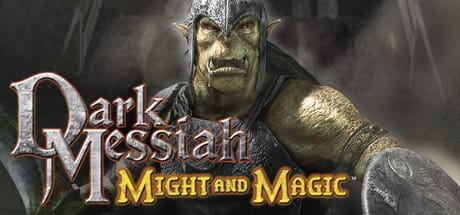
 Cover art © its publisher — for identification only. Details
Arkane's 2006 first-person melee game, set in Ubisoft's Might & Magic world and built on Valve's Source engine. These are the default PC keys from the game's manual: kicking foes into spikes, charged power strikes with a direction, the spell/weapon toggle, the ten-slot item belt, and the separate multiplayer layout.
Dark Messiah of Might & Magic controls poster
A generative poster unique to Dark Messiah of Might & Magic — styled by its genre and signature colour. Pure design, zero spoilers. Free to download for your battlestation.
Free PNG is web-resolution & lightly watermarked.
Want it print-ready?
Framed-quality 300 DPI, no watermark — $2.99 (PC / keyboard edition). Drop your email and we'll send the checkout link.
All Dark Messiah of Might & Magic keyboard controls
43 default keybinds across 7 categories. Most can be reassigned in Dark Messiah of Might & Magic's control settings.
43 shortcuts
Belt 10
| Action | Shortcut |
|---|---|
| Belt Item 1 | 1 |
| Belt Item 2 | 2 |
| Belt Item 3 | 3 |
| Belt Item 4 | 4 |
| Belt Item 5 | 5 |
| Belt Item 6 | 6 |
| Belt Item 7 | 7 |
| Belt Item 8 | 8 |
| Belt Item 9 | 9 |
| Belt Item 10 | 0 |
Movement 8
| Action | Shortcut |
|---|---|
| Move Forward | W |
| Move Backward | S |
| Strafe Left | A |
| Strafe Right | D |
| Jump | Space |
| Crouch | C |
| Run | Shift |
| Walk | Alt |
Multiplayer 7
| Action | Shortcut |
|---|---|
| Scores | Tab |
| Skill Menu | M |
| Mini Map | N |
| Say (all chat) | Y |
| Team Say | U |
| Crouch (multiplayer) | Ctrl |
| Target Lock (multiplayer) | Alt |
Combat 6
| Action | Shortcut |
|---|---|
| Attack / Cast Spell | LMB |
| Parry (hold; not with a bow) | RMB |
| Kick | F |
| Power Strike (hold, then release) | LMB |
| Target | Ctrl |
| Bow Zoom | Y |
Interface 5
| Action | Shortcut |
|---|---|
| Interact with Environment | E |
| Inventory & Skill Tree | Tab |
| Quick Save | F6 |
| Quick Load | F9 |
| Cancel | Esc |
Power Strikes 4
| Action | Shortcut |
|---|---|
| Power Strike: Forward Variant | LMBW |
| Power Strike: Left Variant | LMBA |
| Power Strike: Backward Variant | LMBS |
| Power Strike: Right Variant | LMBD |
Magic & Items 3
| Action | Shortcut |
|---|---|
| Select Spell | R |
| Switch Between Spell and Weapon | T |
| Show and Select Belt Items | Wheel |
Sourced from store.steampowered.com, shared.fastly.steamstatic.com Last verified
Unofficial reference. ShortcutPosters is not affiliated with, endorsed by, or sponsored by Dark Messiah of Might & Magic. All product names, logos, and trademarks are property of their respective owners. See our licensing & trademark notice.
Dark Messiah of Might & Magic controls — FAQ
- What are the default controls for Dark Messiah of Might & Magic?
- Dark Messiah of Might & Magic, a action game, uses 43 default keybinds across 7 categories. The complete, up-to-date list is free to read on this page.
- Can you remap Dark Messiah of Might & Magic controls?
- Yes. These are the game's default bindings — nearly all of them can be reassigned from Dark Messiah of Might & Magic's in-game control or key-binding settings.
- Which platforms do these Dark Messiah of Might & Magic controls cover?
- These keyboard controls apply on Windows. Most bindings are identical across platforms unless noted.
- Is this an official Dark Messiah of Might & Magic resource?
- No. This is an unofficial reference and is not affiliated with or endorsed by Dark Messiah of Might & Magic or its publisher. All trademarks belong to their respective owners.
Thanks — your feedback helps us improve.
More Action controls
-

 Grand Theft Auto V Keyboard + Gamepad
 -
 Super Smash Bros. Ultimate Gamepad
 -

 Vampire Survivors Keyboard + Gamepad
 -
 Hades Keyboard + Gamepad
 -
 Hades II Keyboard + Gamepad
 -

 The Binding of Isaac: Rebirth Keyboard + Gamepad
 -

 God of War Ragnarök Keyboard + Gamepad
 -
 Assassin's Creed Black Flag Resynced Keyboard + Gamepad