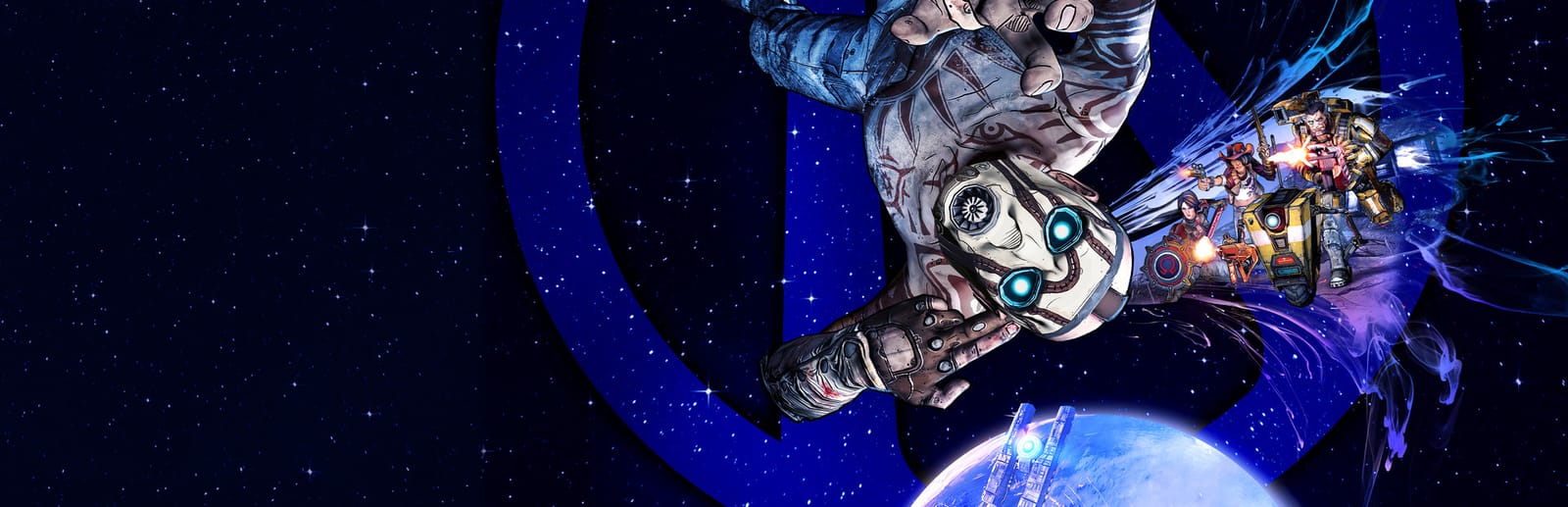
 Cover art © its publisher — for identification only. Details
Borderlands: The Pre-Sequel Keyboard & Controller Controls
Borderlands: The Pre-Sequel is 2K Australia and Gearbox Software's 2014 looter-shooter, set on Pandora's moon Elpis between the first two games. These are the default keyboard and mouse bindings printed in 2K's own PC manual alongside the default Xbox controller layout from the Xbox 360 manual, including the low-gravity Oz Kit verbs — double jump, quick land and butt slam — that are unique to this entry. Every binding can be reassigned from the in-game Options menu.
Borderlands: The Pre-Sequel controls poster
A generative poster unique to Borderlands: The Pre-Sequel — styled by its genre and signature colour. Pure design, zero spoilers. Free to download for your battlestation.
Free PNG is web-resolution & lightly watermarked.
Want it print-ready?
Framed-quality 300 DPI, no watermark — $2.99 (PC / keyboard edition). Drop your email and we'll send the checkout link.
🎮 Controller / gamepad poster — coming soon.
All Borderlands: The Pre-Sequel controls
45 default keybinds across 7 categories. Most can be reassigned in Borderlands: The Pre-Sequel's control settings. Switch to Gamepad to see Xbox, PlayStation, Switch and Steam Deck buttons side by side.
42 shortcuts
Vehicle 11
| Action | Shortcut |
|---|---|
| Drive Forward | W |
| Fire Vehicle Weapon | LMB |
| Vehicle Boost | F |
| Enter Vehicle Seat | E |
| Drive Backward | S |
| Vehicle Weapon Alt-Fire | RMB |
| Vehicle Handbrake (Moon Buggy) | G |
| Slam (Stingray) | G |
| Exit Vehicle | E |
| Switch Seats (Moon Buggy) | C |
| Vehicle Horn | Z |
Movement 7
| Action | Shortcut |
|---|---|
| Move | WthenAthenSthenD |
| Jump | Space |
| Sprint | Shift |
| Oz Kit Double Jump | SpacethenSpace |
| Oz Kit Slam (hold whilst jumping) | C |
| Crouch | C |
| Oz Kit Quick Land (tap whilst jumping) | C |
ECHO & Menus 7
| Action | Shortcut |
|---|---|
| ECHO Device | Tab |
| Show Inventory | I |
| Show Map | M |
| Show Mission Log | L |
| Show Skills | K |
| Show Challenges / Badass Rank | J |
| Exit Menu | Esc |
Combat 6
| Action | Shortcut |
|---|---|
| Fire Weapon | LMB |
| Aim / Alt-Fire | RMB |
| Reload Weapon | R |
| Use Action Skill | F |
| Melee | V |
| Throw Grenade | G |
Weapons 5
| Action | Shortcut |
|---|---|
| Cycle Weapon | Wheel |
| Select Weapon 1 | 1 |
| Select Weapon 2 | 2 |
| Select Weapon 3 | 3 |
| Select Weapon 4 | 4 |
Interaction 4
| Action | Shortcut |
|---|---|
| Pick Up Item / Use | E |
| Secondary Use | Q |
| Trade Items (hold) | X |
| Inspect Player (hold) | Z |
Communication 2
| Action | Shortcut |
|---|---|
| Push to Talk | T |
| Text Chat | Y |
Sourced from 2k.com, assets.2k.com Last verified
33 shortcuts
Vehicle 12
| Action | XboxPlayStationSwitchSteam Deck |
|---|---|
| Drive Forward | L-Stick |
| Fire Vehicle Weapon | RTR2R2ZR |
| Vehicle Boost | LBL1L1L |
| Enter Vehicle Seat | X■XY |
| Drive Backward | L-Stick |
| Steer / Turn | R-Stick |
| Vehicle Weapon Alt-Fire | LTL2L2ZL |
| Vehicle Handbrake (Moon Buggy) | RBR1R1R |
| Slam (Stingray) | RBR1R1R |
| Exit Vehicle | B●BA |
| Switch Seats (Moon Buggy) | A✕AB |
| Vehicle Horn | LSL3L3LS |
Movement 8
| Action | XboxPlayStationSwitchSteam Deck |
|---|---|
| Move | L-Stick |
| Look | R-Stick |
| Jump | A✕AB |
| Sprint | LSL3L3LS |
| Oz Kit Double Jump | A✕ABthenA✕AB |
| Oz Kit Slam (hold whilst jumping) | B●BA |
| Crouch | B●BA |
| Oz Kit Quick Land (tap whilst jumping) | B●BA |
ECHO & Menus 3
| Action | XboxPlayStationSwitchSteam Deck |
|---|---|
| ECHO Device | ViewShareView− |
| Pause Menu | MenuOptionsMenu+ |
| Exit Menu | B●BA |
Combat 6
| Action | XboxPlayStationSwitchSteam Deck |
|---|---|
| Fire Weapon | RTR2R2ZR |
| Aim / Alt-Fire | LTL2L2ZL |
| Reload Weapon | X■XY |
| Use Action Skill | LBL1L1L |
| Melee | RSR3R3RS |
| Throw Grenade | RBR1R1R |
Weapons 1
| Action | XboxPlayStationSwitchSteam Deck |
|---|---|
| Cycle Weapon | Y▲YX |
Interaction 3
| Action | XboxPlayStationSwitchSteam Deck |
|---|---|
| Pick Up Item / Use | X■XY |
| Trade Items (hold) | B●BA |
| Inspect Player (hold) | Y▲YX |
Sourced from 2k.com, assets.2k.com Last verified
Unofficial reference. ShortcutPosters is not affiliated with, endorsed by, or sponsored by Borderlands: The Pre-Sequel. All product names, logos, and trademarks are property of their respective owners. See our licensing & trademark notice.
Borderlands: The Pre-Sequel controls — FAQ
- What are the default controls for Borderlands: The Pre-Sequel?
- Borderlands: The Pre-Sequel, a shooter game, uses 45 default keybinds across 7 categories — on keyboard and controller. The complete, up-to-date list is free to read on this page.
- Can you remap Borderlands: The Pre-Sequel controls?
- Yes. These are the game's default bindings — nearly all of them can be reassigned from Borderlands: The Pre-Sequel's in-game control or key-binding settings.
- Does Borderlands: The Pre-Sequel support a controller?
- Yes — Borderlands: The Pre-Sequel has full gamepad support. The Xbox, PlayStation, Switch and Steam Deck button maps are shown on this page alongside the keyboard controls.
- Which platforms do these Borderlands: The Pre-Sequel controls cover?
- These keyboard controls apply on Windows and Mac and Linux. Borderlands: The Pre-Sequel also released on Xbox, PlayStation and Switch, and this page carries those controller bindings too. Most bindings are identical across platforms unless noted.
- Is this an official Borderlands: The Pre-Sequel resource?
- No. This is an unofficial reference and is not affiliated with or endorsed by Borderlands: The Pre-Sequel or its publisher. All trademarks belong to their respective owners.
Thanks — your feedback helps us improve.
Borderlands collection
5 Borderlands games in the catalogue, every control scheme free to read.
See all 5 Borderlands games →